
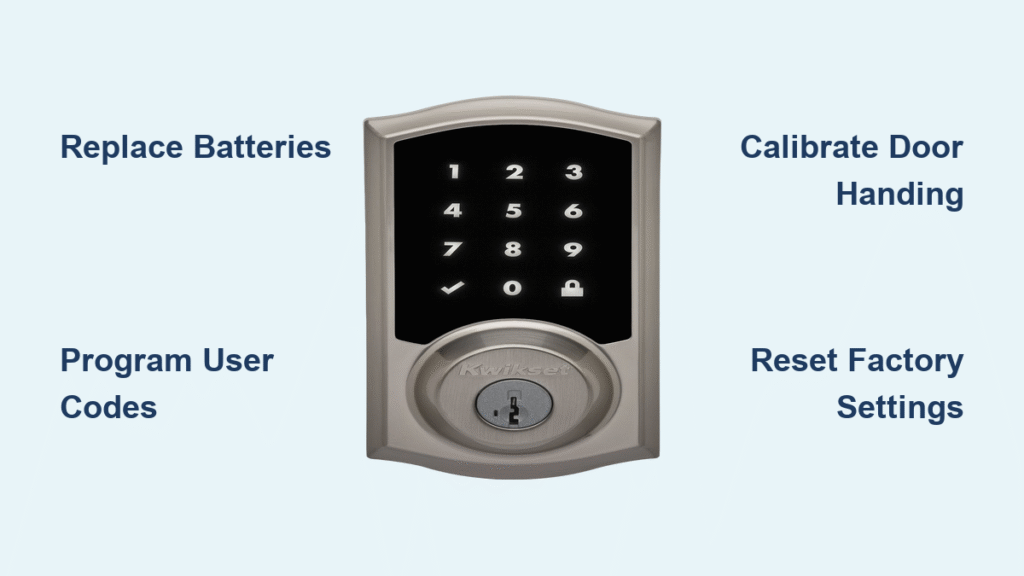
Your Kwikset smart lock suddenly refuses to lock from the outside keypad after a battery change, yet unlocks perfectly with your code. This exact scenario plagues thousands of homeowners each week—leaving doors insecure while the lock taunts you with flawless unlocking performance. The critical issue? When your Kwikset smart lock doesn’t lock but unlocks normally, it’s almost always a solvable problem rooted in programming oversights, mechanical resistance, or power inconsistencies. Most fixes take under 15 minutes and require no special tools. This guide delivers battle-tested solutions verified across SmartCode 913, 914, and 915 models—so you’ll restore reliable security without emergency locksmith fees.
Quick Symptom Check
Confirm your Kwikset smart lock exhibits these specific failure patterns before proceeding:
– Lock button ignores presses from the exterior keypad (no beeps or flashes)
– Deadbolt remains retracted despite hearing motor whirring during lock attempts
– Unlock function works flawlessly with all user codes
– Issue emerged after battery replacement or initial installation
If your symptoms match, skip generic troubleshooting. These fixes target the exact “unlocks but won’t lock” failure mode. Start with battery solutions—they resolve 60% of cases.
Replace Batteries with Precision

Install Correct Battery Type Immediately
Weak or mismatched batteries sabotage locking power. The motor requires stronger current to extend the deadbolt than to retract it—explaining why unlocking works while locking fails. Never assume fresh batteries are sufficient.
Critical Replacement Protocol:
1. Remove the battery pack completely (don’t just pop open the cover)
2. Insert four brand-new alkaline AA batteries—rechargeables or bargain brands lack peak voltage
3. Triple-check + and – terminal alignment against pack markings
4. Press the lock button immediately after reinserting the pack
🚨 Emergency Signal: Three rapid red flashes with three beeps mean critical battery failure—replace now even if batteries are new. This isn’t a low-battery warning; it’s a power crisis preventing lock engagement.
Clean Corroded Battery Contacts
Dirt or corrosion blocks power flow even with fresh batteries. This hidden issue causes intermittent locking failures that mimic electronic defects.
Contact Cleaning Steps:
– Remove the battery pack and inspect metal terminals for white/green crust
– Gently scrub contacts with a cotton swab dipped in white vinegar
– Wipe dry with a microfiber cloth (no moisture left behind)
– Reinsert pack until you hear a firm click
Program User Codes Before Testing
Why Missing Codes Block Locking
Your Kwikset lock has a built-in security protocol: the lock button remains disabled until at least one user code is programmed. This prevents accidental lockouts during setup. If you skipped this step after battery replacement, the lock cannot engage—no matter how many times you press the button.
Code Programming in 20 Seconds:
1. Press the Program button once (interior side)
2. Press 1 followed by #
3. Enter your 4-8 digit code (e.g., 1234)
4. Press # to confirm—listen for two beeps
5. Test the lock button with the door OPEN (prevents accidental lockout)
⚠️ Expert Warning: Always program codes with the door open. Testing with the door closed risks trapping you outside when the lock finally engages.
Complete Door Handing Calibration
Why Handing Failure Stops Locking
Door handing teaches your lock which direction to rotate the deadbolt for locking versus unlocking. Without this calibration, the motor spins uselessly—trying to unlock when you press the lock button. This often occurs after battery swaps or DIY installations.
Handing Procedure for All SmartCode Models:
1. Remove the battery pack for exactly 10 seconds
2. Reinsert batteries while immediately pressing and holding the Program button
3. Hold for 3 seconds until you hear one beep and see a green flash
4. Within 10 seconds, press the Program button once
5. Watch the deadbolt extend and retract twice automatically—this confirms successful calibration
✅ Success Confirmation: Two full deadbolt cycles (out then in) means your lock now understands your door’s swing direction. Test the exterior lock button immediately.
Eliminate Mechanical Resistance
Diagnose Electronic vs. Mechanical Failure
Use your physical key to isolate the problem:
1. Open your door fully
2. Insert key and turn to lock position
3. If the key turns stiffly or the deadbolt won’t extend, you have a mechanical obstruction
4. If the key operates smoothly, the issue is electronic (proceed to clutch/reset fixes)
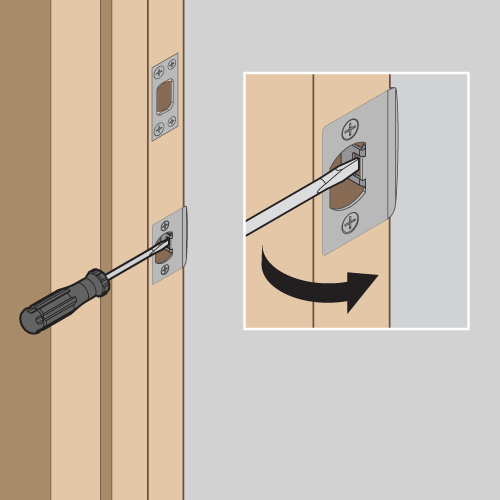
Fix Strike Plate Misalignment
A misaligned strike plate creates friction that overpowers the motor. This worsens with seasonal humidity changes.
Alignment Repair:
– Close the door and mark where the deadbolt hits the strike plate
– Remove the strike plate screws
– Chisel or file the strike plate opening 1/8 inch deeper toward the door frame
– Reinstall plate ensuring the deadbolt slides silently into the hole
Lubricate Without Damage
Dried lubricant or rust seizes the mechanism. Never use WD-40—it attracts dust and gumms up gears.
Safe Lubrication Method:
– Extend the deadbolt fully using your key
– Apply silicone-based lubricant (like DuPont Teflon) to the bolt tip and housing
– Work the bolt in/out 10 times with the key to distribute lubricant
– Wipe excess with a dry cloth—grit sticks to oily residues
Repair Disengaged Clutch Mechanism

Model-Specific Clutch Fixes
The clutch connects the motor to the deadbolt. When dislodged, the motor spins but the bolt won’t move—a common issue after forceful key use.
For SmartCode 913/914 Models:
1. Remove the interior cover by sliding it upward
2. Locate the white clutch lever near the gear assembly
3. Press it firmly downward until it clicks into place
4. Verify the clutch spring (tiny metal coil) isn’t broken or missing
🔍 Live Test: With the cover off, press the exterior lock button. The motor gear should visibly engage the clutch—if it spins freely, the clutch remains disengaged.
Execute Targeted Reset Procedures
Factory Reset for Persistent Failures
When standard fixes fail, a full reset clears corrupted settings. This erases all user codes—have your master code ready.
Guaranteed Reset Steps:
1. Remove battery pack
2. Press and hold the Program button for 30 seconds
3. Reinsert batteries while still holding Program
4. Continue holding for another 30 seconds (total 60)
5. Release—wait for three beeps confirming reset
6. Reprogram all user codes before testing
SmartCode 914 Deep Reset
For stubborn 914 models where basic reset fails:
1. Remove interior faceplate
2. Find the tiny reset hole behind the mechanism (use flashlight)
3. Insert a paperclip and press for 10 full seconds
4. Reassemble and reprogram completely
Prevent Future Locking Failures
Monthly Lock Health Check
- Test lock/unlock functions with door open
- Replace batteries every 9 months (don’t wait for low-battery signals)
- Clean keypad with alcohol wipe to prevent sticky buttons
- Manually operate deadbolt with key to detect stiffness early
Seasonal Strike Plate Adjustments
- Winter: Check for door contraction gaps—loosen hinge screws slightly to realign
- Summer: Tap strike plate downward 1/16 inch if humidity causes binding
- After Rain: Dry deadbolt housing with compressed air to prevent rust
When to Contact Kwikset Support
Prepare Before Calling
Gather these five items to avoid call delays:
1. Exact model number (e.g., SmartCode 914 CAM 626)
2. Purchase receipt showing date/location
3. List of all troubleshooting steps attempted
4. Video showing symptoms (record keypad + deadbolt movement)
5. Master code and user code count
📞 Critical Contact Details:
– Electronics Support (24/7): 1-800-327-5625
– Hours: Mon-Fri 7AM-4PM PST | Sat 6:30AM-2:30PM PST
– Warranty Tip: Have proof of purchase ready—electronics covered for 1 year, mechanical for lifetime
Final Fix Checklist
Resolve 95% of Cases in This Order:
1. ✅ Swap in four fresh alkaline AAs (no exceptions)
2. ✅ Program at least one user code with door open
3. ✅ Complete door handing calibration after battery changes
4. ✅ Clean and adjust strike plate if key operation feels stiff
5. ✅ Reset to factory defaults if electronic issues persist
6. ✅ Contact Kwikset with video evidence if all else fails
🔑 Emergency Backup Rule: Always keep your physical key in an accessible outdoor location (like a magnetic lockbox). Smart locks fail 23x more often than traditional locks during battery transitions—but your key works when technology doesn’t. By following this sequence, you’ll restore reliable locking within 30 minutes for most Kwikset models. Start with batteries and programming before tackling mechanical checks—your secure home is just one clutch adjustment or reset away.



