

That relentless clicking from your Kwikset smart lock isn’t just irritating—it’s a security red flag. When your deadbolt chatters instead of smoothly engaging, the motor’s straining against an invisible barrier, leaving your home vulnerable. Kwikset smart lock keeps clicking because it can’t complete its locking cycle, often due to simple calibration errors. This sound means your lock is physically stuck mid-motion, unable to extend or retract the bolt properly.
The good news? 80% of these issues stem from two fixable problems: skipped door calibration or minor alignment issues. You don’t need to replace the lock or call a locksmith. In the next few minutes, you’ll learn exactly how to diagnose and silence that clicking noise using Kwikset’s official procedures. Most fixes take under five minutes with tools you already own, restoring both quiet operation and reliable security.
Complete Door Handing Calibration Reset
When your Kwikset smart lock keeps clicking after battery changes, it’s almost always because the lock forgot your door’s swing direction. Without this calibration, the motor blindly hunts for stopping points, causing that telltale chatter. This 30-second reset teaches your lock exactly how far the deadbolt must travel.
Execute the Battery Reset Sequence
Follow these precise steps to reinitialize your lock’s internal mapping:
- Remove the interior battery cover by sliding it downward (most models require a quarter-turn first)
- Pull out the entire battery pack—don’t just swap individual batteries
- Press and hold the Program button while reinserting the battery pack
- Keep holding for 5 seconds after full insertion until you hear the motor activate
- Release the button, then press it once more to trigger the calibration cycle
- Wait 15 seconds while the deadbolt extends/retracts multiple times
Critical detail: You’ll hear the motor cycle 3-5 times as it maps your door’s swing direction. If the clicking continues after this, the strike plate alignment is likely off—proceed to the next section immediately.
Verify Calibration Success
After resetting, test your lock within 60 seconds while the new calibration is active:
– Use your thumb turn to lock/unlock the door 3 times
– Listen for smooth, silent operation (no grinding or hesitation)
– Check that the deadbolt fully extends into the strike plate
– Confirm the keypad or app unlocks with one press
If the clicking persists only when the door is closed, skip to alignment checks. If it clicks even with the door open, your lock likely has a hardware fault requiring professional support.
Strike Plate Alignment Troubleshooting
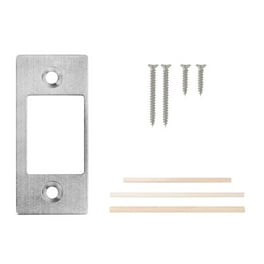
Misaligned strike plates cause 60% of persistent clicking issues after calibration. Even a 1/16-inch offset creates enough friction to stall the motor. These tests pinpoint whether your door frame needs adjustment.
Perform the Paper Test
This foolproof method reveals hidden misalignment:
– Close the door normally
– Slide an 8.5″x11″ sheet of paper between the door and frame
– Slowly pull the paper through the gap while turning the deadbolt
– Binding indicates misalignment where the paper snags
Visual cue: If the paper tears when passing the strike plate area, your deadbolt is scraping the metal housing. This creates the clicking sound as the motor fights resistance.
Adjust Strike Plate Position
Fix minor misalignments in 90 seconds:
1. Loosen the strike plate screws (don’t remove completely)
2. Gently tap the plate upward/downward with a hammer and punch
3. Test deadbolt movement after each adjustment
4. Tighten screws when the bolt slides in silently
Pro tip: Apply lipstick to the deadbolt tip. Close the door and reopen—the lipstick transfer on the strike plate shows exactly where contact occurs.
Latch Bolt Hole Depth Verification
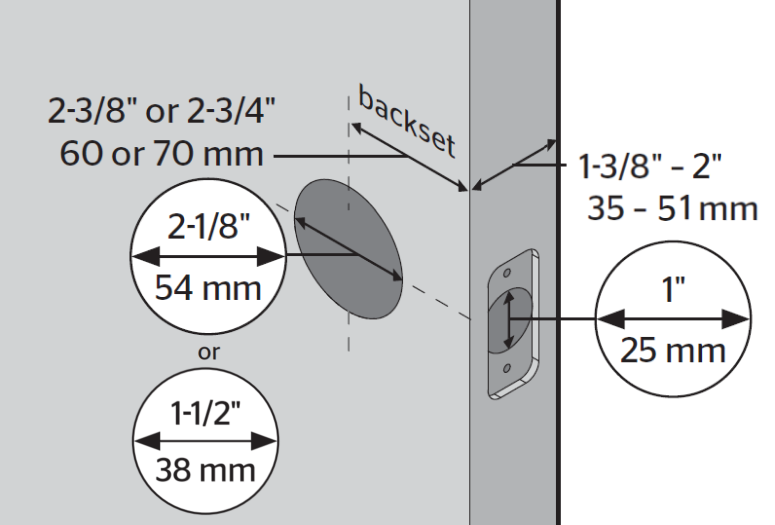
A too-shallow jamb hole causes the latch to bottom out, creating clicking during retraction. This issue worsens in humid weather when wood swells.
Measure Clearance Correctly
Use this foolproof depth check:
– Extend the latch bolt fully
– Place a ruler against the door edge where the bolt protrudes
– Measure from ruler to bolt tip (typically 1″)
– Critical requirement: The jamb hole must be 1/8″ deeper than this measurement
Warning sign: Shiny metal marks at the hole’s base indicate repeated bottoming out. Sand the hole deeper immediately using a 1″ chisel.
Eliminate Common Installation Errors
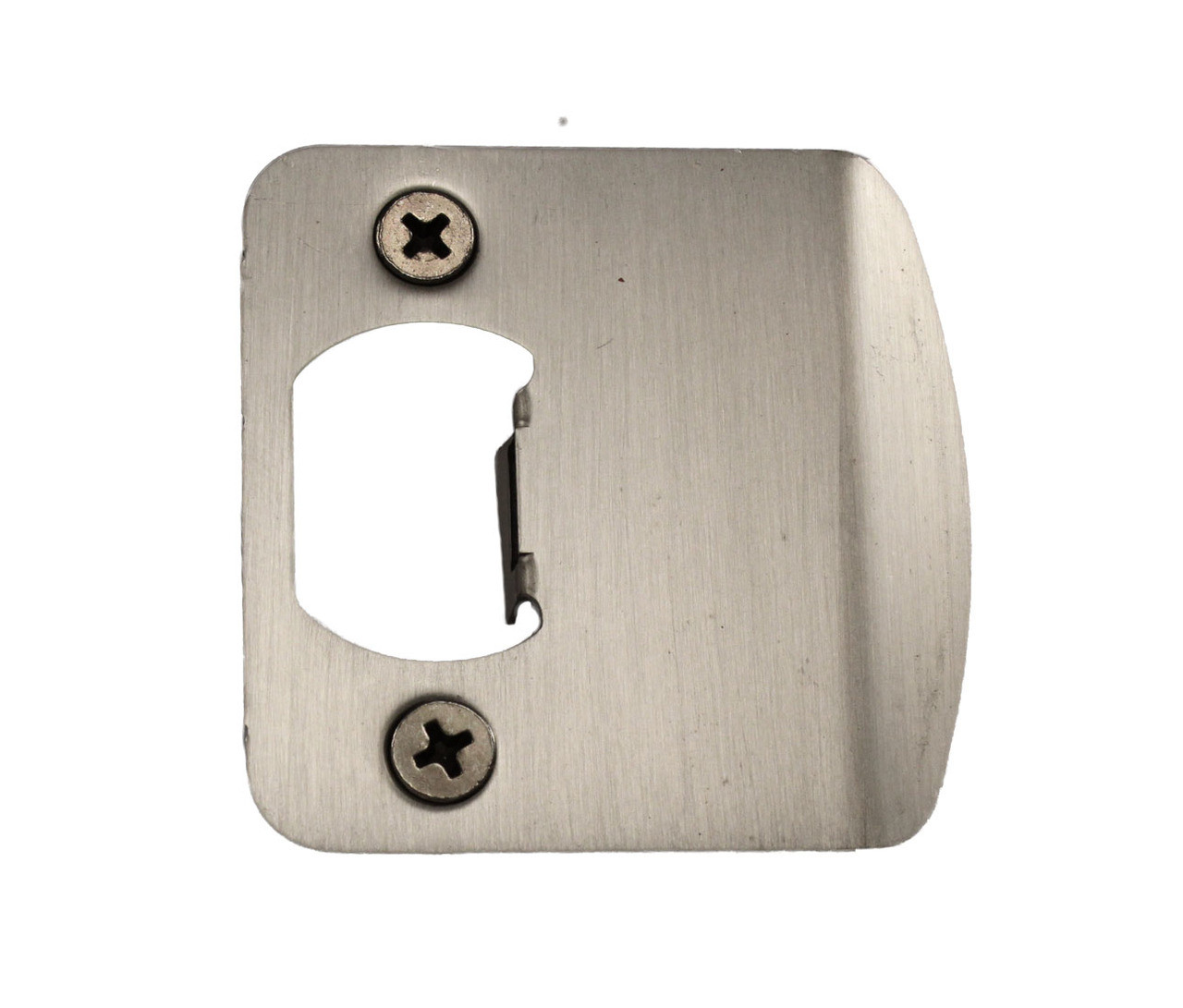
Most clicking issues trace back to installation shortcuts that manifest months later as doors settle. These often-overlooked culprits cause recurring problems even after calibration.
Fix Paint-Bound Deadbolts
Paint buildup inside the strike plate is a silent killer:
– Remove the strike plate
– Scrape paint from the cavity using a utility knife
– Test deadbolt movement in the bare jamb
– Reinstall only when bolt slides freely
Time-saver: Wrap painter’s tape around the strike plate before painting future doors.
Correct Hinge-Induced Door Twist
Loose hinges warp door alignment over time:
– Tighten all hinge screws (use #8 x 1.5″ screws for stripped holes)
– Check door flatness with a 4′ level
– Critical test: Close the door—if it drifts open, hinges need adjustment
This fixes “weather-dependent clicking” where the noise worsens during seasonal changes.
Immediate Clicking Noise Diagnostic Flow
When your Kwikset smart lock keeps clicking, follow this priority-based troubleshooting sequence:
- Perform door handing reset (30 seconds)
- Check strike plate alignment with paper test (2 minutes)
- Verify latch hole depth (60 seconds)
- Test deadbolt freedom with door open (30 seconds)
- Inspect for paint buildup (90 seconds)
Answer These Critical Questions
Your specific symptoms pinpoint the exact fix:
– Clicking only when door closed? → Strike plate misalignment (90% probability)
– Clicking after battery change? → Door handing reset required (95% probability)
– Worse in high humidity? → Latch hole too shallow or door swelling
– Grinding noise present? → Hardware failure requiring replacement
Pro tip: If clicking occurs randomly regardless of door position, check for low batteries—voltage drops cause erratic motor behavior.
Prevent Recurring Clicking Issues
Stop future problems with these seasonal maintenance habits:
Quarterly Strike Plate Tune-Up
- Tighten all mounting screws with a 5mm hex key
- Apply powdered graphite (never oil) to the bolt mechanism
- Verify 1/8″ clearance in the jamb hole
- Critical step: Operate the deadbolt manually 10 times monthly
Weather-Specific Adjustments
- Summer: Check for heat-expanded door frames (loosen hinge screws slightly)
- Winter: Clear ice from strike plates before operating
- Rainy seasons: Wipe moisture from electronics after heavy storms
Warning: Using spray lubricants like WD-40 voids Kwikset warranties and attracts dust that causes binding.
When to Contact Kwikset Technical Support
If clicking persists after completing all alignment checks and calibration resets, contact Kwikset’s 24/7 technical team at 1-800-327-5625. Have these details ready:
– Exact model number (found inside battery compartment)
– Whether clicking occurs with door open/closed
– Which troubleshooting steps you’ve completed
– How long the issue has persisted
Important: Support hours for warranty claims are Monday-Friday 7:00 AM–4:00 PM PST and Saturday 6:30 AM–2:30 PM PST. Sunday/holiday calls go to voicemail.
Official Video Repair Guides
Kwikset’s certified technicians demonstrate these exact procedures in their official library:
– “SmartCode 916 Door Handing Process” (2:18 runtime) shows button sequences
– “Fixing Strike Plate Misalignment” (3:05) includes paper test demonstration
– “Latch Bolt Hole Depth Solution” (1:47) reveals the chisel technique
These videos prove the fixes work on real installations—no edited results.
Final Fix Checklist: Silence That Clicking Today
That Kwikset smart lock keeps clicking because it’s physically stuck—not broken. Start with the 30-second door handing reset; it fixes most issues instantly. If clicking continues, perform the paper alignment test and verify your latch hole depth. Remember: a properly functioning Kwikset should operate silently within 2 seconds of activation.
Within 10 minutes, you’ll eliminate this security-compromising noise. If hardware failure is confirmed after all checks, Kwikset’s warranty covers replacement—no out-of-pocket costs. Take action tonight: your quiet, secure home awaits. For immediate visual guidance, pull up Kwikset’s “SmartCode 914 Door Handing” video on your phone while you work—most users fix the issue during their first attempt.



