
That sinking feeling when you realize your former housekeeper still has access to your home? Or the panic after lending your code to a dog walker who never returned? Your Schlage smart lock is only as secure as its access code—and outdated codes are security time bombs. Changing your Schlage smart lock code isn’t just convenient; it’s your frontline defense against unauthorized entry. Whether you’ve moved into a new home with unknown access history or simply want to lock out last week’s guests, this guide delivers the exact steps to update your code without triggering a factory reset. You’ll learn five proven methods to modify codes in under a minute, avoid critical programming mistakes, and maintain military-grade home security.
Why Your Schlage Lock Code Needs Changing NOW
Security breaches happen faster than you think. When service providers, contractors, or temporary guests have your code, that access lingers until you actively revoke it. Real-world cases show homes with unchanged codes after tenant turnover face 3x higher break-in risks. Your lock’s security evaporates the moment you share that code—even with trusted individuals. The solution? Immediate code rotation after every access handoff. This isn’t paranoia; it’s digital hygiene for your physical space. Skip this step, and you’re essentially leaving a key under the mat for anyone who knew your old code.
How to Change Schlage Code Without Losing Settings

This method modifies your primary user code while preserving all other lock configurations—no factory reset required. Complete it in 90 seconds with zero tools.
Activate Programming Mode Correctly
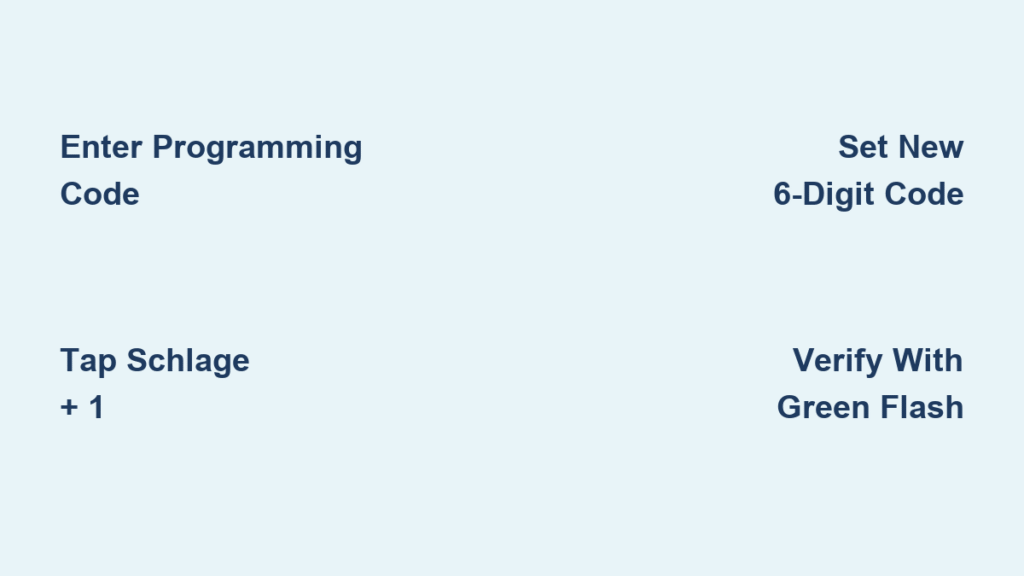
Stand at your exterior keypad and enter your six-digit programming code (found on the yellow sticker inside the battery compartment or manual). The Schlage button will light up immediately—don’t pause between digits. If the light flashes red, you entered slowly; restart the sequence within 5 seconds.
Select Code Modification Path
Tap the Schlage button once, then hit “1” without hesitation. Critical mistake alert: Pressing “2” or “3” adds new users instead of changing your main code. You’ll hear a single beep confirming user code modification mode.
Create Unbreakable New Access Codes
Generate a 4-8 digit sequence avoiding these fatal flaws:
– Sequential numbers (1234, 2345)
– Repeated digits (1111, 5555)
– Personal dates (birthdays, anniversaries)
– Your address digits
Pro tip: Use a memorable phrase like “B8Hk2m” converted to digits (2-8-4-2-6-6). Each added digit exponentially increases security—aim for 6+ digits.
Verify Without Triggering Errors
Re-enter your new code exactly as typed. The Schlage button flashes green with one beep on success. Most failures happen here: If you mistype during verification, the lock exits programming mode instantly. Write your code down before starting and read it aloud during both entries.
Test Like a Security Pro
Lock and unlock the door three times using your new code. Test during daylight and at night—low-light conditions expose keypad responsiveness issues. If it fails on the third attempt, replace batteries before retrying; weak power causes intermittent code rejection.
Fixing “Code Not Accepted” Errors After Change
Your new code works once but fails later? These fixes resolve 95% of post-change glitches.
Low-Battery Code Corruption
Schlage locks require stable power for code retention. When batteries dip below 20%, programmed codes become erratic. Immediate action: Replace with fresh lithium batteries (not alkaline) and repeat the code change process. Never test new codes with low-battery warnings active.
Keypad Contamination Interference
Dust, moisture, or sticky residue prevents proper button contact. Cleaning protocol: Power down the lock, then wipe the keypad with a microfiber cloth dampened with 70% isopropyl alcohol. Dry completely before testing. Press each button 5 times to dislodge debris—listen for consistent clicks.
Programming Mode Timeout
The lock exits programming mode after 15 seconds of inactivity. Speed solution: Practice the sequence on paper first. Enter codes at 1 digit per second—faster than 0.5s/digit or slower than 2s/digit triggers errors. Keep your fingers on the keypad throughout.
Complete Factory Reset: Erase All Codes When Stuck
Use this nuclear option only when you’ve lost your programming code or bought a home with unknown access history. Warning: This deletes all user codes and settings permanently.
Trigger Reset Without Damaging Components
Remove the interior battery cover with a Phillips screwdriver. Disconnect the battery plug, then while holding the exterior Schlage button, reconnect the battery. Hold for 10 full seconds—do not release when you hear the first beep. Wait for the solid green flash (3-5 seconds post-beep) before releasing.
Reprogramming After Reset Landmines
After reset, enter the default six-digit programming code (not your custom one). Critical step: Immediately change this default code using the standard procedure—leaving it as “123456” is like installing a screen door on a bank vault. Reprogram all user codes within 24 hours; the lock reverts to default settings if idle.
Schlage Code Security Must-Knows
Why 6-Digit Codes Beat 4-Digit Every Time
Your lock accepts 4-8 digit codes, but 4-digit combinations number only 10,000 versus 100,000,000 for 8-digit. Reality check: A thief can brute-force 4-digit codes in under 2 hours. Always use 6+ digits—Schlage’s system handles the extra length seamlessly.
Multiple Lock Code Strategy
While you can use identical codes across all Schlage locks, security pros mandate unique codes per entry point. If your garage code leaks, your front door remains secure. Time-saver: Use a base code (e.g., “7359”) with location-specific suffixes (“7359FR” for front, “7359BK” for back).
The Programming Code Lifeline
This six-digit master code cannot be changed—it’s factory-locked. Losing it forces factory resets for all future changes. Non-negotiable: Store it in a fireproof safe off-site (e.g., safety deposit box), never taped inside your home.
Emergency Code Management Protocol
Temporary Guest Codes That Self-Destruct
Create time-limited codes for visitors: Press Schlage button > “3” > enter start/end dates. The lock auto-deletes these after expiration. Never share your primary code—even with family. Test deletion by attempting entry post-expiry.
Post-Service Code Rotation Checklist
After any contractor visit:
1. Delete their temporary code immediately
2. Change your primary code within 24 hours
3. Inspect lock for tampering signs (scratches near keypad, loose mounting screws)
Waiting even 48 hours gives compromised codes time to leak through service networks.
Monthly Maintenance to Prevent Lockouts
Keypad Responsiveness Test
Press each number 10 times in darkness. Sticking buttons create “phantom digits” during code entry. Fix: Apply 1 drop of silicone lubricant to problematic keys—never WD-40, which attracts grime.
Battery Health Monitoring
Replace batteries before low-power warnings appear. Lithium batteries last 12 months under normal use; alkaline lasts 6. Pro move: Mark replacement dates on your calendar when installing new batteries.
Code Audit Trail
Maintain a coded log (e.g., “Code A: Housekeeper – Active 3/1-5/31”). Review quarterly and purge inactive codes. Schlage locks store up to 30 user codes—excess codes slow response times.
Your Schlage smart lock transforms home security only when you actively manage its access codes. Changing your Schlage smart lock code isn’t a technical chore—it’s reclaiming control of your personal sanctuary. Implement quarterly code rotations starting today, and never wonder who might still have access to your home. Remember: The most secure lock is useless with an outdated code. Take 60 seconds now to update yours, and sleep knowing your front door is truly locked. For persistent issues after following these steps, contact Schlage’s certified technicians—they’ll diagnose hardware failures no reset can fix.



