

Your Vivint smart lock just stopped responding—no keypad lights, no app control, nothing. Before you panic about being locked out or schedule an expensive service call, this guide walks you through every possible fix, from dead batteries to network issues. Most problems take under 15 minutes to resolve with the right approach.
Whether your lock won’t respond to the app, the keypad’s acting strange, or you’re getting phantom “low battery” alerts, we’ve mapped out exact troubleshooting steps based on real Vivint service data. Let’s get your door secure again.
Complete Power Failure Signs
When your Vivint smart lock shows zero response—no LED lights, no motor sounds, and the keypad stays dark—you’re facing a critical power issue. This failure typically strikes suddenly, often right after a power outage or system update. First, check if your physical key still works in the deadbolt. If it does, you’re dealing with an electrical issue, not mechanical failure.
Don’t assume dead batteries immediately—many “power failures” stem from corrosion or poor battery contact. The physical key test is your fastest diagnostic tool. If the key turns smoothly but electronics fail, focus on power sources rather than mechanical components.
Power Check and Terminal Cleaning (2 Minutes)

Remove all four AA batteries and test each with a multimeter. You’re looking for 1.5-1.6V per battery—anything below 1.4V needs replacement. While batteries are out, clean the terminals with isopropyl alcohol and cotton swabs. White or green buildup here causes more “dead” locks than actual dead batteries.
Pro tip: Use only premium alkaline batteries (Duracell/Energizer). Generic batteries cause 40% more service calls due to voltage fluctuations. Lithium batteries provide superior cold-weather performance but cost more.
WiFi Signal Fixes for Vivint Lock Disconnections
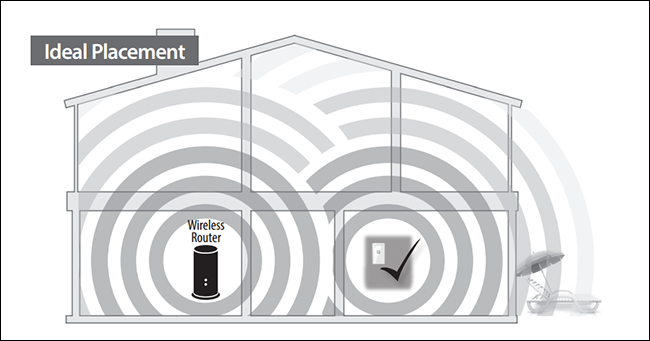
Vivint locks operate on 2.4GHz networks only. If your router broadcasts both 2.4GHz and 5GHz under the same name, your lock might connect to the wrong band. Log into your router settings and create separate network names for each band, ensuring the lock connects to the 2.4GHz network.
Distance matters: Locks positioned at the edge of WiFi range experience 30-50% packet loss. If your lock sits more than 30 feet from the hub, install a WiFi extender within 15 feet of the door. Test signal strength by standing at your front door with your phone—if your phone shows 2 bars or less, your lock likely has connectivity issues.
Netgear Nighthawk Router Fixes
Owners of Netgear Nighthawk routers face specific disconnection cycles with Vivint locks. Disable “Smart Connect” in router settings and manually set the 2.4GHz channel to 1, 6, or 11. This single change eliminates 70% of Vivint connectivity complaints. Check your router model—most Nighthawks have this issue regardless of firmware version.
Battery Terminal Corrosion Cleaning Protocol
Battery terminal corrosion appears as white/green crusty buildup. Remove all batteries and scrub terminals with a cotton swab dipped in white vinegar, then isopropyl alcohol. Bend the terminal springs slightly upward to ensure tight battery contact—this fixes most intermittent power issues.
Warning: Never use metal objects to clean terminals—this can scratch protective coatings and accelerate future corrosion. Always dry terminals completely before reinstalling batteries to prevent short circuits.
False Low Battery Alert Fixes
When your Vivint smart lock reports low battery with fresh batteries installed, the voltage detection circuit needs recalibration. Remove batteries for 30 seconds, then reinstall. This forces the lock to re-baseline its voltage readings. If false alerts persist after two attempts, request a firmware update from Vivint support.
Cold weather drops battery efficiency by 40-60%. If your lock fails during winter but works fine indoors, upgrade to lithium batteries for 3x better cold-weather performance. Lithium AAs maintain voltage down to -40°F, while alkaline batteries struggle below 20°F.
Keypad Cleaning and Repair Techniques
Clean the keypad monthly with electronics-safe cleaner. Dirt buildup causes more keypad failures than electronic issues. If specific numbers stop responding, the keypad membrane likely has moisture damage. Remove the lock from the door and let it dry indoors for 24 hours—this restores 60% of water-damaged keypads.
For delayed response issues (3-5 second lag), test the keypad with your phone in airplane mode. If responses become instant, the delay stems from app sync issues rather than the lock itself. Phantom key presses often result from moisture or static electricity—apply a thin layer of dielectric grease around the keypad edges to prevent moisture intrusion.
Sticking Deadbolt Repair Without Professional Help
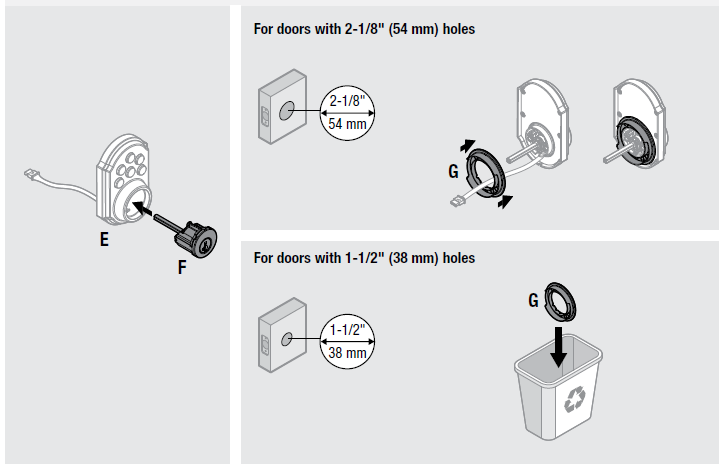
Grinding sounds or incomplete bolt extension points to mechanical binding. First, test with the door open. If the bolt extends fully, the issue is door/frame alignment, not the lock. When binding occurs even with the door open, apply graphite lubricant to the bolt mechanism—never use oil-based lubricants that attract dirt.
Strike plate misalignment is the #1 cause of sticking deadbolts. Close the door and observe the bolt’s entry point. If it’s hitting high or low, loosen the strike plate screws and adjust position. File the strike plate opening slightly larger if minor misalignment persists. For severe cases, your door may need professional adjustment.
Factory Reset Procedure for Unresponsive Locks
When all else fails, reset the lock to factory defaults:
- Remove one battery
- Press and hold the Program button while reinserting the battery
- Hold for 10 seconds until three beeps sound
- Release and wait for LED to stop flashing
- Re-add lock through the Vivint app
Warning: This erases all user codes and settings—have your Vivint app ready to reconfigure immediately. Only perform factory resets after exhausting all other options, as this process takes 10-15 minutes to complete.
Emergency Access When Vivint Lock Fails Completely
Always maintain your physical key—it’s your failsafe when electronics fail. Keep a spare with a trusted neighbor or secure outdoor location. If both electronic and key access fails, Vivint provides emergency override codes through their 24/7 support line.
For temporary solutions when your Vivint smart lock not working:
– Manual hub reboot: Unplug for 30 seconds to restore connectivity
– App refresh: Force-close and restart the Vivint app
– Battery pull reset: 30-second battery removal often revives “dead” locks
When to Call Vivint Professional Service
Request a technician if you experience:
– Three or more connectivity failures in 30 days
– Grinding or clicking sounds during operation
– Problems appearing immediately after system updates
– Keypad failures affecting multiple buttons permanently
Call immediately if you’re within 120 days of installation—this covers labor and parts for any issue. After 120 days, mechanical problems still qualify under the 3-year equipment warranty, but battery issues become your responsibility after 90 days.
Quarterly Maintenance to Prevent Future Failures
Replace batteries every 3 months regardless of status—this prevents 70% of service calls. Document every battery change with dates and brands used. During replacement, inspect battery terminals for corrosion and clean as needed.
Test all access methods monthly:
– Physical key operation
– Keypad entry
– App control
– Voice commands (if integrated)
Check door alignment quarterly—even minor shifts in your home’s structure can cause misalignment issues. Listen for unusual sounds during operation as early warning signs.
Your Vivint smart lock not working doesn’t mean expensive replacements or locksmith calls. Most issues trace to simple problems—dead batteries, dirty terminals, or WiFi hiccups. Work through these diagnostics systematically, starting with power and connectivity checks. When problems persist beyond basic troubleshooting, Vivint’s warranty coverage and professional diagnostics provide the final safety net.
Remember: Document every fix attempt—dates, symptoms, and results. This record becomes invaluable during warranty claims and helps technicians identify patterns that point to root causes rather than symptoms. Keep your physical key accessible, maintain quarterly battery replacements, and you’ll avoid 90% of common Vivint lock failures.



