
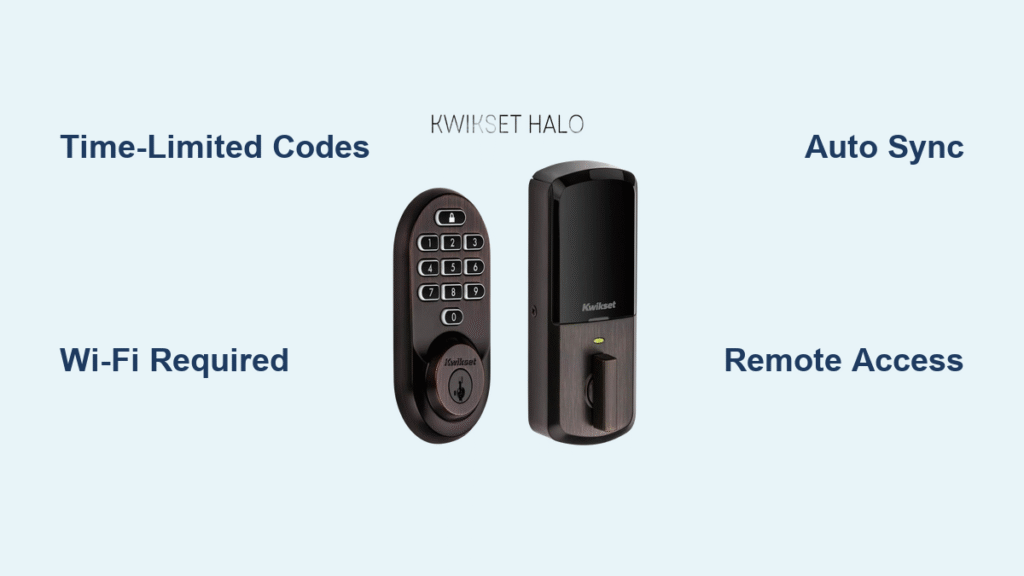
Picture this: It’s 2:30 AM, and your guests just landed after a delayed flight. Instead of racing across town with spare keys, you’re asleep while they enter your property using a unique code that activates precisely at check-in time. This isn’t futuristic fantasy—it’s how Airbnb smart locks solve one of hosting’s biggest pain points. The system automatically generates time-sensitive access codes that work only during booked stays, eliminating key handoffs while giving you remote control over property entry. Let’s break down exactly how this technology operates and transforms your hosting experience from stressful to seamless.
Unlike traditional locks, Airbnb’s smart lock integration creates cryptographically secure codes that activate exactly at your guest’s scheduled check-in and expire 30 minutes after checkout. If they modify their reservation for early arrival, the system automatically extends code validity—no manual adjustments needed. You’ll discover how to set this up, troubleshoot common issues, and leverage advanced features that boost your reviews and save you hours each month.
How Airbnb Generates Your Guest’s Time-Limited Entry Code
Airbnb’s code generation happens the moment a reservation confirms. The platform creates a unique, unpredictable sequence tied specifically to that booking—not a generic code reused across stays. This digital key springs to life precisely at your guest’s check-in hour and vanishes 30 minutes after their scheduled departure, preventing unauthorized access before or after their stay.
Critical timing details you control:
– Codes activate exactly at your listed check-in time (no early access unless configured)
– Automatic extension occurs if guests book late checkout through Airbnb
– Early arrival requests trigger immediate code activation when approved
– Zero manual intervention required for schedule changes
If your guest modifies their reservation while en route, the system instantly recalibrates code validity. No more frantic messages asking you to adjust access times—you’ll see real-time updates in your host dashboard showing current code status and remaining validity window.
Why Wi-Fi Smart Locks Are Required (Not Bluetooth Models)
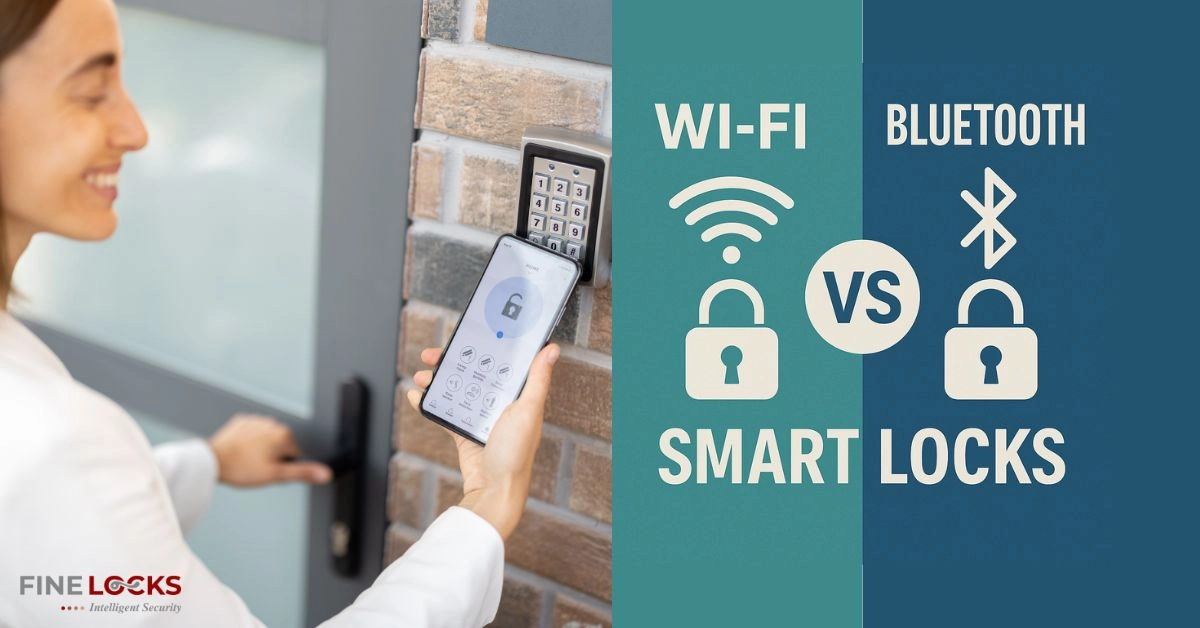
Bluetooth-only locks won’t work with Airbnb’s system because guests need remote access capability without your physical presence. The platform demands Wi-Fi connectivity to generate and transmit codes independently. When guests arrive, their unique code communicates directly with the lock through your property’s internet connection—not your phone.
Three non-negotiable technical requirements:
– Wi-Fi dependency: Must maintain stable internet at property (cellular backups recommended)
– Physical keypad: Guests must enter codes via touchscreen or numbered pad
– Manufacturer app integration: Lock must sync with Schlage, Yale, or August apps
Schlage Encode WiFi, Yale Assure SL, and August Smart Lock Pro with Connect bridge dominate host setups because they meet Airbnb’s strict security protocols. Kwikset SmartCode 888 also integrates seamlessly. Avoid Bluetooth-only models like August’s base version—they’ll fail during setup when Airbnb tests remote code generation.
Step-by-Step Smart Lock Setup for Your Airbnb Listing
Skip this critical step and your lock won’t generate guest codes. First, install your lock per manufacturer instructions (typically under 60 minutes using standard tools). Then follow Airbnb’s exact connection sequence:
- Access listing settings: On Airbnb.com, edit your listing > Guest Resources > “Add self-check-in”
- Authorize integration: Select your lock brand > log into manufacturer’s app > grant Airbnb access
- Verify functionality: Create a test reservation to confirm code generation and lock response
During authorization, Airbnb requests permission to manage temporary codes and monitor access logs. This isn’t optional—without these permissions, the system can’t activate codes based on your calendar. Expect a 2-5 minute sync process where Airbnb verifies your lock’s responsiveness before enabling guest access.
What Guests See: The Real-Time Entry Experience Explained
Guests receive their code through three channels: immediate booking confirmation email, 72-hour pre-arrival reminder, and within their Airbnb app reservation details. When they arrive, the entry process takes seconds:
- Locate your property’s entrance (clearly marked in your arrival guide)
- Enter the 6-8 digit code on the lock’s keypad
- Hear the lock disengage with audible confirmation
- Push or turn the handle to enter
Pro tip: Include visual cues in your arrival guide like “Look for the brushed nickel lock with blue backlight” since guests often struggle to identify smart locks among multiple doors. Code errors usually mean they’re entering it during inactive hours—remind them codes only work during their reservation window.
Your Security Dashboard: Monitoring Guest Access Remotely
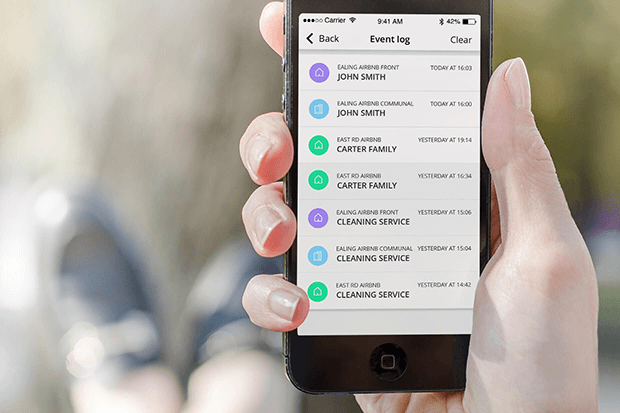
Your Airbnb host app becomes a real-time security command center. You’ll see:
– Instant notifications when guests first enter
– Precise timestamps of every lock engagement
– Battery status alerts before power depletion
– Failed attempt logs showing incorrect codes
Unlike physical keys, you can revoke access mid-stay with one tap if issues arise—no emergency lock replacement needed. The system maintains an immutable audit trail required by many insurers, showing exactly who accessed your property and when. Always maintain your backup entry method (key lockbox, secondary entrance) as Airbnb requires multiple access options.
Fixing Failed Entry: Top Smart Lock Troubleshooting Steps
When guests can’t enter, 90% of issues stem from these fixable problems:
Immediate resolution checklist:
– 🔋 Battery check: Low power causes erratic behavior (replace immediately)
– 📶 Wi-Fi verification: Ensure strong signal at lock location (use mesh extenders if needed)
– ⏱️ Time sync confirmation: Verify lock and Airbnb calendars match (timezone errors break codes)
For persistent failures, restart the lock by removing batteries for 30 seconds. If codes still won’t activate, unlink and relink your lock in Airbnb settings—this often resolves sync timeouts between platforms. Pro hosts schedule battery replacements every 9 months (before winter when cold drains power faster).
Customizing Access Windows for Early Check-Ins or Late Checkouts
Go beyond basic functionality by configuring flexible access rules:
– Grant 2-hour early entry for guests arriving before standard check-in
– Extend codes automatically for approved late checkouts
– Create 30-minute windows for cleaning crews between bookings
– Generate one-time codes for maintenance personnel
In your Airbnb settings, adjust “Access window” parameters to match your operational needs. When guests request early arrival through Airbnb’s official channel, their code activates immediately upon your approval—no manual code generation required.
Smart Lock ROI: How Hosts Save Time and Boost Reviews
Hosts using integrated smart locks achieve 4.95 average check-in ratings (vs. 4.7 industry average) according to 2024 Airbnb data. The financial impact?
| Investment | Cost | Annual Savings |
|---|---|---|
| Lock hardware | $250-$400 | $0 (one-time) |
| Battery replacements | $30 | $150+ (vs. key cutting/lockout services) |
| Time saved | N/A | 8-12 hours monthly |
Beyond dollars, you gain premium pricing potential—guests increasingly filter for “contactless check-in” properties. One host reported 22% higher occupancy after adding a smart lock, with guests specifically mentioning “stress-free late-night arrival” in reviews.
Monthly Maintenance Checklist for Reliable Lock Performance
Prevent failures with these quick monthly tasks:
– Update firmware through manufacturer’s app (security patches critical)
– Test backup entry method (key lockbox or secondary entrance)
– Verify Wi-Fi strength at lock location using signal meter apps
– Review guest instructions for clarity based on recent feedback
Schedule battery replacements every 9-12 months—not when low-battery alerts appear. Cold climates drain power faster; replace before winter season. Smart hosts keep spare batteries onsite with their backup keys for emergency access.
Legal Must-Knows: Insurance and Airbnb Smart Lock Requirements
Airbnb mandates backup entry methods in your arrival guide—smart locks alone won’t satisfy platform requirements. Many insurers now require smart locks for coverage, citing reduced break-in risks. Crucially:
- Document all access codes for insurance claims (Airbnb logs suffice)
- Never share permanent codes—temporary codes are mandatory per policy
- Maintain emergency contact procedures for lock failures
- Comply with local laws (some cities require physical key backup)
Your arrival guide must clearly state: “Backup keys are stored in the gray lockbox under the porch planter.” Airbnb may deactivate listings without verifiable backup access methods.
Final Implementation Verification Before First Guest
Before welcoming guests, complete this critical checklist:
– ✅ Test lock with a friend’s dummy reservation
– ✅ Confirm code appears in guest app 72 hours pre-arrival
– ✅ Verify backup entry method works flawlessly
– ✅ Add clear lock location photos to arrival guide
– ✅ Enable low-battery notifications in manufacturer’s app
Your guests will experience seamless entry while you gain peace of mind knowing exactly when they arrive. The system handles time-sensitive access automatically—so you can focus on hosting, not key logistics. With proper setup, your smart lock becomes the silent co-host that never misses a check-in and works while you sleep.



