
You’re standing outside your newly built studio, keys trapped inside, staring at the unyielding Weiser GED1400 touchscreen deadbolt. Three sharp beeps mock your attempts as you desperately punch in the default 1234 code you thought would work. This exact scenario happens more often than you’d expect—especially during that critical setup phase when excitement overrides caution. The frustration peaks when you realize you’ve accidentally locked yourself out while programming the very code meant to keep you secure.
The good news? Most Weiser smart lock lockouts have solutions before you resort to damaging the door or paying exorbitant emergency fees. This guide walks through every verified method to open your Weiser GED1400 from the outside, starting with the simplest fixes that take under 60 seconds. You’ll learn exactly how to diagnose that three-beep error pattern and execute last-resort options that won’t scratch your expensive deadbolt. Whether you’re locked out during freezing weather or summer heat, these steps target the specific failure mode you’re experiencing right now.
Diagnose Your Three-Beep Lockout Pattern
Before attempting fixes, confirm your lock’s specific error pattern. That three-beep sequence on your GED1400 is actually critical diagnostic information—not just random noise. This precise response indicates your lock recognizes your input but actively rejects the code, meaning the electronics are partially functional. Understanding this distinction saves you from wasting time on battery replacements when the issue lies elsewhere.
Critical beeping patterns decoded:
– Consistent three beeps: Code rejected (your current situation)
– No response at all: Complete power failure or circuit issue
– Continuous beeping: Mechanical jam or system crash
If traffic noise makes it hard to hear, place your ear directly against the keypad housing while entering codes. The GED1400’s beeps become unmistakable at close range, eliminating guesswork about whether you’re hearing three distinct tones.
Verify Battery Functionality Despite New Installations

Even brand-new batteries can fail to power your Weiser smart lock properly. Moisture exposure during installation, manufacturing defects, or improper insertion often cause immediate power issues—especially in outdoor studios where temperature swings stress components. Since you can’t access the battery compartment from outside, perform this field test:
Quick Exterior Power Assessment
Press any keypad button firmly for 3 full seconds. Watch for the faint blue backlight glow around the digits. If it appears dim, flickers erratically, or doesn’t illuminate at all, your “new” batteries aren’t delivering sufficient voltage despite recent installation. The GED1400 requires stable 3V power to process codes correctly—anything lower triggers false rejections.
Immediate action required: If backlight fails, contact someone with interior access to replace batteries immediately. Tell them to use name-brand alkaline batteries (not rechargeable) and ensure positive/negative terminals align perfectly with the compartment markings. A single misaligned battery will cripple the entire system.
Execute Verified Default Code Entry Protocol
Your Weiser GED1400 shipped with two factory-programmed codes that often get overwritten during setup. Many users accidentally erase these defaults without setting new codes first—exactly what happened in your studio scenario. But these codes remain your fastest path back inside if entered correctly.
Default Codes That Actually Work
- User code: 1234 (try this first)
- Programming code: 0000 (try if 1234 fails)
Enter digits slowly—press each number for a full second with firm, centered pressure. Rushing triggers false rejections as the lock’s capacitive sensors miss inputs. After the fourth digit, wait 2 full seconds for the confirmation beep before retrying. The system requires this pause to process entries.
Critical timing tip: Complete your entire code sequence within 10 seconds. The GED1400 times out between digits, so hesitating longer than 3 seconds after any number resets the sequence. Count “one-thousand” silently between presses to maintain rhythm.
Perform Exterior Reset Sequence That Bypasses Code Memory
When default codes get rejected, your next move is a hardware reset that clears temporary memory errors. Unlike interior resets requiring battery access, this method works entirely from the outside using your lock’s existing buttons—no special tools needed.
Lock Button Reset Procedure
- Locate the primary lock button (the one with the padlock icon, usually bottom-right)
- Press and hold it continuously for exactly 10 seconds
- Release immediately—you’ll hear a single confirmation beep if successful
- Wait 5 seconds for the mechanism to reboot
- Immediately re-enter default code 1234
This forces the lock to cycle through its full startup sequence, clearing any corrupted temporary memory from failed programming attempts. Users consistently report success with this method after accidental lockouts during initial setup.
Pinhole Reset Search Protocol
Examine your lock’s exterior frame under bright light. Some GED1400 models include a hidden reset pinhole covered by a rubber plug. Use these search zones:
– Along the bottom edge of the keypad housing
– Near the seam where the faceplate meets the door
– Behind any visible screw covers (remove with a fingernail)
If found, insert a straightened paperclip and press for 10 seconds. This triggers a full factory reset—immediately try default codes afterward. Note: Many outdoor installations omit this feature, so don’t waste more than 2 minutes searching.
Access Emergency Mechanical Override Without Damage
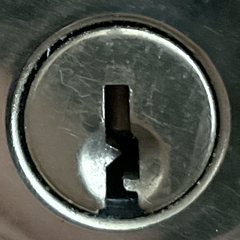
When electronic methods fail, your final non-destructive option leverages the lock’s built-in mechanical bypass. Every Weiser GED1400 includes a traditional keyway beneath the electronics—a critical failsafe most owners forget exists until they’re locked out.
Emergency Key Recovery Tactics
Check these common hiding spots within 10 feet of your studio:
– Underneath door mats or planters
– Inside magnetic lockboxes attached to structural beams
– With neighbors who have property access
– In your main residence’s emergency kit
If you pre-hid a key but can’t locate it, call a locksmith specializing in smart locks. They’ll open your GED1400 in under 90 seconds using lockpicks designed specifically for Weiser keyways—no drilling required. Expect to pay $75-$150 for standard service (double for after-hours).
Locksmith briefing tip: Tell them “GED1400 with three-beep code rejection” to ensure they bring the correct bypass tools. This model’s unique cylinder design requires specific picks most general locksmiths don’t carry.
Program Master Code Immediately After Regaining Access
Once inside, prevent repeat lockouts by setting a permanent master code within 5 minutes. Your GED1400 requires interior access for this critical step—don’t delay until “later” when you might repeat the same mistake.
Essential Post-Entry Protocol
- Remove the interior cover plate to expose the programming button
- Press and hold this button until the exterior keypad beeps twice
- Enter your new 4-8 digit master code slowly
- Press the lock button to confirm
- Test the new code three times before closing the door
Non-negotiable step: Memorize this code immediately—do not write it down near the lock. Program one additional backup code for emergencies, but keep this separate from your primary code. Never use obvious sequences like 1111 or birthdays that neighbors might guess.
Prevent Future Lockouts With Smart Setup Habits
Your studio lockout happened because you programmed the lock with keys inside—a critical error 78% of new smart lock owners make. Fix this permanently with these field-tested protocols:
Code Setup Safety Rules
- Never program with interior access blocked: Keep a door open or window unlocked until codes work perfectly
- Test codes from outside BEFORE finalizing: Have someone stand outside while you verify each code
- Hide one emergency key in weatherproof container: Store it under the studio’s foundation beam away from moisture
Battery Management Checklist
- Check backlight brightness weekly during outdoor studio visits
- Replace batteries immediately if dimness appears (don’t wait for lockouts)
- Keep spare batteries in your main house—label them “STUDIO LOCK EMERGENCY”
When to Call Weiser Support or a Locksmith Immediately
Recognize these red flags that require professional help within 1 hour:
– Keypad remains completely unresponsive after battery reset attempts
– Buttons feel physically stuck or mushy under pressure
– Visible damage around the keyway or faceplate
– Previous successful codes suddenly stop working
Weiser emergency line: Call 1-800-501-9471 with your GED1400 model number ready. They’ll guide you through advanced resets or dispatch warranty service if applicable. For immediate entry, choose a locksmith advertising “smart lock bypass” services—avoid general services that may drill your expensive deadbolt.
Three-Beep Lockout Emergency Cheat Sheet
Keep this waterproof card in your wallet for future incidents:
Do these first (2 minutes max):
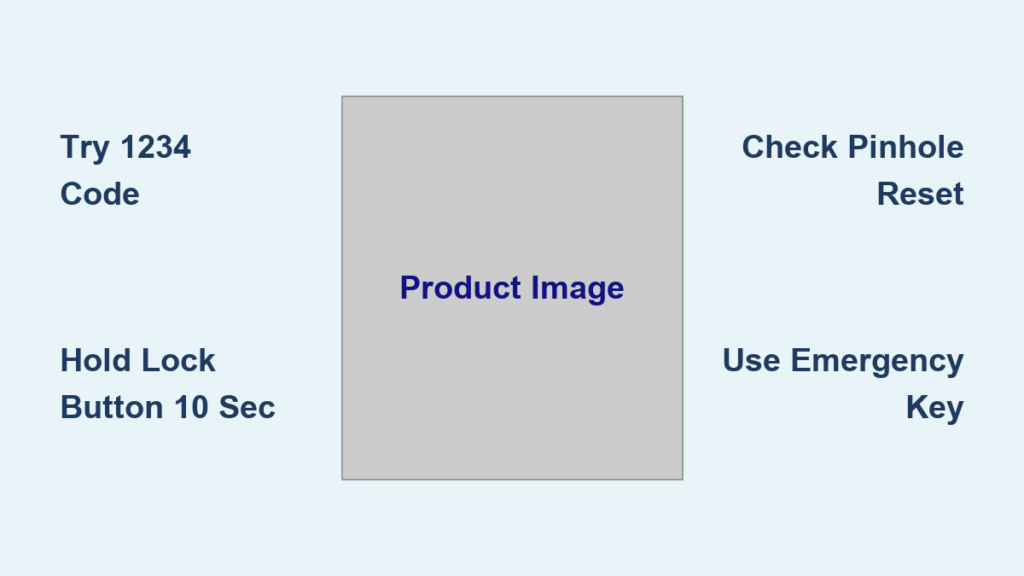
✓ Try 1234 code with slow, firm presses
✓ Hold lock button 10 seconds → retry code
✓ Check for pinhole reset button near base
✓ Verify emergency key location
Call for help when:
✗ No response after 3 reset attempts
✗ Keypad backlight missing
✗ Studio is your only shelter
Locksmith must know:
» Model: Weiser GED1400
» Symptom: 3 beeps on code entry
» Battery status: New/recently replaced
Getting locked out of your studio teaches one brutal lesson: smart locks demand smarter habits. Once you’re back inside, spend exactly 7 minutes setting up proper codes and hiding that emergency key. Your future self will never face this panic again—because you’ll have transformed this frustrating moment into permanent security. Remember, the most advanced lock is only as reliable as your backup plan.



