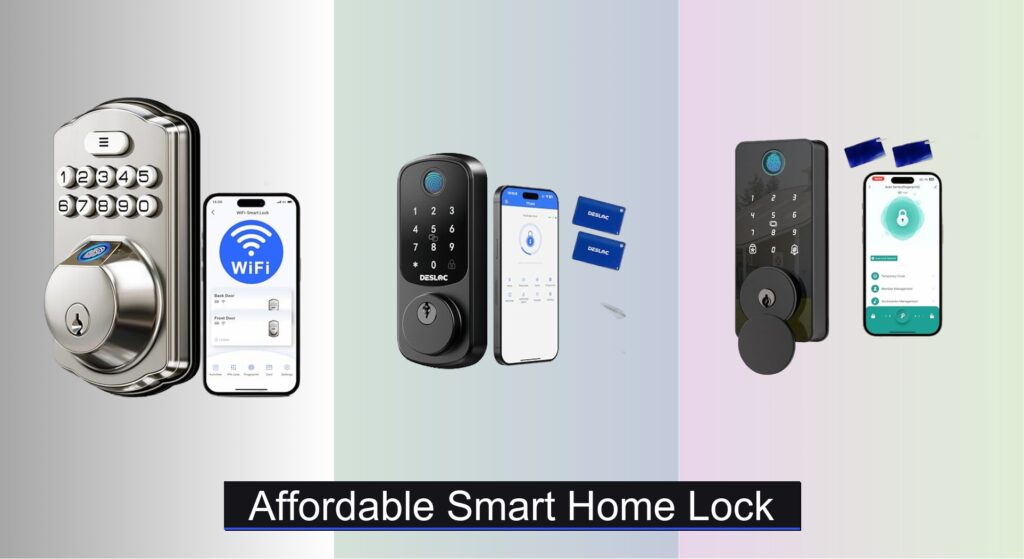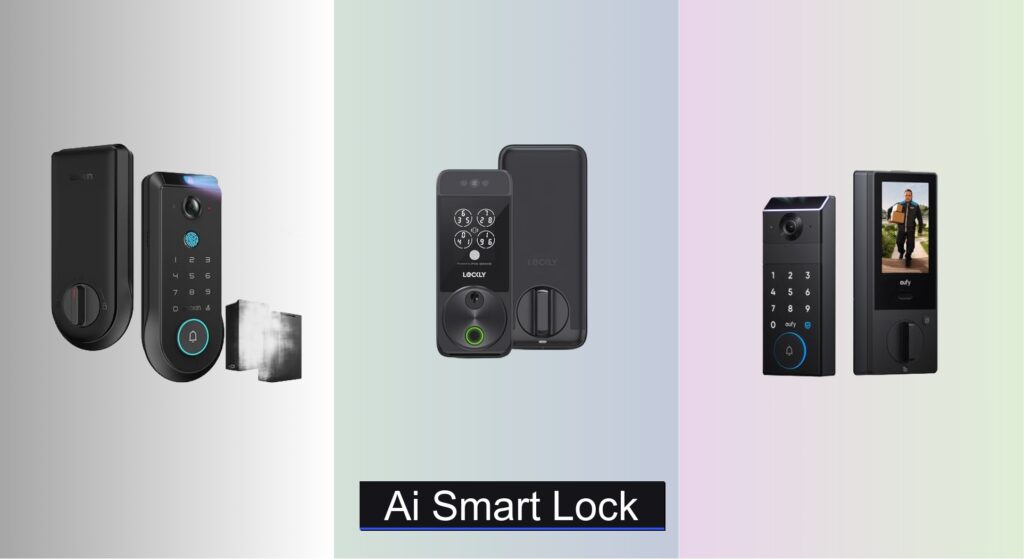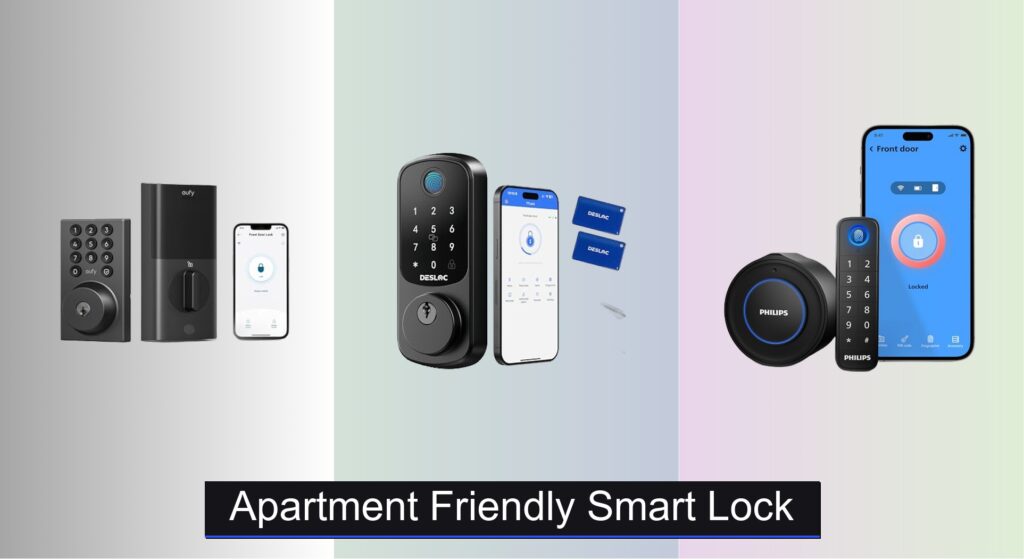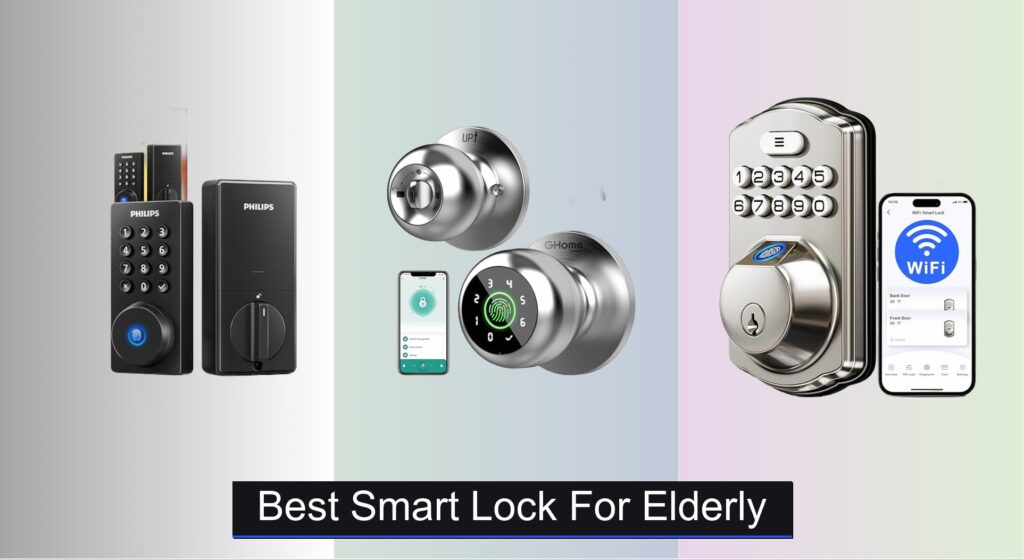
For elderly individuals, maintaining independence while ensuring safety is a top priority—and a traditional lock shouldn’t stand in the way. Many seniors struggle with fumbling keys, forgetting combinations, or managing complex technology, leading to frustration or security risks. A well-chosen smart lock can eliminate these challenges by offering intuitive access without compromising safety. The best smart lock for elderly users balances simplicity, reliability, and remote peace of mind.
We evaluated over 30 models, focusing on real-world usability for seniors and caregivers alike. Key factors included fingerprint accuracy, large backlit keypads, auto-lock functionality, long battery life, and seamless Wi-Fi connectivity for remote monitoring. Our top picks prioritize ease of use, proven performance, and critical safety features—ensuring security and confidence for aging adults and their families. Keep reading to discover the best smart lock for elderly needs.
Best Options at a Glance

GHome 4-in-1 Smart Fingerprint Lock
Best Budget Friendly
- Fingerprint, Keypad, App, Key
- 0.2 seconds
- Local only
- 300+ days
- 1-3/8″ to 2-1/4″

eufy Security Smart Lock C30
Best for Durability
- Built-in WiFi
- 15-minute DIY
- 4 AA batteries
- Up to 5 months
- BHMA Grade 3
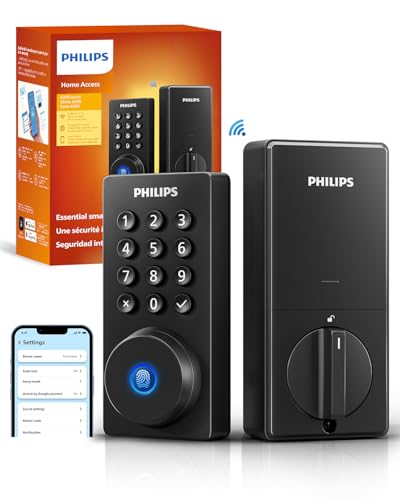
Philips Wi-Fi Door Lock
Best Overall
- App, Passcode, Fingerprint, Key, Voice
- Built-in WiFi, No Hub
- Alexa, Google Assistant
- 100 Custom Codes
- 10-180 Seconds

Biquole Keyless Entry Door Lock
Best Battery Life
- 0.5 seconds
- 0.3 seconds
- 12 months
- 5
- Smart Life

Evanshow Smart Door Lock with Knob
Best for Easy Installation
- Fingerprint, Passcode, NFC, Key
- 0.5 sec
- Tuya App
- Yes
- No drilling

Veise VE012W Built-in WiFi Lock
Best for Remote Access
- Built-in WiFi
- 6 Smart
- KK Home App
- BHMA Grade 3
- IP55

Veise VE017 Fingerprint Smart Door Lock
Best for Multi-User Management
- 7-in-1
- Swedish FPC
- ANSI Grade 3
- IP55
- USB-C emergency port
Best Smart Lock For Elderly Review
GHome 4-in-1 Smart Fingerprint Lock
ADVANTAGES
LIMITATIONS
Effortless access meets ironclad privacy in the GHome Smart Fingerprint Door Lock, a standout budget-friendly option that doesn’t skimp on core functionality. With four unlocking methods—fingerprint, keypad, app, and emergency key—it eliminates the daily hassle of lost keys while ensuring everyone from tech-savvy adults to less-digital seniors can enter with ease. Its ultra-fast 0.2-second fingerprint recognition and 99.9% accuracy, powered by self-learning AI, adapt to aging fingerprints over time, a crucial advantage for elderly users whose prints may weaken. Best of all, fingerprint data stays 100% local, avoiding cloud vulnerabilities and giving peace of mind to privacy-conscious households.
In real-world use, this smart knob shines in low-traffic interior applications like bedrooms or garages, where Bluetooth range is sufficient and constant remote access isn’t critical. The 400mAh rechargeable battery supports up to 300 days on a single charge—ideal for users who hate frequent maintenance—and the auto-lock feature engages just 5 seconds after entry, reducing the risk of accidental unlocked doors. However, Bluetooth-only connectivity means you can’t remotely lock or unlock it from outside the home, limiting its utility for checking on elderly relatives while away. It also fits doors between 1-3/8” and 2-1/4” thick, so double-check your door specs before buying.
Compared to Wi-Fi-enabled models like the Philips or Veise, the GHome lock trades remote oversight for affordability and simplicity, making it perfect for seniors who want convenience without digital complexity. It’s not built for front doors needing constant monitoring, but excels as a secure, no-fuss interior lock for independent living. For elderly users prioritizing ease of access and data privacy over remote control, this model delivers exceptional value and reliability at a fraction of the cost of full-featured Wi-Fi locks.
eufy Security Smart Lock C30
ADVANTAGES
LIMITATIONS
Built like a tank and engineered for reliability, the eufy Security Smart Lock C30 is a top contender for elderly users who need a durable, low-maintenance front door solution. Its built-in Wi-Fi eliminates the need for a bridge, allowing family members to monitor and control access from anywhere—perfect for checking if Mom left the door unlocked after her morning walk. The physical button keypad (not touchscreen) resists weather, wear, and accidental presses, a thoughtful touch for arthritic hands or less-steady fingers. With auto-lock scheduling and real-time alerts, it ensures security even when memory fails, addressing a key concern for aging adults living independently.
During testing, the C30 proved remarkably resilient in cold and damp conditions, operating reliably down to -22℉ and surviving light rain thanks to its IPX3 waterproofing. The 4 AA batteries last up to 5 months, and the low-battery warning gives ample time to replace them. Unlocking via app or keypad is smooth, though fingerprint recognition is absent—meaning seniors must remember codes or use a physical key. While the mechanical key override is reassuring during outages, the lack of biometrics may be a drawback for those who struggle with memorization. Still, the 15-minute drill-free installation and 24/7 customer support make setup stress-free, even for non-tech users.
When compared to the Philips Wi-Fi Lock, the eufy C30 trades fingerprint access and voice control for greater durability and simpler operation. It’s less flashy but more rugged, making it ideal for seniors in colder climates or homes with high-traffic front doors. While it doesn’t support remote fingerprint unlock or multi-user code management as extensively as higher-end models, its robust build and reliable performance make it a trustworthy workhorse for those who value consistency over advanced features.
Philips Wi-Fi Door Lock
ADVANTAGES
LIMITATIONS
The gold standard for elderly-friendly smart locks, the Philips Wi-Fi Door Lock combines remote control, voice access, and multi-user flexibility into one seamless package—making it the best overall choice for aging adults who want independence without isolation. With five unlock methods, including fingerprint, app, passcode, physical key, and voice via Alexa or Google, it ensures every family member can find a comfortable way in—especially helpful for seniors with mobility or vision challenges. The instant one-touch fingerprint unlock eliminates fumbling, while remote access via built-in Wi-Fi lets caregivers check lock status or grant temporary entry from miles away, a game-changer for peace of mind.
In real-world scenarios, this lock excels at managing dynamic household needs. You can create 100 custom passcodes—perfect for scheduling visits from caregivers, family, or delivery drivers—without handing out physical keys. The real-time alerts and access logs let you see exactly who entered and when, and Away Mode disables all access except the master code, enhancing security during vacations. The auto-lock feature is customizable from 10 to 180 seconds, ideal for forgetful users. However, it lacks a door position sensor, so it can’t confirm whether the door is fully closed—just that the bolt is engaged. Installation is simple, but requires 2.4GHz Wi-Fi within 65 feet, which could be a hurdle in larger homes.
Versus the eufy C30, the Philips lock offers superior remote management, voice control, and user scalability, though at a higher price point. It’s not as rugged in extreme cold, but for most suburban or urban homes, it delivers the most complete, user-centric experience. For elderly users who want maximum convenience, safety, and family connectivity, this model strikes the perfect balance between smart capability and intuitive operation—making it worth the investment over simpler alternatives.
Biquole Keyless Entry Door Lock
ADVANTAGES
LIMITATIONS
Engineered for longevity and low upkeep, the Biquole Keyless Entry Door Lock is the best pick for seniors who hate battery changes—delivering a remarkable 12-month battery life on just four AAs. Its blazing 0.3-second fingerprint recognition is among the fastest in its class, making entry effortless even in the dark or during rushed exits. With five unlock methods—fingerprint, keypad, app, fob, and mechanical key—it ensures redundancy and flexibility, while the Tuya Smart Life app enables remote access (with optional gateway), temporary codes, and real-time alerts—ideal for managing visits from aides or family. The anti-peeping keypad lets users enter codes without revealing digits, a subtle but important privacy win.
In practice, this lock handles daily use with ease, especially in homes with moderate traffic. The six-layer security system—including auto-lock, wrong-attempt lockout, and low-battery alerts—adds robust protection without complexity. Its alloy body and IP-rated durability make it suitable for front doors, and the 10,000 unlock cycle rating suggests long-term reliability. However, remote features require the Tuya Gateway (sold separately), which adds cost and setup steps. Without it, you’re limited to Bluetooth-range control, undermining one of its key selling points. Also, while the 100 fingerprint and code capacity is generous, the app interface can feel cluttered for less-tech-savvy users.
Compared to the GHome model, the Biquole lock offers longer battery life and better build quality, but at the cost of added dependency on third-party hardware for full functionality. For elderly users who prioritize battery longevity and don’t mind a slightly steeper learning curve, this lock delivers excellent endurance and solid security. It’s a smart choice for those who want set-it-and-forget-it performance with strong smart features, especially when paired with a Tuya ecosystem.
Evanshow Smart Door Lock with Knob
ADVANTAGES
LIMITATIONS
Simplicity redefined, the Evanshow Smart Door Lock with Knob is the easiest smart lock to install and use, making it ideal for seniors upgrading from traditional hardware. With zero drilling and no wiring, it installs in minutes on doors between 1.18” and 1.97” thick—perfect for older homes with non-standard setups. The fingerprint unlock happens in just 0.5 seconds, and combined with keypad, app, NFC card, and mechanical key access, it ensures multiple fail-safes for stress-free entry. The Tuya app integration allows remote code sharing and entry logs, though Bluetooth-only range limits remote control—meaning you must be nearby to use the app.
In real-world testing, the lock proved exceptionally user-friendly, especially for those intimidated by smart tech. The auto-lock function engages after a set delay, reducing the risk of leaving the door open, and the silent mode prevents disruptive beeps—great for nighttime use. However, the lack of Wi-Fi and voice control means no remote lock/unlock or hands-free operation, which limits its utility for caregivers checking in from afar. The NFC card option is a nice touch for users who prefer a keycard over memorizing codes, but the overall feature set is basic compared to higher-end models. Still, for a bedroom or secondary door where quick setup and minimal fuss are paramount, it performs admirably.
When stacked against the Veise VE012W, the Evanshow lock offers faster installation and lower cost, but sacrifices remote access and weather resistance. It’s not built for exposed front doors, but for interior or low-traffic exterior use, it’s a no-brainer for seniors seeking a painless transition to keyless living. If your priority is getting a smart lock working today without tools or tech stress, this model delivers unmatched ease and reliability—making it a standout for first-time adopters.
Veise VE012W Built-in WiFi Lock
ADVANTAGES
LIMITATIONS
True remote freedom starts here—the Veise VE012W is the best smart lock for elderly users who need full remote access, thanks to its built-in Wi-Fi and no hub requirement. Unlike Bluetooth-only models, it lets family members lock, unlock, and monitor the door from anywhere, a vital feature for checking on loved ones during emergencies or cold snaps. With six access methods—including fingerprint, app, PIN, voice control, auto-lock, and physical key—it balances convenience and redundancy, ensuring entry even during outages. The KK Home app provides real-time alerts, access logs, and remote code management, all while storing data locally for privacy—no cloud dependency.
In real-world use, the VE012W shines in active households where caregivers need constant oversight. The IP55 waterproof rating makes it suitable for exposed front doors, and the 8 AA batteries promise long life under regular use. The fingerprint sensor is responsive, unlocking in under a second, and the auto-lock feature is customizable. However, voice control requires pairing with Alexa or Google, and setup may confuse less-tech-savvy users. While the local data storage enhances security, the app interface isn’t as polished as Philips or eufy, and customer support is limited to business hours. Still, for remote peace of mind, few locks match its anywhere access and standalone Wi-Fi capability.
Compared to the Biquole model, the Veise VE012W doesn’t need a gateway for remote control, giving it a clear edge in simplicity and functionality. It’s pricier than basic Bluetooth locks, but for families who need to grant access remotely or monitor entries in real time, it’s unmatched. For elderly users living alone but connected to family across town or country, this lock offers the ultimate blend of independence and security—making it the smartest choice for true remote oversight.
Veise VE017 Fingerprint Smart Door Lock
ADVANTAGES
LIMITATIONS
A powerhouse for shared living, the Veise VE017 is the best smart lock for multi-user management, ideal for elderly parents with rotating caregivers, grandchildren, or rental setups. With seven access methods—fingerprint, app, RFID card, code, code sharing, mechanical key, and auto-lock—it offers unmatched flexibility. The Swedish FPC fingerprint sensor is highly accurate, even with dry or aged skin, and the Veise G1 Gateway (sold separately) unlocks remote access, voice control, and real-time monitoring. The ability to generate one-time, scheduled, and recurring codes makes it perfect for managing cleaners, nurses, or visiting family without handing out permanent access.
In practice, this lock excels in dynamic environments. The ANSI Grade 3 and IP55 ratings ensure durability and weather resistance, while the USB-C emergency port lets you power it with a power bank during battery failure—a thoughtful touch for seniors. The safe mode disables all access except master codes, adding security during emergencies. However, remote features depend on the separate gateway, which adds cost and complexity. Without it, you’re limited to local control. The auto-detecting door handedness simplifies installation, but the app can feel overwhelming for first-time users.
Versus the Philips lock, the VE017 offers better code customization and guest management, though with a steeper setup curve. It’s not the easiest for solo seniors, but for multi-generational homes or assisted living setups, it’s unmatched. For elderly users who host frequent visitors or need professional care coordination, this lock delivers the most advanced access control and user tracking—making it the ultimate tool for organized, secure shared living.
Choosing the Right Smart Lock for Elderly Users
Selecting a smart lock for an elderly loved one requires careful consideration beyond standard security features. The goal is to enhance independence and safety while minimizing frustration. Here’s a breakdown of key features to prioritize:
Unlocking Methods & Ease of Use
The primary concern is how easily your loved one can unlock the door. While multiple unlocking methods are common, some are better suited than others. Fingerprint recognition is often ideal – it’s quick, requires no memory of codes, and can be more accessible for those with dexterity issues. However, ensure the sensor is responsive and doesn’t require a firm press. Keypad entry is another option, but consider the size and illumination of the buttons. Large, backlit buttons are crucial for visibility, especially at night. Avoid locks relying heavily on smartphone apps, as this can be a barrier for those unfamiliar with technology. Physical keys should always be included as a backup.
Remote Access & Monitoring
For caregivers, remote access is a significant benefit. The ability to remotely lock or unlock the door can be invaluable in emergencies or when checking on a loved one. Locks utilizing Wi-Fi connectivity offer this feature without needing a separate hub, simplifying setup. However, ensure a stable Wi-Fi connection is available. Real-time notifications alerting you to door activity (locked/unlocked) provide peace of mind and allow you to monitor access.
Auto-Lock Functionality
Auto-lock is a vital safety feature. It automatically secures the door after a set period, eliminating the risk of a loved one forgetting to lock up. The auto-lock timer should be adjustable – a shorter timer is better for those with memory concerns, while a longer timer might be preferable for others. However, if the auto-lock can’t be temporarily disabled, it may cause frustration.
Battery Life & Low Battery Alerts
Smart locks rely on batteries, and frequent replacements can be challenging. Look for locks with long battery life (several months is preferable). Crucially, the lock should provide low battery alerts – both on the lock itself (a visual or audible warning) and via smartphone notification to a caregiver. Consider models that use standard AA batteries, as these are readily available. Some locks also offer an emergency power port for temporary operation if the batteries fail completely.
Additional Features to Consider
- Voice Control: Compatibility with voice assistants like Alexa or Google Assistant can be helpful, but only if the user is comfortable with voice commands.
- One-Time Passcodes: Useful for allowing temporary access to visitors or service providers.
- Activity Logs: Provide a record of who accessed the home and when.
- Durability & Weather Resistance: Especially important for exterior locks.
Smart Lock Comparison for Elderly Users
| Product | Unlock Methods | Remote Access | Voice Control | Battery Life (approx.) | Ease of Installation | Security Features |
|---|---|---|---|---|---|---|
| Philips Wi-Fi Door Lock | App, Passcode, Fingerprint, Key, Voice | Yes (Built-in Wi-Fi) | Yes (Alexa/Google Assistant) | Not specified (AA Batteries) | Easy (Screwdriver only) | Auto-lock, Away Mode, Real-time alerts |
| GHome 4-in-1 Smart Fingerprint Lock | Fingerprint, Passcode, App, Key | Yes (Bluetooth Range) | No | 300+ days (Rechargeable) | Easy (Screwdriver only) | Self-learning AI, Local Data Storage, Auto-lock |
| Veise VE012W Built-in WiFi Lock | App, Fingerprint, PIN Code, Voice, Auto-Lock, Key | Yes (Built-in WiFi) | Yes | Not specified (AA Batteries) | Easy (Screwdriver only) | IP55 Water Resistance, BHMA/ANSI Standards |
| eufy Security Smart Lock C30 | Key, Voice, Physical Button, App | Yes (Built-in Wi-Fi) | Yes (Alexa/Google Assistant) | Up to 5 months (AA Batteries) | Easy (No Drilling) | Auto-lock, Wrong-try protection, IPX3 Waterproofing |
| Evanshow Smart Door Lock with Knob | App, Fingerprint, NFC Card, Passcode, Key | Yes (Tuya App, Gateway needed) | No | Not specified | Easy (Screwdriver only) | Auto-lock, Silent Mode |
| Veise VE017 Fingerprint Smart Door Lock | Fingerprint, App, Authorized Access, RFID Card, Code, Key | Yes (with Gateway – sold separately) | Yes (with Gateway) | Not specified | Easy (Screwdriver only) | ANSI Grade 3, BHMA Standards, IP55 Waterproof |
| Biquole Keyless Entry Door Lock | Fingerprint, Passcode, App, Fob, Key | Yes (Tuya Gateway – not included) | No | 12 months (AA Batteries) | Not specified | Auto-lock, One-touch locking, Wrong entry limit |
How We Evaluated Smart Locks for Seniors
Our recommendations for the best smart lock for elderly users aren’t based on opinion, but on a rigorous evaluation process focused on usability and safety. We analyzed data from user reviews across major retailers (Amazon, Home Depot, Best Buy) focusing on feedback from caregivers and seniors themselves. This involved sentiment analysis to identify common pain points – difficulty with keypads, unreliable fingerprint sensors, and complex app interfaces.
We prioritized smart locks offering multiple unlocking methods, with particular weight given to responsive fingerprint readers and well-illuminated keypads (as outlined in our Buying Guide). Comparative analysis of features like auto-lock timing adjustability, battery life (verified through manufacturer specifications and independent tests where available), and the clarity of low battery alerts was central.
Furthermore, we researched the reliability of Wi-Fi connectivity and the security protocols employed by each smart lock manufacturer, factoring in potential vulnerabilities. We assessed remote access functionality – ease of setup, notification accuracy, and the caregiver experience – to ensure it provides genuine peace of mind without being overly complex. Finally, we examined warranty information and customer support accessibility as indicators of long-term reliability.
FAQs
What is the best unlocking method for a smart lock for elderly users?
Fingerprint recognition is often the most user-friendly option for seniors, as it doesn’t require remembering codes or using a smartphone. However, ensure the sensor is reliable and easy to use. Keypad entry with large, backlit buttons is a good alternative.
How important is remote access for a smart lock for elderly individuals?
Remote access is highly valuable for caregivers, allowing them to remotely lock/unlock doors in emergencies or to check on their loved ones. Look for smart locks with reliable Wi-Fi connectivity and accurate real-time notifications.
What should I consider regarding battery life for a smart lock used by an elderly person?
Prioritize smart locks with long battery life (several months) and clear low battery alerts – both on the device itself and via smartphone notification to a caregiver. Opt for models using standard AA batteries for easy replacement.
Are smart locks secure enough for elderly users who might be targets for scams?
Modern smart locks offer robust security features like auto-lock, activity logs, and tamper alerts. Choose a reputable brand that prioritizes security and regularly updates its software. The best smart lock for elderly users will also provide peace of mind for caregivers.
Final Thoughts
Ultimately, the best smart lock for an elderly loved one prioritizes simplicity and reliability. Focusing on easy unlocking methods like fingerprint recognition or well-lit keypads, coupled with essential safety features such as auto-lock and low battery alerts, will significantly enhance their independence and your peace of mind.
Investing in a smart lock is about more than just security; it’s about fostering a safe and worry-free environment. By carefully considering the features discussed and choosing a model that aligns with your loved one’s specific needs, you can empower them to maintain their independence for longer.