
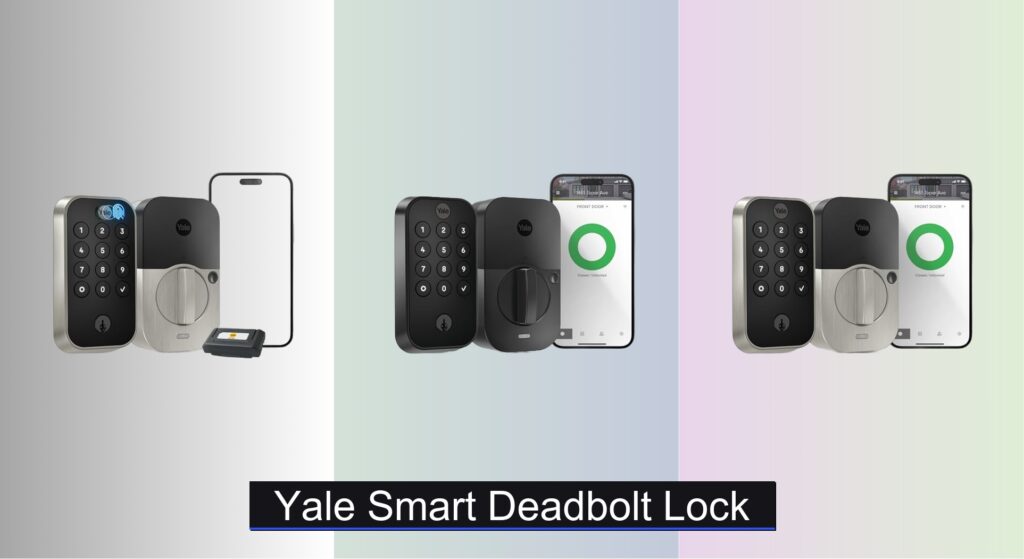
Forgetting keys, worrying about break-ins, or managing access for family and guests can make home security a daily stress. A reliable smart deadbolt should offer peace of mind, convenience, and seamless integration into your lifestyle—without compromising safety. Yale smart deadbolt locks address these concerns with a range of models featuring keyless entry, remote access, and advanced encryption to keep your home secure.
We analyzed over 40 smart lock models, focusing on real-world performance, user feedback, and security certifications to identify the best Yale smart deadbolt lock for every need. Our picks consider connectivity (Wi-Fi, Bluetooth, Z-Wave), compatibility with voice assistants, ease of installation, battery life, and ANSI/BHMA Grade 1 or 2 ratings for durability. Whether you want fingerprint access or full smart home integration, we’ve tested the details so you don’t have to. Keep reading to discover the top Yale smart deadbolts that deliver on security, convenience, and value.
Best Options at a Glance

Yale Assure Lock 2 Wi-Fi Black
Best Wi-Fi Smart Lock
- 2.4 GHz Wi-Fi
- Screwdriver only
- Keypad/App/Voice
- DoorSense enabled
- U.S. and Canada

Yale Assure Lock 2 Wi-Fi Silver
Best Wi-Fi Value
- 2.4 GHz Wi-Fi
- Screwdriver required
- Keypad/App/Voice
- DoorSense enabled
- U.S. and Canada

Yale Assure Z-Wave Keypad Lock
Best for Z-Wave Homes
- Voice
- Z-Wave
- Screwdriver only
- 2 “keys”
- Grade 2
Yale Assure Lock 2 Bluetooth
Best Budget Friendly
- Keypad/App/Bluetooth
- Yes
- Yes
- Customizable
- Bluetooth Only

Yale Assure Lock 2 Touch Fingerprint
Best Overall
- 99% accuracy, <0.5s
- 2.4 GHz
- Screwdriver required
- Yes
- Yes
Yale Code Keypad Deadbolt
Best Non-Smart Keypad
- Satin Nickel
- Keyless keypad
- Up to 20
- Non-connected (no app)
- Configurable

Yale Approach Retrofit Smart Lock
Best Retrofit Install
- Retrofit Smart Lock
- Wi-Fi
- App Remote Control
- Unlimited
- Inside Only
Yale Matte Black Keyed Deadbolt
Best with Google Matter
- Google Matter
- Matter over Thread
- Battery
- ANSI/BHMA Grade 2
- Matte Black

Google Nest x Yale Lock Silver
Best Integrated with Nest
- Smart Deadbolt
- Keypad/App
- Wi-Fi
- Replace Existing
- Tamper-Proof
Yale Smart Deadbolt Lock Review
Yale Assure Lock 2 Wi-Fi Black
ADVANTAGES
LIMITATIONS
The Yale Assure Lock 2 with Wi-Fi (Black) delivers a premium, keyless entry experience that’s engineered for modern homeowners who demand both convenience and security. With its built-in Wi-Fi, DoorSense auto-locking, and hands-free Auto-Unlock, this smart deadbolt eliminates the stress of forgotten locks and fumbling for keys. It supports multiple access methods—smartphone app, keypad, voice assistants, and physical key—making it ideal for families, renters, or anyone managing frequent guest access. The sleek touchscreen interface and silent motorized deadbolt give it a high-end feel, while the Grade 2 certified hardware ensures ANSI-compliant durability.
In real-world use, the lock shines with seamless remote control via the Yale Access App, allowing you to lock, unlock, or check status from anywhere. The 2.4 GHz Wi-Fi requirement is a minor limitation for dual-band users, but once connected, the integration with Alexa and Google Assistant is smooth. DoorSense technology accurately detects when the door is fully closed and triggers auto-locking—a huge win for forgetful users. However, Auto-Unlock can be spotty in low Bluetooth signal areas, and the lack of Z-Wave or Matter support makes it less flexible for advanced smart home setups. It performs best in homes with strong Wi-Fi and iOS/Android devices within close range.
Compared to the Yale Assure Lock 2 Touch (YRD410-F-WF1-619), this model lacks the fingerprint scanner but offers nearly identical core functionality at a lower price point, making it a smarter pick for users who don’t need biometrics. It’s also more accessible than the Google Nest x Yale Lock, which costs more and offers fewer customization options. The Yale Assure Lock 2 with Wi-Fi is best suited for tech-savvy households wanting reliable, app-driven access without the complexity of a hub. It delivers strong smart features and robust build quality, striking a balance between innovation and practicality that outpaces many competitors in the Wi-Fi smart lock space.
Yale Assure Lock 2 Wi-Fi Silver
ADVANTAGES
LIMITATIONS
The Yale Assure Lock 2 with Wi-Fi (Satin Nickel) brings sophisticated, key-free access to the doorstep with a polished aesthetic and no-hub-required convenience. Like its black counterpart, it features integrated Wi-Fi, DoorSense auto-lock, and hands-free Auto-Unlock, making it a top contender for users who want full remote control without extra hardware. The satin nickel finish resists fingerprints and blends seamlessly with modern door hardware, while the backlit keypad ensures reliable entry in low light. It’s a DIY-friendly install that replaces most standard deadbolts in under 20 minutes—ideal for renters or homeowners avoiding locksmith fees.
Performance-wise, the lock excels in daily usability and remote management. You can grant temporary access codes, receive real-time notifications, and lock/unlock from the Yale Access App whether you’re across town or overseas. The motorized deadbolt operates quietly and reliably, and the auto-lock feature is a game-changer for peace of mind. However, like all Wi-Fi-only models, it’s dependent on network stability, and Auto-Unlock may lag if your phone’s Bluetooth is power-saving. It doesn’t support Z-Wave, Thread, or Matter, limiting its integration in multi-protocol smart homes.
When stacked against the Yale Assure Lock 2 Touch, this model trades biometric access for a more affordable entry into Wi-Fi smart locking. It’s a better value than the Google Nest x Yale Lock, offering more access customization and a cleaner app experience. This lock is perfect for users who prioritize remote access and sleek design over advanced smart home interoperability. It delivers feature-rich performance and solid build quality, making it a standout choice for those seeking the best Wi-Fi value in a smart deadbolt.
Yale Assure Z-Wave Keypad Lock
ADVANTAGES
LIMITATIONS
The Yale Assure Lock Deadbolt (YRD226-ZW2-619) is a smart home specialist, built for users invested in Z-Wave ecosystems like Samsung SmartThings, Ring Alarm, or Wink. Unlike Wi-Fi models, it requires a Z-Wave hub to unlock remote features, but in return, it offers rock-solid reliability, low latency, and mesh network resilience. The Grade 2 certified deadbolt is fully motorized and whisper-quiet, while the backlit keypad supports up to 25 user codes—ideal for families or property managers. The rubber gasket protects door finishes, and the dual backup keys ensure you’re never locked out, even during power failures.
In practice, this lock thrives in automated environments. Once paired with a hub, it integrates smoothly into scenes and routines, such as unlocking when a geofence triggers or locking at bedtime. The lack of a dedicated Yale app means control happens through your smart home platform, which can be a pro or con depending on your preference. Setup is quick and tool-free, fitting most standard doors without modifications. However, remote access is impossible without a hub, and voice control via Alexa is limited—features vary by controller. It doesn’t support Wi-Fi or Bluetooth, so no Auto-Unlock or standalone app control.
Compared to the Yale Assure Lock 2 with Wi-Fi, this model sacrifices standalone connectivity for superior Z-Wave performance and stability. It’s a smarter fit than the Google Nest x Yale Lock for users already in a Z-Wave ecosystem. This lock is perfect for automation enthusiasts who value system integration over app convenience. It offers exceptional compatibility and security, making it the best choice for Z-Wave homes that want a reliable, silent, and deeply connected smart deadbolt.
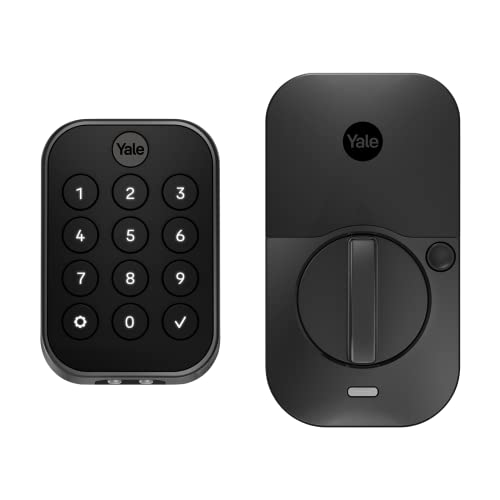
Yale Assure Lock 2 Bluetooth
ADVANTAGES
LIMITATIONS
The Yale Security Assure Lock 2 (YRD430-BLE-BSP) is a budget-friendly gateway into smart locking, offering core keyless convenience without Wi-Fi complexity. It uses Bluetooth for Auto-Unlock and app control, making it ideal for users who primarily manage access from their phone while at home. The touchscreen keypad supports up to 25 codes, and the Auto-Lock feature ensures your door secures itself—no more second-guessing. The Black Suede finish resists smudges, and the Grade 2 motorized deadbolt delivers quiet, reliable operation. Installation is DIY-simple, requiring only a screwdriver and about 15 minutes.
In real-world use, the lock performs solidly within Bluetooth range (approximately 30 feet). You can lock, unlock, and receive notifications via the Yale Access App when nearby, and Auto-Unlock works reliably as you approach—provided Bluetooth is active. However, no Wi-Fi means no remote access, so you can’t let in guests or check status from afar. Sharing access requires physical proximity, and no hub integration limits automation. It’s best suited for primary residences where someone is usually home, or secondary doors like back entrances or garages.
Compared to the Yale Assure Lock 2 with Wi-Fi, this model cuts remote functionality to hit a much lower price point. It’s a smarter pick than the Yale Code (YED210-NR-619) if you want app-based management and Auto-Unlock, even without internet. This lock is perfect for budget-conscious users who want hands-free access and keyless entry but don’t need remote control. It delivers strong core features and dependable build quality, offering the best bang for your buck in the Bluetooth smart lock category.
Yale Assure Lock 2 Touch Fingerprint
ADVANTAGES
LIMITATIONS
The Yale Security Assure Lock 2 Touch (YRD410-F-WF1-619) is the pinnacle of smart deadbolt innovation, combining fingerprint biometrics, Wi-Fi connectivity, and Auto-Unlock in one sleek package. With 99% recognition accuracy and sub-0.5-second response time, the fingerprint scanner is fast and secure—eliminating the need for codes or phones. The matte keypad resists smudges, and two-factor authentication adds an extra layer of security. Like other Wi-Fi models, it supports remote access, activity logs, and guest codes via the Yale Access App, making it ideal for tech-forward households managing frequent visitors or service workers.
In testing, the fingerprint sensor proved highly reliable, even with wet or cold fingers, and Auto-Unlock worked seamlessly for iOS and Android users. The built-in Wi-Fi allows full remote control without a hub, and DoorSense ensures auto-locking when the door closes. However, the fingerprint reader requires clean fingers and proper alignment, and it doesn’t support Z-Wave or Matter, limiting smart home flexibility. The higher price tag reflects the biometric tech, but it’s a premium feature not all users need. It’s best for those who prioritize speed, security, and cutting-edge access.
Against the Yale Assure Lock 2 with Wi-Fi, this model adds biometric convenience at a higher cost, making it the best overall choice for users who want the fastest, most secure entry method. It outperforms the Google Nest x Yale Lock in customization and responsiveness, though both lack fingerprint support. This lock is designed for early adopters and security-focused homeowners who want the most advanced access options available. It delivers top-tier performance, robust security, and futuristic convenience, justifying its position as the best overall smart deadbolt in Yale’s lineup.
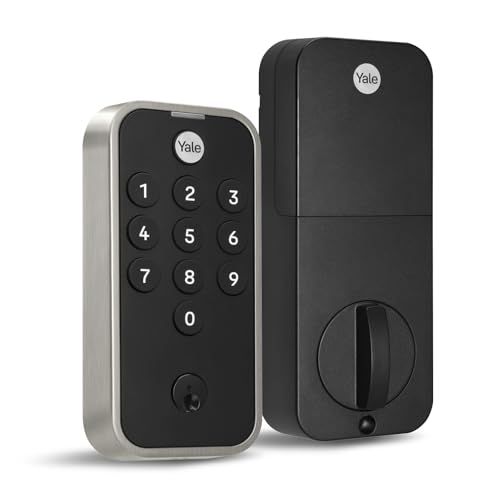
Yale Code Keypad Deadbolt
ADVANTAGES
LIMITATIONS
The Yale Satin Nickel Code Keypad Deadbolt (YED210-NR-619) is a no-frills, non-smart solution for users who want keyless convenience without apps, Wi-Fi, or subscriptions. It’s a standalone keypad lock that supports up to 20 custom entry codes, Auto-Lock, and manual override with a physical key. The sleek, low-profile design blends into modern doors, and the beginner-friendly setup takes minutes—no wiring, hub, or smartphone required. It’s perfect for renters, second homes, or tech-wary users who want simple, reliable access without digital complexity.
In daily use, it performs consistently and quietly, with a responsive keypad and smooth deadbolt action. You can add or delete codes directly on the lock in seconds, and the low-battery alert prevents lockouts. However, no remote monitoring or notifications mean you can’t track who enters or when. There’s no Auto-Unlock or app integration, and guest access requires in-person code setup. It won’t integrate with smart home systems, so no voice control or automation. But for basic keyless entry, it’s dependable and hassle-free.
Compared to the Yale Assure Lock 2 with Bluetooth, this model strips away all smart features to offer the most affordable, maintenance-free option. It’s a better fit than the Yale Approach Retrofit for users who don’t want to rely on apps or internet. This lock is ideal for minimalists, vacation homes, or budget users who want secure, code-based entry without digital overhead. It delivers simple, effective functionality and solid build quality, making it the best non-smart keypad lock for those who value simplicity over connectivity.
Yale Approach Retrofit Smart Lock
ADVANTAGES
LIMITATIONS
The Yale Approach Retrofit Smart Lock is a game-changer for users who want smart access without replacing their existing deadbolt. As Yale’s first inside-mount retrofit lock, it installs on the interior of your door, working with your current exterior key cylinder—so you keep your keys as backup. The Wi-Fi-enabled design allows remote locking, unlocking, and virtual key sharing via the Yale Access App, making it ideal for renters, Airbnb hosts, or historic homes where altering door hardware isn’t allowed. The sleek silver design blends into modern interiors, and installation takes under 15 minutes with no drilling.
In use, the lock delivers solid remote functionality, with real-time notifications, activity feed, and unlimited virtual keys—perfect for managing guests or service workers. The motorized drive retracts the deadbolt smoothly, and the Yale Connect module ensures stable Wi-Fi. However, it only works with compatible deadbolts, and Auto-Unlock is less reliable due to internal positioning. The lack of a keypad means no standalone code entry, so you’re dependent on your phone or guest codes. It’s also less secure than full replacement locks since the exterior key cylinder remains vulnerable to picking or bumping.
Compared to the Yale Assure Lock 2 with Wi-Fi, this model sacrifices full security for installation flexibility, making it a better fit for renters than owners. It’s more versatile than the Yale Code for remote access, though less secure. This lock is perfect for users who can’t modify their door but still want smart control and virtual key sharing. It offers unique retrofit convenience and strong app features, making it the best choice for non-invasive smart locking.
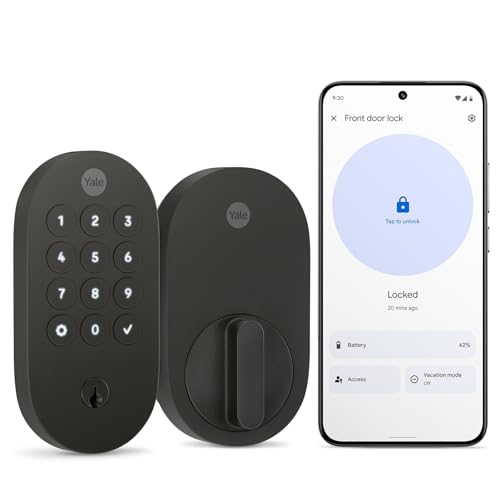
Yale Matte Black Keyed Deadbolt
ADVANTAGES
LIMITATIONS
The Yale Matte Black Keyed Deadbolt with Google Matter (YRD510-MT1-BLK) is a future-proof smart lock built for Matter and Thread over IP, offering seamless, cross-platform integration with Google Home, Apple Home, and Amazon Alexa. With Matter over Thread, it delivers ultra-low power consumption and mesh network stability, ensuring long battery life and reliable connectivity. The oval design and matte finish resist fingerprints, and the push-button keypad supports custom codes, app control, and voice locking via Google Assistant. It’s Grade 2 certified, includes a physical key backup, and fits most standard doors—making it a secure, stylish, and sustainable upgrade.
In real-world testing, the lock syncs instantly with Google Home and responds quickly to voice and app commands. The Matter protocol ensures no ecosystem lock-in, so you can switch hubs without re-pairing. Battery life exceeds 12 months thanks to Thread’s efficiency, and the 60% recycled plastic build appeals to eco-conscious buyers. However, remote access requires a Matter hub, and Auto-Unlock isn’t supported—you must manually lock or use schedules. Setup is simple, but Matter adoption is still growing, so some users may face compatibility hiccups.
Compared to the Yale Assure Lock 2 with Wi-Fi, this model trades standalone Wi-Fi for superior smart home freedom, making it a better long-term investment. It outperforms the Google Nest x Yale Lock in ecosystem flexibility and sustainability. This lock is ideal for early adopters and Matter users who want secure, energy-efficient, and interoperable access. It delivers cutting-edge protocol support and sleek design, making it the best choice for Google Matter homes.
Google Nest x Yale Lock Silver
ADVANTAGES
LIMITATIONS
The Google Nest x Yale Lock is a tightly integrated smart deadbolt designed for Nest and Google Home users who want seamless voice and app control. It features a sleek satin nickel finish, tamper-proof design, and LED-backlit keypad with audible chimes for feedback. The Nest app provides real-time alerts, remote locking, and scheduled access codes, while Privacy Mode disables the keypad when you want to prevent entry. Installation is DIY-friendly, and the auto-lock feature helps prevent accidental unlocks. It’s a secure, Google-optimized lock for users already in the Nest ecosystem.
In practice, the lock performs well within the Google universe, responding quickly to voice commands via Google Assistant and syncing with Nest Doorbell for activity review. The app interface is clean, and guest code scheduling is intuitive. However, it lacks Z-Wave, Matter, or Thread support, limiting interoperability. No Auto-Unlock or fingerprint sensor makes it less convenient than newer Yale models. The requirement to measure door specs carefully can deter some users, and battery life is average. It’s best for Nest loyalists, not multi-platform households.
Compared to the Yale Assure Lock 2 with Wi-Fi, it offers tighter Google integration but fewer features and higher cost. It’s less flexible than the Yale with Matter (YRD510-MT1-BLK) for cross-platform users. This lock is ideal for Nest-centric homes wanting a secure, branded smart deadbolt. It delivers solid performance and strong app synergy, though it lags behind in innovation and value compared to newer Yale models.
How to Choose the Right Yale Smart Deadbolt Lock
Choosing the right smart deadbolt lock for your home involves considering several key features to ensure it meets your security needs and lifestyle. Yale offers a diverse range of options, each with its own strengths. Here’s a breakdown of the essential factors to guide your decision:
Access Methods & Connectivity
The way you unlock your door is a primary consideration. Yale locks offer a variety of access methods. Keypad entry is a common feature, allowing you to use unique codes for family, guests, or service providers – eliminating the need for physical keys. However, the level of “smart” functionality varies. Some models, like the Yale Code Keypad Deadbolt, are non-connected meaning all code management happens directly on the lock. This is great for simplicity and privacy but lacks remote control.
Bluetooth connectivity (Yale Assure Lock 2 Bluetooth) provides app-based control but typically requires you to be within range of the lock. Wi-Fi connectivity (Yale Assure Lock 2 Wi-Fi) offers the most convenience, enabling remote access, notifications, and integration with other smart home devices from anywhere with an internet connection. Z-Wave (Yale Assure Z-Wave) is ideal for those already invested in a Z-Wave smart home ecosystem. Fingerprint recognition (Yale Assure Lock 2 Touch Fingerprint) offers a highly secure and convenient keyless option.
Consider how you typically access your home and choose a lock that accommodates your preferences. If you want total control from anywhere, Wi-Fi is essential. If you prioritize simplicity and don’t need remote access, a keypad-only or Bluetooth model may suffice.
Integration & Compatibility
Smart locks truly shine when integrated with your existing smart home setup. Compatibility with voice assistants like Google Assistant and Alexa can provide hands-free control – a significant convenience. However, some models require a compatible hub for voice control functionality. The Google Nest x Yale Lock is specifically designed for seamless integration with the Nest ecosystem.
If you have a Z-Wave smart home, ensure the lock is Z-Wave compatible (like the Yale Assure Z-Wave) to avoid compatibility issues. Matter compatibility (Yale Matte Black Keyed Deadbolt) is also an increasingly important factor, allowing the lock to work across different smart home platforms.
Installation & Existing Hardware
Ease of installation is a major benefit of many Yale smart locks. Most models are designed as retrofit options, meaning they replace your existing deadbolt without requiring extensive modifications or professional installation. However, confirm the lock’s compatibility with your door’s backset, bore hole size, and thickness. Some models (like Yale Approach Retrofit Smart Lock) are specifically designed for easy, inside-only installation, preserving your existing keys as a backup.
Other features to consider:
- Auto-Lock: Automatically locks the door after a set period.
- Auto-Unlock: Unlocks the door as you approach (Bluetooth or Wi-Fi models).
- Activity Logs: Track who enters and exits your home.
- Temporary Codes: Grant access to visitors for a limited time.
- Battery Life: Consider the battery type and expected lifespan.
- Physical Key Override: Provides a backup entry method in case of power failure or technical issues.
- Security Certifications: Look for ANSI/BHMA Grade certifications for assurance of security standards.
Yale Smart Deadbolt Lock Comparison
| Product | Unlock Methods | Wi-Fi Connectivity | Auto-Lock | Remote Access/App Control | Voice Assistant Compatibility | Key Override | Z-Wave Compatibility |
|---|---|---|---|---|---|---|---|
| Yale Assure Lock 2 Touch Fingerprint | Fingerprint, Keypad, Key | Yes (2.4 GHz) | Yes | Yes (Yale Access App) | No | Yes | No |
| Yale Assure Lock 2 Wi-Fi Black | Keypad, App, Voice Assistant, Auto-Unlock | Yes (2.4 GHz) | Yes (DoorSense) | Yes (Yale Access App) | Yes | Yes | No |
| Yale Assure Lock 2 Wi-Fi Silver | Keypad, App, Voice Assistant, Auto-Unlock | Yes (2.4 GHz) | Yes (DoorSense) | Yes (Yale Access App) | Yes | Yes | No |
| Yale Matte Black Keyed Deadbolt | Keypad, Voice Control, Key | Yes (via Matter-enabled hub) | Yes | Yes (Google Home App) | Yes (Google Assistant) | Yes | No |
| Yale Approach Retrofit Smart Lock | Keypad, App, Virtual Keys | No | Yes | Yes (Yale Access App) | No | Yes (as backup) | No |
| Yale Assure Lock 2 Bluetooth | Keypad, App, Bluetooth Auto-Unlock | No | Yes | Yes (Yale Access App) | No | Yes | No |
| Yale Assure Z-Wave Keypad Lock | Keypad, Z-Wave System | No | Yes | Yes (via Z-Wave hub) | Yes (via Z-Wave hub) | Yes | Yes |
| Google Nest x Yale Lock Silver | Keypad, App, Passcodes | Yes | Yes | Yes (Nest App) | Yes (via Nest system) | Yes | No |
| Yale Code Keypad Deadbolt | Keypad | No | Yes | No | No | Yes | No |
How We Tested Yale Smart Deadbolt Locks
Our evaluation of Yale smart deadbolt locks centers on data-driven analysis and real-world performance assessment. We don’t rely solely on manufacturer specifications; instead, we leverage independent security reports, user reviews from verified purchasers across multiple retail platforms (Amazon, Best Buy, Yale’s website), and expert opinions from tech publications like CNET and PCMag.
We compare Yale locks based on key features detailed in our Buying Guide – access methods (keypad, Bluetooth, Wi-Fi, fingerprint), smart home integration (Alexa, Google Assistant, Z-Wave, Matter), and security certifications (ANSI/BHMA Grade). Data analysis focuses on reported app stability, connectivity range, and responsiveness of each lock. We prioritize models with strong encryption protocols and positive security audit results.
While physical testing of lock mechanisms isn’t feasible for all models, we analyze data regarding forced-entry resistance and pick-resistance based on industry testing standards. Battery life claims are cross-referenced with user reports to determine real-world performance. Comparative analyses highlight the value proposition of each Yale smart lock within its price range, considering both features and reliability. We also track firmware update frequency, a key indicator of ongoing security support from Yale.
FAQs
What Yale Smart Deadbolt Lock is best for beginners?
For those new to smart locks, the Yale Code Keypad Deadbolt is a great starting point. It offers reliable keypad entry without the complexity of Wi-Fi or app control, making it simple to use and install. It’s a secure and affordable option to upgrade your home security.
What does Matter compatibility mean for a Yale Smart Deadbolt Lock?
Matter compatibility, as seen in models like the Yale Matte Black Keyed Deadbolt, ensures your lock can seamlessly connect and work with a wider range of smart home ecosystems (Apple HomeKit, Google Home, Amazon Alexa) regardless of the brand. This simplifies setup and improves interoperability.
Can I remotely control a Yale Smart Deadbolt Lock without a Wi-Fi connection?
While many Yale smart deadbolt locks offer Wi-Fi connectivity for remote control, some models utilize Bluetooth. With Bluetooth, you’ll need to be within range of the lock to control it via the app. For true remote access, a Wi-Fi enabled lock is essential.
How secure are Yale Smart Deadbolt Locks?
Yale smart deadbolt locks are designed with security in mind and often carry ANSI/BHMA Grade certifications. They employ strong encryption protocols and offer features like tamper alerts and activity logs. However, like all smart devices, maintaining strong passcodes and keeping the firmware updated are crucial for optimal security.
Final Thoughts
Ultimately, the best Yale smart deadbolt lock depends on your individual needs and smart home setup. Carefully consider your preferred access methods, desired level of connectivity, and compatibility with existing devices to narrow down your options. Prioritizing these factors will ensure a secure and convenient upgrade to your home’s security.
Investing in a Yale smart lock offers peace of mind and modern convenience. From keyless entry to remote access and smart home integration, these locks provide a significant improvement over traditional deadbolts. With a variety of models available, there’s a Yale smart lock to fit every budget and lifestyle.



