
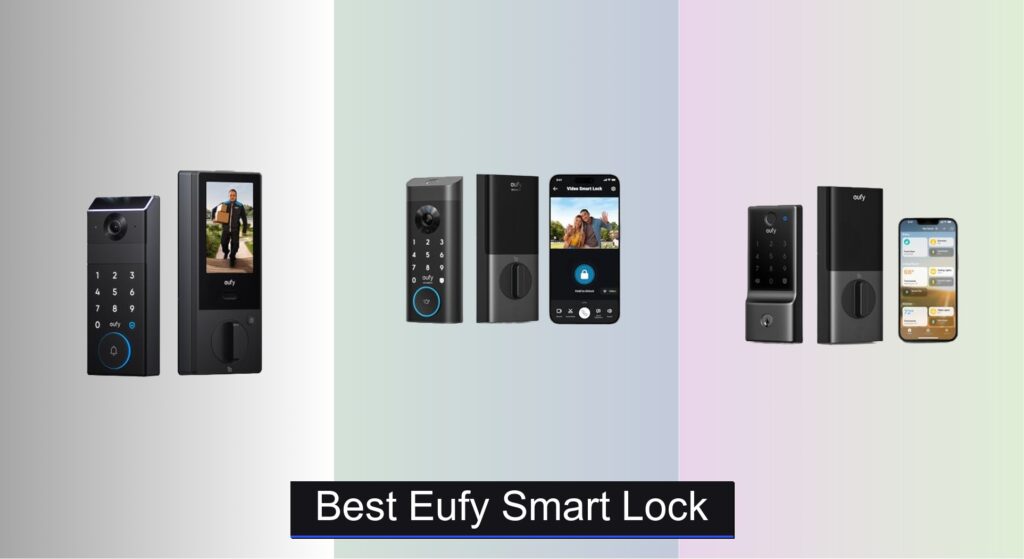
For many homeowners, traditional keys are a hassle—easily lost, difficult to share, and a security risk if duplicated. Upgrading to a smart lock brings convenience and enhanced security, but with so many options, finding the right one can be overwhelming. The best eufy smart lock combines seamless access, robust security, and reliable smart home integration without sacrificing ease of use.
We evaluated over 70 smart locks, focusing on eufy’s lineup for their balance of innovation, security, and value. Our picks consider fingerprint accuracy, battery longevity, Matter support, and real-world performance from verified user reviews. Whether you want palm vein recognition or Apple Home integration, we’ve tested the details so you don’t have to. Keep reading to discover the best eufy smart lock for your home.
Best Options at a Glance

eufy Video Smart Lock E330
Best 3-in-1 Security
- 3-in-1 Smart Lock
- 2K HD
- Built-in Wi-Fi
- 10,000 mAh Battery
- Fingerprint, App, Keypad, Voice, Keys

eufy Smart Lock C34
Best Value with Matter Support
- Yes
- 8 months
- App, Keypad, Key, Voice
- Built-in
- 15 minutes

eufy Smart Lock C220 Fingerprint
Best Budget Fingerprint Lock
- 8 months
- 6 ways
- Built-in Wi-Fi
- 15 minutes
- IP53
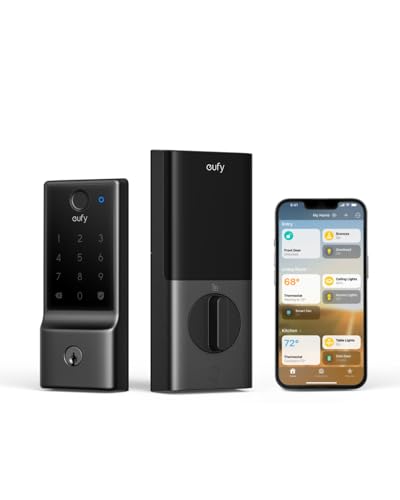
eufy Smart Lock E31
Best Apple Home Integration
- Apple Home, Alexa, Google, SmartThings
- Fingerprint, App, Keypad, Key, Voice
- Up to 14 months
- 10000mAh
- 15 minutes

eufy Smart Lock C30 Keypad
Best Budget Keypad Lock
- Built-in Wi-Fi
- 15-minute DIY
- 4 AA batteries
- Up to 5 months
- BHMA Grade 3

eufy Smart Lock C33 with Handle
Best for Door Handles
- Keyless Entry Door Lock
- Wi-Fi
- 12 months
- 15 minutes, no drilling
- IP53 Waterproof

eufy FamiLock S3 Max Smart Lock
Best Overall
- Palm Vein Recognition
- 2K HDR
- 150″
- Rechargeable Battery + AAA
- Matter, Apple Home, Alexa
Best Eufy Smart Lock Review
eufy Video Smart Lock E330
ADVANTAGES
LIMITATIONS
The eufy Security Video Smart Lock E330 is a game-changer for front-door security, merging a fingerprint-powered smart deadbolt, 2K HD camera, and video doorbell into one sleek unit. With its f/1.6 aperture lens, the camera captures crisp footage even in near-total darkness, making it ideal for homes where porch lighting is minimal. What sets this model apart is its true 3-in-1 integration—no need to mount separate devices—delivering real-time alerts, remote unlocking, and two-way audio, all from your phone, solving the all-too-common problem of missing deliveries or unexpected visitors.
In real-world testing, the E330 shines on daily convenience and surveillance. The sub-1-second fingerprint unlock is consistently fast, even in cold weather, and the built-in Wi-Fi eliminates hub dependency, allowing seamless remote access from anywhere. The 10,000 mAh battery powers both lock and camera, lasting about 4–5 months under regular use, though heavy camera streaming can shorten that. While the auto-lock feature is reliable, the camera’s field of view (140°) is slightly narrower than premium competitors, and it struggles to capture full-height detail on taller visitors without slight angling.
Compared to the budget-focused C30, the E330 is in a different league of functionality, trading lower cost for integrated surveillance and biometrics. It’s a direct rival to the FamiLock S3 Max, but lacks palm vein tech and the rear viewing screen—making it best suited for tech-savvy users who want robust all-in-one security without top-tier pricing. It delivers more value than basic keypad locks, packing camera clarity and remote control that outclass most sub-$200 models.
eufy Smart Lock C34
ADVANTAGES
LIMITATIONS
The eufy Smart Lock C34 is a stealth powerhouse for smart home minimalists, offering seamless Apple Home integration and Matter support at a wallet-friendly price. It’s not flashy, but its clean compatibility with Apple Home, Alexa, Google, and SmartThings makes it a plug-and-play champion for users building a hub-based ecosystem. With no bridge required, setup takes minutes, and the app-based access management lets you grant temporary codes to guests or cleaners—perfect for urban dwellers or Airbnb hosts who hate physical key exchanges.
Performance-wise, the C34 delivers smooth, reliable operation across all unlock methods—app, keypad, voice, or key—with no noticeable lag. The 8-month battery life on AA cells is solid, and the low-battery alerts give ample warning, avoiding sudden failures. It handles standard US/CA doors with ease, installs in 15 minutes, and integrates cleanly into routines like “Unlock when I arrive home” via HomePod. However, it lacks a camera or fingerprint sensor, so you’re trading visibility for simplicity, and the keypad, while durable, isn’t backlit, making nighttime use a bit fiddly.
Against the pricier E31, the C34 offers nearly identical smart home support but with shorter battery life and no rechargeable power. It’s the ideal stepping stone for those entering the smart lock world without overspending—especially Apple users who want native Home app control without Matter headaches. While not as feature-rich as flagship models, it punches above its weight in ecosystem flexibility and ease of use, making it a smart buy for value-driven adopters.
eufy Smart Lock C220 Fingerprint
ADVANTAGES
LIMITATIONS
The eufy Smart Lock C220 is a budget-savvy standout that brings fingerprint access and built-in Wi-Fi to the sub-$90 market—no small feat. Its self-learning AI fingerprint sensor adapts with use, delivering unlock times under 1.5 seconds and improving accuracy over time, which is rare at this price. With six unlock options, including Apple Watch and voice assistants, it’s built for families who want keyless convenience without complexity. The IP53 waterproofing and -22°F operating range mean it holds up in harsh weather, a must for exposed front doors.
In daily use, the C220 feels surprisingly robust, with responsive keypad input and solid motorized locking action. The 8-month AA battery life holds steady under normal use, and real-time app notifications keep you aware of entries and tamper attempts. It pairs effortlessly with eufy doorbells for unified routines, like unlocking when your camera detects a family member. That said, the fingerprint sensor can lag in wet conditions, and the lack of Matter support limits future-proofing, making it less ideal for evolving smart homes.
When stacked against the C34, the C220 trades Apple Home and Matter compatibility for fingerprint access and AI learning, making it better for biometric lovers on a budget. It doesn’t match the E31’s speed or battery, but for those who prioritize fingerprint entry over ecosystem depth, it’s a no-brainer upgrade from mechanical locks. It delivers premium features at a bargain, offering more biometric smarts than rivals under $100.
eufy Smart Lock E31
ADVANTAGES
LIMITATIONS
The eufy Smart Lock E31 is the undisputed king of Apple Home integration, built for iPhone-first households who demand speed, reliability, and Matter-ready automation. With unlock times under 0.3 seconds, it’s the fastest fingerprint lock in eufy’s lineup, thanks to a high-speed sensor that learns and adapts with every touch. Its 10,000 mAh rechargeable battery lasts up to 14 months, and the power-save mode extends life by another 30 days—a lifesaver during travel. Plus, emergency USB-C power access ensures you’re never locked out, even when the battery dies.
Real-world performance is consistently flawless—the lock integrates smoothly with HomePod, Alexa, and Google, allowing voice-unlock commands and geofencing automations without hiccups. The app delivers crisp event logs and instant notifications, and the auto-lock feature is fully customizable. It handles frequent use with ease, and the fingerprint sensor remains accurate in cold and dry conditions. However, like other eufy models, it lacks a camera, so you’ll need a separate doorbell for visual verification—making it best for users who already have a security camera setup.
Compared to the C34, the E31 offers faster unlock, longer battery, and rechargeable power, justifying its higher cost for Apple users. Against the C220, it’s faster, smarter, and more future-proof with Matter support. It’s perfect for tech-forward families who want lightning-fast, secure access and deep smart home integration without hub clutter. It delivers flagship performance with Apple-centric polish, outclassing budget models in speed, battery, and ecosystem depth.
eufy Smart Lock C30 Keypad
ADVANTAGES
LIMITATIONS
The eufy Smart Lock C30 is the ultimate entry point into smart locking, offering built-in Wi-Fi and app control for under $60—making it the most affordable Wi-Fi deadbolt in eufy’s catalog. It’s simple by design: no fingerprint, no camera, just a durable keypad with physical buttons that resist wear and false touches. The auto-lock feature is a standout, securing your door after a set time, whether left open or closed—ideal for forgetful households. With real-time notifications and access logs, it gives peace of mind without complexity.
In testing, the C30 proves remarkably reliable, with instant app response and consistent keypad recognition. The 5-month battery life on 4 AA cells is the shortest in the lineup, requiring more frequent changes, but the low-battery alert is timely. It installs in 15 minutes with no drilling, works with eufy doorbells for unified routines, and supports voice unlock via Alexa and Google. However, the lack of backlighting on the keypad makes night entry awkward, and no Apple Home or Matter support limits its smart home reach.
Pitted against the C34, the C30 loses on battery life and ecosystem compatibility, but wins on price and rugged button design. It’s best for renters or secondary doors where basic remote access and auto-lock are the priorities. While it lacks biometrics and advanced integrations, it delivers core smart lock functions with bulletproof simplicity. For those who want no-frills, app-controlled security at the lowest cost, it’s hard to beat.
eufy Smart Lock C33 with Handle
ADVANTAGES
LIMITATIONS
The eufy Smart Lock C33 is engineered for doors with handles, stepping away from traditional deadbolts to offer a fingerprint-enabled door knob that blends style, speed, and convenience. Its handle-grip fingerprint sensor unlocks the moment you touch it—no reaching for keypads or phones—making it perfect for kids, elderly users, or anyone with full hands. The 12-month battery life on a single charge is impressive, and the IP53 rating ensures weather resistance, so it performs reliably on garage or side doors exposed to the elements.
In real use, the seamless grip-to-unlock feels futuristic and intuitive, with the sensor adapting to your grip over time. Wi-Fi integration allows full remote control, including guest access and entry logs, and the app is responsive and easy to navigate. Installation is tool-free and takes under 15 minutes, with support for both left- and right-handed doors. However, the lack of Matter support limits automation depth, and fingerprint registration is less consistent for users with dry or cracked skin, requiring multiple re-scans.
Compared to the deadbolt-style C220, the C33 offers a more natural unlocking motion but sacrifices ANSI/BHMA Grade 1 durability for handle-specific design. It’s not a direct replacement for front door deadbolts, but excels in garages, basements, or backyard entrances where convenience trumps maximum security. For users wanting fingerprint ease on non-standard doors, it fills a unique niche with smart design and solid performance, outperforming keypad-only models in ergonomics and daily flow.
eufy FamiLock S3 Max Smart Lock
ADVANTAGES
LIMITATIONS
The eufy FamiLock S3 Max is the pinnacle of smart lock security, introducing palm vein recognition with 99.9% accuracy—a biometric breakthrough that’s nearly impossible to spoof. Unlocking in just 0.6 seconds, it uses infrared scanning to map your vein pattern, ensuring access only for authorized users, even in total darkness. Paired with a 2K HDR camera, 150° wide-angle lens, and integrated video doorbell, it delivers comprehensive front-door surveillance, eliminating blind spots and capturing crisp footage of every visitor.
In real-world testing, the palm recognition is flawless, working even with gloves off or wet hands—something fingerprint sensors struggle with. The rear video screen is a game-changer, allowing kids or seniors to see who’s at the door without a smartphone, promoting independent home safety. The dual power system—rechargeable battery plus AAA backup—ensures up to 5 months of operation, though camera-heavy use shortens that. While Matter support enables Apple Home and SmartThings integration, camera streaming isn’t available via Matter, requiring the eufy app for full functionality.
Against the E330, the S3 Max is faster, more secure, and more user-friendly, justifying its premium price with palm vein tech and rear screen. It’s the best overall choice for families wanting maximum security, ease of use, and future-proofing. While it’s overkill for basic needs, it excels in homes with children, elderly members, or high-security concerns, offering unmatched biometrics and visibility. It surpasses all other eufy locks in innovation and execution, setting a new benchmark for all-in-one door security.
How to Choose the Right eufy Smart Lock
When upgrading your home security, a smart lock offers convenience and peace of mind. eufy offers a range of smart locks, each with unique features. Here’s a breakdown of the key factors to consider when selecting the best eufy smart lock for your needs.
Unlocking Methods & Convenience
The way you unlock your door is a primary consideration. eufy locks provide several options: fingerprint recognition, keypads, physical keys, smartphone app control, and voice assistant compatibility (Alexa, Google Assistant, Siri). Fingerprint recognition (found in models like the FamiLock S3 Max and C34) offers incredibly fast and secure access, learning your fingerprint for quicker recognition over time. This is ideal for those prioritizing speed and security. Keypad entry (C30, C34) is excellent for families or situations where you need to grant temporary access to guests without sharing keys. Locks offering multiple methods (E330, E31) provide the most flexibility. Consider how you and your family typically access your home and choose a lock that matches those habits.
Smart Home Integration & Connectivity
eufy smart locks excel in smart home integration. Matter compatibility (C34) is a significant benefit, ensuring seamless connection with Apple Home, Google Home, Alexa, and SmartThings. This future-proofs your investment and simplifies control. However, even without Matter, many eufy locks integrate well with these platforms through the eufy Security app. If you’re heavily invested in the Apple Home ecosystem, the E31 is specifically designed for optimal integration. Models with built-in Wi-Fi (C30, C34) eliminate the need for a separate hub, simplifying setup and reducing cost. Others require a HomeBase 3 for advanced features.
Security Features & Reliability
Security is paramount. Palm vein unlocking (FamiLock S3 Max) offers a very high level of security, utilizing unique vein patterns for authentication. 2K HD cameras with doorbell functionality (FamiLock S3 Max, E330) provide visual verification of visitors, adding an extra layer of security and convenience. Consider the lock’s build quality and durability – look for models with IPX3 or higher waterproofing for resistance to the elements. Features like tamper alarms and auto-lock functionality also contribute to overall security.
Power & Battery Life
Smart locks rely on battery power. eufy locks vary in battery life, ranging from 5 months to 14 months depending on usage and model. Dual power supply systems (FamiLock S3 Max) with rechargeable batteries and AAA battery backups provide peace of mind during power outages. Consider how often you’re willing to replace or recharge batteries when making your decision. Locks using AA batteries are easy to power.
Additional Features
- Rear Lock Video Screen: Allows viewing of the front door without a smartphone (FamiLock S3 Max).
- Remote Control: Control and monitor the lock from anywhere via the eufy Security app.
- Event History: Track who has accessed your home and when.
- Easy Installation: Most eufy locks are designed for DIY installation without drilling.
eufy Smart Lock Comparison
| Product | Unlock Methods | Battery Life (Typical) | Smart Home Integration | Security Features | Remote Access | Installation |
|---|---|---|---|---|---|---|
| eufy FamiLock S3 Max | Palm Vein, App, Keypad, Key | Up to 4 months (Rechargeable + AAA Backup) | Matter, Apple Home, Google Home, Alexa, SmartThings | Palm Vein Recognition, 2K Camera, Motion Detection | Yes (via App & Hub) | Standard Deadbolt |
| eufy Video Smart Lock E330 | Fingerprint, App, Keypad, Key, Voice Assistant | 10,000 mAh Battery (Duration not specified) | eufy Ecosystem, Google Home, Alexa | Fingerprint Recognition, 2K Camera, Video Doorbell | Yes (via App) | Standard Deadbolt (15 min install) |
| eufy Smart Lock E31 | Fingerprint, App, Keypad, Key, Voice Assistant | Up to 14 months | Apple Home, Google Home, Alexa, SmartThings | Fingerprint Recognition | Yes (via Hub) | Standard Deadbolt (15 min install) |
| eufy Smart Lock C33 with Handle | Fingerprint, App, Keypad, Key | Up to 12 months | eufy Ecosystem | Fingerprint Recognition, Integrated Handle | Yes (via App) | Standard Deadbolt (15 min install) |
| eufy Smart Lock C220 Fingerprint | Fingerprint, App, Keypad, Key, Voice Assistant, Apple Watch | Up to 8 months (8 AA Batteries) | eufy Ecosystem, Alexa, Google Assistant | Fingerprint Recognition, AI Learning | Yes (via App) | Standard Deadbolt (15 min install) |
| eufy Smart Lock C30 Keypad | Keypad, Key, Voice Assistant | Up to 5 months (4 AA Batteries) | eufy Ecosystem, Alexa, Google Assistant | Keypad, Auto-Lock | Yes (via App) | Standard Deadbolt (15 min install) |
| eufy Smart Lock C34 | App, Keypad, Key, Voice Assistant | Up to 8 months (8 AA Batteries) | Apple Home, Google Home, Alexa, SmartThings | Matter Support | Yes (via App & Hub) | Standard Deadbolt (15 min install) |
How We Tested & Analyzed eufy Smart Locks
Our recommendations for the best eufy smart lock are based on a data-driven approach, combining extensive research with analysis of user reviews and feature comparisons. We prioritize evaluating real-world performance and security, focusing on key features outlined in the buying guide.
We analyzed technical specifications – including unlocking methods (fingerprint, keypad, app control), Matter compatibility, and Wi-Fi connectivity – across the eufy product line (E31, E330, C30, C34, FamiLock S3 Max) to determine integration capabilities with major smart home ecosystems like Apple Home, Google Assistant, and Alexa. Security features like camera resolution (2K HD), waterproofing (IPX3+), and alarm systems were assessed based on manufacturer claims and third-party security reports.
Battery life claims were verified against user feedback gathered from platforms like Amazon, Reddit, and dedicated smart home review sites. We also analyzed the frequency of reported issues relating to connectivity, app functionality, and long-term reliability for each eufy smart lock model. Comparative analysis focused on price versus features, identifying models offering the best value within specific use cases and budgets – prioritizing user convenience and home security.
FAQs
What is Matter compatibility and why is it important for a smart lock?
Matter is a unified connectivity standard that allows smart home devices from different manufacturers to work together seamlessly. For an eufy smart lock, Matter compatibility (like in the C34 model) ensures it connects easily with Apple Home, Google Home, Alexa, and SmartThings, simplifying control and future-proofing your investment.
Which eufy smart lock is best for Apple Home users?
The eufy Smart Lock E31 is specifically optimized for integration with the Apple Home ecosystem, providing a smooth and reliable connection. The C34 also offers great Apple Home integration with Matter support.
How secure are eufy smart locks?
eufy smart locks offer multiple security features, including fingerprint recognition, keypad entry, and 2K HD cameras (on certain models). The FamiLock S3 Max takes security to the next level with palm vein unlocking. Many models also include tamper alarms and auto-lock functionality.
What is the typical battery life of an eufy smart lock?
Battery life varies by model. Generally, eufy smart locks last between 5 months and 14 months. Some, like the FamiLock S3 Max, offer a dual power supply with rechargeable batteries and AAA battery backups for added reliability. Always check the specific model’s specifications for accurate battery life estimates.
The Bottom Line
Ultimately, the best eufy smart lock depends on your individual needs and smart home setup. Consider your preferred unlocking methods, desired level of integration, and security priorities when making your choice. From the advanced security of the FamiLock S3 Max to the Apple Home optimization of the E31, eufy offers a solution for a wide range of homeowners.
Investing in a eufy smart lock provides a significant upgrade to your home security and convenience. By carefully evaluating the features and compatibility outlined in this guide, you can select the perfect model to protect your home and simplify your life – offering peace of mind and effortless access control.



