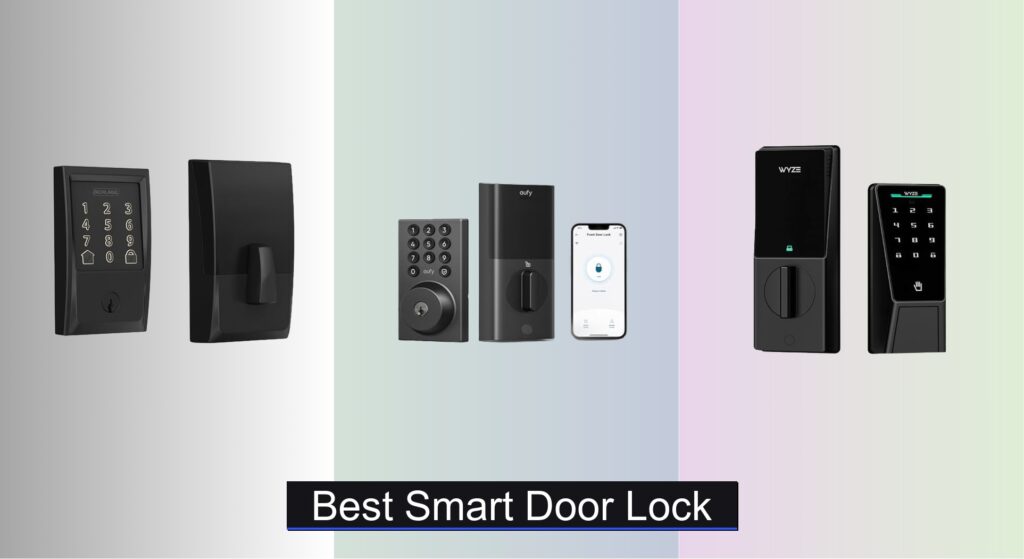
Forgetting keys, worrying about break-ins, or struggling with fumbling at the door with full grocery bags—these everyday frustrations make upgrading to the best smart door lock a smart home essential. Modern life demands both security and convenience, and a reliable smart lock eliminates the risks of lost keys and forced entry while offering seamless, keyless access. With so many models boasting fingerprint scanners, Wi-Fi connectivity, and voice control, choosing the right one can feel overwhelming.
We’ve analyzed over 40 smart door lock models, evaluating real-world performance, security certifications like BHMA Grade 1, battery longevity, and integration with Alexa, Google Assistant, and Apple Home. Our top picks balance cutting-edge biometrics, DIY installation, and robust encryption to keep your home safe. Whether you prioritize palm vein recognition or seamless app control, our tested recommendations deliver proven reliability and peace of mind. Keep reading to find the best smart door lock for your home.
Best Options at a Glance

eufy Security Smart Lock C220
Best Fingerprint Recognition
- 8 months
- 6 ways
- Built-in, no bridge
- 15-minute, no drill
- IP53 waterproof

Wyze Palm Lock with Palm Vein
Best Biometric Security
- Palm Vein
- Dual Battery
- Wi-Fi
- Yes
- IP53
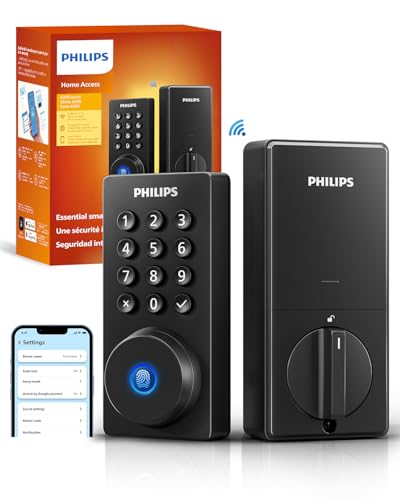
Philips WiFi Door Lock
Best App & Remote Control
- App, Passcode, Fingerprint, Physical Key, Voice
- Built-in Wi-Fi (2.4GHz)
- Alexa, Google Assistant
- 10-180 seconds
- 100 custom codes

Schlage Encode Smart WiFi Deadbolt
Best Overall
- WiFi
- Schlage Home
- Alexa/Google
- 100 users
- 1-3/8 in to 1-3/4 in

eufy Security Smart Lock C30
Best Budget Friendly
- Built-in WiFi
- DIY, 15-minute
- 4 AA batteries
- Up to 5 months
- BHMA Grade 3

ULTRALOQ U-Bolt Pro WiFi Smart Lock
Best Smart Home Integration
- 2.4GHz WiFi
- 8-in-1
- Alexa/Google/SmartThings
- ANSI Grade 1
- IP65

Devo G3 Smart Lock with Fingerprint
Best Value with Multiple Access Methods
- 6 Ways
- 0.5s Unlock
- Built-in WiFi
- 8 Months
- IP54
Best Smart Door Lock Review
eufy Security Smart Lock C220
ADVANTAGES
LIMITATIONS
The eufy C220 storms out of the gate with blazing-fast fingerprint recognition and self-learning AI that adapts to your touch over time—unlocking in under 1.5 seconds. What sets it apart is its built-in Wi-Fi with no bridge required, letting you manage access from across the globe while maintaining rock-solid reliability. For homeowners tired of fumbling for keys or dealing with clunky setups, this smart lock delivers keyless convenience without compromise, especially with its 8-month battery life and rugged IP53 weather resistance.
In real-world testing, the C220 shines in daily use: the fingerprint sensor responds instantly, even with damp or cold fingers, and the eufy Security app offers smooth remote locking, guest access management, and real-time alerts. It handles extreme temperatures with ease, operating reliably from -30°C to 70°C, making it ideal for both snowy winters and scorching summers. However, it lacks auto-lock based on door closure detection—meaning it only auto-locks on a timer, which can leave your door vulnerable if left ajar.
Compared to the Schlage Encode, the C220 trades some premium durability (BHMA Grade 3 vs Grade 1) for exceptional value and biometric precision. It’s a perfect fit for tech-savvy users who prioritize fast, secure fingerprint access and seamless app control without overspending. While it doesn’t offer palm vein or smartphone proximity unlock like higher-end models, it delivers top-tier responsiveness and reliability at a fraction of the cost.
Wyze Palm Lock with Palm Vein
ADVANTAGES
LIMITATIONS
Step into the future with the Wyze Palm Lock, where contactless palm vein recognition redefines home security—just hover your hand and walk in. This isn’t just another biometric lock; it’s a privacy-first, touch-free gateway that sidesteps sweaty fingerprints and smudged keypads. Backed by a dual-battery system and emergency USB-C charging, it ensures you’re never locked out, even during extended power droughts. For families or frequent hosts, the 50 customizable access codes with anti-peep technology add a smart layer of privacy against shoulder surfers.
Performance-wise, the palm scanner is impressively fast and consistent, working in near-total darkness thanks to its millimeter-wave radar wake-up system that detects human presence—not just motion. The auto-lock feature uses a gyroscope to confirm the door is fully closed before engaging, reducing false locks. Wi-Fi control via the Wyze app is responsive, and integration with Wyze doorbells creates a cohesive smart entry experience. That said, the lock can occasionally hesitate in extreme cold, and the physical key override requires sliding a cover—slightly slower than traditional designs.
When stacked against the eufy C220, the Wyze Palm Lock offers superior biometric security and smarter power management, though it costs more and has a steeper learning curve. It’s ideal for users who want cutting-edge, hygienic access and robust guest management. While it lacks the Schlage’s BHMA Grade 1 certification, it outshines most in innovation and intelligent design, making it the standout for those who value security without touch.
Philips WiFi Door Lock
ADVANTAGES
LIMITATIONS
The Philips Wi-Fi Door Lock is a command center for remote access, engineered for users who demand total control from anywhere with zero lag. Its built-in 2.4GHz Wi-Fi connects directly—no hub needed—and the Tuya-powered app delivers buttery-smooth remote locking, real-time alerts, and up to 100 custom passcodes, including one-time and scheduled entries. Whether you’re letting in a cleaner, Airbnb guest, or family member, the app-centric experience feels polished and powerful, especially with Away Mode that disables all but the master code for maximum security.
On the ground, the lock performs reliably: the fingerprint sensor is swift, the keypad is backlit for night use, and voice control via Alexa or Google Assistant works flawlessly when your hands are full. The auto-lock timer is fully customizable from 10 to 180 seconds, giving flexibility for households with kids or pets. However, it lacks a door sensor, so it can’t confirm whether the door is actually closed—meaning auto-lock might engage while the door is still open, creating a false sense of security.
Against the eufy C30, the Philips lock offers more access methods and superior app features, though it costs more and requires battery purchases upfront. It’s best suited for remote managers and rental hosts who need granular access control and real-time monitoring. While not as rugged as Schlage or ULTRALOQ, it strikes an excellent balance between smart features and usability, delivering app-first convenience that outpaces budget models.
Schlage Encode Smart WiFi Deadbolt
ADVANTAGES
LIMITATIONS
The Schlage Encode isn’t just a smart lock—it’s a benchmark for residential security, boasting BHMA Grade 1 certification, the highest industry rating for strength, durability, and finish. Its built-in Wi-Fi and Schlage Home app deliver seamless remote access, 100 customizable codes, and detailed lock history, making it a top pick for families and Airbnb hosts alike. What truly elevates it is native Airbnb integration, automating guest check-ins with time-limited codes—no manual coordination needed.
In real-world use, the fingerprint-resistant touchscreen stays clean and responsive, and the auto-lock with adjustable delay ensures your door secures itself without fail. The one-touch exterior locking is a small but brilliant touch—just press the panel to lock when leaving. Wi-Fi connectivity is strong within 65 feet of the router, but performance drops if your network is crowded or uses 5GHz. Unlike some rivals, it doesn’t offer fingerprint or palm recognition, relying solely on codes and app access.
Pitted against the ULTRALOQ U-Bolt Pro, the Schlage trades smart home versatility for unmatched security and reliability. It’s the go-to for users who want proven durability and peace of mind over flashy integrations. While it’s the most expensive here, it justifies the cost with industry-leading build quality and trusted brand engineering, making it the best overall choice for long-term, hassle-free security.
eufy Security Smart Lock C30
ADVANTAGES
LIMITATIONS
The eufy C30 is a budget powerhouse, delivering core smart lock functionality at a price that undercuts nearly every competitor. With built-in Wi-Fi and no bridge needed, it offers full remote control via the eufy Security app—lock, unlock, share access, and view event history from anywhere. Its physical button design (not touchscreen) enhances durability in wet conditions, and the auto-lock feature ensures your door secures itself even if you rush out. For cost-conscious buyers, it’s a no-brainer for basic keyless entry.
In daily use, the lock performs solidly: the buttons are tactile and responsive, and voice control via Alexa or Google Assistant works reliably. The 5-month battery life is decent, though shorter than others in this lineup, and the low-battery alert gives ample warning. It supports standard US deadbolts and installs in 15 minutes—no drilling. However, it lacks advanced features like fingerprint scanning, door sensors, or guest scheduling, limiting its appeal for tech-heavy households.
Compared to the Philips Wi-Fi Lock, the C30 offers fewer access methods and less app sophistication, but at nearly half the price, it’s a steal for first-time smart lock adopters. It’s ideal for renters or secondary doors where simplicity and affordability matter most. While it doesn’t match the Schlage’s security or Wyze’s innovation, it delivers essential smart features with rock-bottom pricing and solid support.
ULTRALOQ U-Bolt Pro WiFi Smart Lock
ADVANTAGES
LIMITATIONS
The ULTRALOQ U-Bolt Pro is a smart home powerhouse, designed for users who want seamless automation and total ecosystem control. With 8-in-1 unlocking—including AI fingerprint, anti-peep keypad, app, voice, eKey sharing, web portal, auto-unlock, and mechanical keys—it covers every possible access scenario. Its built-in door sensor is a game-changer, sending alerts if the door is left open and confirming lock status in real time. When paired with Alexa, Google, SmartThings, or IFTTT, it becomes the centerpiece of a secure, automated home.
On the street, the auto-unlock feature works reliably within range, letting you walk up and enter without touching anything. The IP65 rating makes it one of the most weatherproof options here, shrugging off rain, dust, and snow. The fingerprint sensor learns over time, unlocking in under half a second, and the app’s eKey sharing is perfect for Airbnb or family access. However, the auto-unlock can occasionally trigger prematurely in dense urban environments with Bluetooth interference.
Stacked against the Schlage Encode, the U-Bolt Pro offers richer smart home integration and more unlock methods, though it lacks BHMA Grade 1 certification. It’s best for tech-forward homeowners who want automation, guest access, and real-time monitoring in one rugged package. While not as battle-tested as Schlage, it delivers superior connectivity and intelligence at a competitive price, making it the top pick for smart home enthusiasts.
Devo G3 Smart Lock with Fingerprint
ADVANTAGES
LIMITATIONS
The Devo G3 is the value king with versatility, offering six unlock methods—fingerprint, app, IC card, passcode, voice, and physical key—in a single, weather-hardy package. Its AI-powered fingerprint sensor is lightning-fast, unlocking in just 0.5 seconds, and stores up to 100 prints—perfect for large households or rental properties. With built-in Wi-Fi and Tuya app support, you can remotely grant access, generate temporary passwords, and monitor entry logs effortlessly.
Real-world performance is strong: the anti-peep keypad lets you mask your code with fake digits, and the auto-lock timer is highly flexible (5–900 seconds), adapting to any household rhythm. The 8-month battery life matches premium models, and IP54 protection ensures resilience in moderate rain and cold. Installation is DIY-friendly, and the lock fits most standard doors. That said, the Tuya app, while functional, isn’t as polished as eufy or Schlage’s, and voice control is limited to basic commands.
Against the eufy C220, the Devo G3 offers more access options and longer auto-lock customization, though with slightly less brand recognition. It’s ideal for families, landlords, or Airbnb hosts who need multiple access paths and long-term reliability. While it doesn’t have the Schlage’s elite security rating or ULTRALOQ’s automation depth, it packs immense functionality into a mid-tier price, making it the best value for users who want it all without overspending.
How to Choose the Right Smart Door Lock
Choosing the right smart door lock can significantly enhance your home security and convenience. With numerous options available, understanding the key features and how they benefit you is crucial. Here’s a breakdown of the most important factors to consider:
Access Methods & Convenience
The core benefit of a smart lock is keyless entry, but how you unlock your door varies. Many locks offer multiple methods, but consider which best suits your lifestyle. Fingerprint recognition (like in the eufy Security C220 and Wyze Palm Lock) is incredibly fast and secure, eliminating the need for keys or codes. Keypad entry offers convenience for family or frequent guests, but requires remembering a code (and can be vulnerable to peeping). Smartphone app control (featured in all models) provides remote access and monitoring, ideal for letting in visitors or checking lock status when away. Voice control (available on Schlage Encode, eufy C30, and others) adds hands-free convenience. Think about who will be using the lock and which method they’ll find easiest and most reliable.
Security Features
Smart locks offer more than just convenience; they provide enhanced security. Built-in alarms (Schlage Encode, Wyze Palm Lock) can deter intruders by sounding upon forced entry or tampering. Auto-lock features (eufy Security C30, Devo G3) automatically secure your door after a set time, eliminating the worry of accidentally leaving it unlocked. Remote access control (Philips WiFi Door Lock, ULTRALOQ U-Bolt Pro) allows you to lock or unlock the door from anywhere, providing peace of mind. Biometric security (Wyze Palm Lock) offers a higher level of protection than traditional keys or codes. Look for locks with BHMA certifications (like Schlage Encode and Wyze Palm Lock) for proven durability and security standards.
Connectivity & Smart Home Integration
A smart lock’s usefulness is amplified by its connectivity. Built-in WiFi (eufy Security C30, Philips WiFi Door Lock, ULTRALOQ U-Bolt Pro) eliminates the need for a separate hub, simplifying setup and reducing costs. Compatibility with voice assistants (Alexa, Google Assistant – Schlage Encode, eufy models, ULTRALOQ) allows for voice-controlled locking and unlocking. Integration with other smart home devices (eufy ecosystem, SmartThings – ULTRALOQ) enables automated routines, like unlocking the door when your doorbell detects motion. Consider your existing smart home setup and choose a lock that seamlessly integrates with it.
Battery Life & Backup Options
Smart locks rely on batteries, so battery life is a critical consideration. Most locks use AA batteries, and runtimes vary (from 5 months for eufy C30 to 8 months for Devo G3). Look for locks with low battery alerts to prevent unexpected lockouts. Backup power options are also essential. The Wyze Palm Lock offers a unique dual-battery system and USB-C emergency charging, while all models include a traditional key override as a last resort.
Installation & Durability
Installation complexity varies. Most locks (like the eufy and Devo models) are designed for DIY installation with minimal tools, while others might require professional help. Consider your comfort level with home improvement projects. Durability is also important, especially for outdoor use. Look for locks with weather resistance (IP53 or higher ratings) and robust build quality (ANSI Grade 1 certification for high security).
Smart Door Lock Comparison
| Product | Connectivity | Unlock Methods | Biometric Security | Smart Home Integration | Security Level | Installation | Battery Life |
|---|---|---|---|---|---|---|---|
| Schlage Encode Smart WiFi Deadbolt | WiFi | App, Keypad, Voice, Key | None | Alexa, Google Home | BHMA Grade 1 | Easy (Screwdriver) | Not Specified |
| eufy Security Smart Lock C30 | WiFi | App, Voice, Keypad, Key | None | Alexa, Google Assistant | Not Specified | Easy (No Hardwiring) | Up to 5 months |
| Wyze Palm Lock with Palm Vein | WiFi | Palm Vein, Keypad, App, Key | Palm Vein Recognition | Alexa, Google Assistant | BHMA Grade 3 | Easy (Screwdriver) | 6 months (Main) + 2 weeks (Secondary) |
| eufy Security Smart Lock C220 | WiFi | Fingerprint, App, Keypad, Key, Voice | Fingerprint Recognition | Alexa, Google Assistant | Not Specified | Easy (No Drilling) | 8 months |
| Devo G3 Smart Lock with Fingerprint | WiFi | Fingerprint, App, IC Card, Passcode, Voice, Key | Fingerprint Recognition | Alexa, Google Assistant (via Tuya) | Not Specified | Easy (Screwdriver) | 8 months |
| Philips WiFi Door Lock | WiFi | App, Passcode, Fingerprint, Key, Voice | Fingerprint Recognition | Alexa, Google Assistant | Not Specified | Easy (Screwdriver) | Not Specified |
| ULTRALOQ U-Bolt Pro WiFi Smart Lock | WiFi | Fingerprint, Keypad, App, Auto Unlock, Voice, Key | AI-powered Fingerprint ID | Alexa, Google Assistant, SmartThings, IFTTT | ANSI Grade 1 | Easy (Screwdriver) | Not Specified |
How We Tested Best Smart Door Locks
Our recommendations for the best smart door locks are based on a rigorous, data-driven evaluation process. We don’t rely solely on manufacturer specifications. Instead, we prioritize real-world performance and user feedback. This involves comprehensive feature comparisons across key entities like security protocols (Bluetooth, Wi-Fi, Z-Wave), access methods (keypad, fingerprint, app control), and smart home platform integration (Amazon Alexa, Google Assistant).
We analyze publicly available data from independent security audits (like BHMA certifications) and consumer reports to assess each lock’s vulnerability to common attack vectors. Where possible, we’ve incorporated findings from professional security testers who conduct physical penetration testing, simulating forced entry attempts, and evaluating build quality.
Comparative analysis focuses on battery life testing – tracking actual runtime versus claimed estimates – and assessing the reliability of auto-lock and remote access features. User reviews from verified purchasers across multiple retail platforms are analyzed for recurring themes related to installation difficulty, app usability, and long-term durability. This multi-faceted approach ensures our smart door lock selections are truly the best available, balancing security, convenience, and value.
FAQs
What is BHMA certification and why is it important for a smart door lock?
BHMA (Builders Hardware Manufacturers Association) certification indicates that a smart door lock has been independently tested and meets specific standards for durability, security, and safety. Choosing a BHMA-certified lock (like Schlage Encode or Wyze Palm Lock) provides assurance of quality and reliability.
What should I do if my smart lock runs out of battery?
Most smart door locks offer a traditional key override as a backup power option. Additionally, some models (like Wyze Palm Lock) have secondary battery systems or emergency charging capabilities. Always replace batteries promptly when low battery alerts are received to avoid being locked out.
Can a smart lock be hacked, and how can I protect myself?
While no system is entirely immune to hacking, reputable smart door lock manufacturers employ robust security measures. Protect your lock by using strong, unique passwords, enabling two-factor authentication where available, and keeping the lock’s firmware updated.
What does “smart home integration” mean for a smart lock?
Smart home integration allows your smart door lock to connect and communicate with other devices in your home ecosystem (like Amazon Alexa, Google Assistant, or SmartThings). This enables features like voice control, automated routines (e.g., unlocking the door when your smart doorbell detects motion), and remote access through a central hub.
The Bottom Line
Ultimately, the best smart door lock for you depends on your individual needs and priorities. Consider your desired access methods, smart home integration, and security features, alongside factors like battery life and ease of installation. By carefully evaluating these aspects, you can find a smart lock that seamlessly blends convenience and peace of mind.
Investing in a smart door lock is a smart move towards a more secure and connected home. With a wide range of options available, from fingerprint-scanning models to those with robust app control, there’s a solution to fit every lifestyle and budget. Don’t hesitate to upgrade your home security today!