
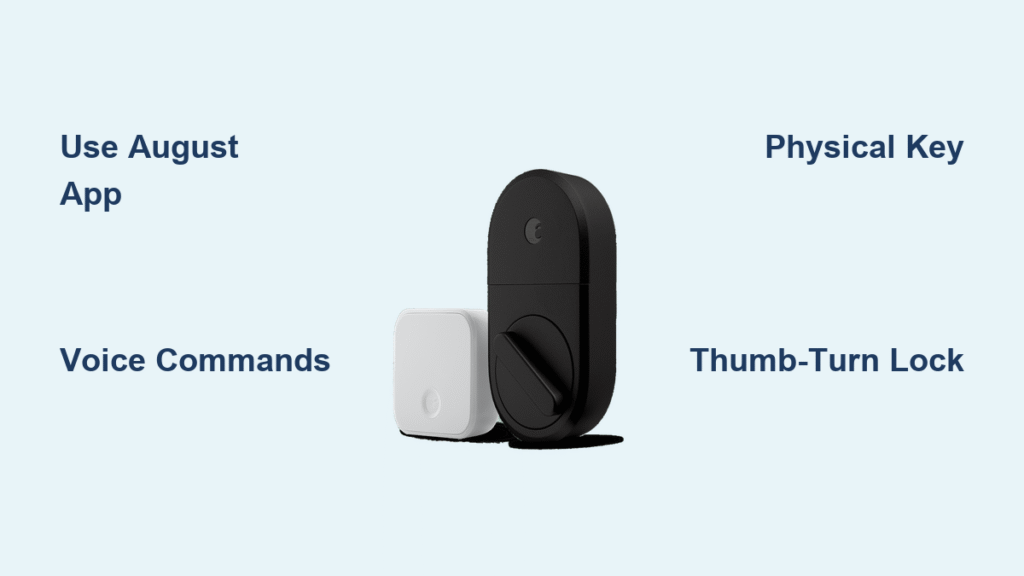
Your hands are full of groceries, your phone buzzes in your pocket, and you’re standing at your front door wondering how to get inside without fumbling for keys. This everyday scenario is exactly why August Smart Lock exists—to open your door effortlessly using the technology already in your pocket. Whether you’re a new owner or troubleshooting access issues, this guide covers every method to open your August lock reliably, from smartphone tricks to emergency backup options. Knowing exactly how to open August smart lock ensures you’ll never be locked out, even when technology fails.
August App: Primary Digital Opening Method
Open Door with August App
The August mobile app transforms your smartphone into an intelligent key that recognizes when you’re home. Here’s the exact process:
Step-by-step unlocking:
– Open the August app on your phone (iOS or Android)
– The home screen shows all your connected locks
– Tap your door’s name to open its control panel
– Press the large unlock button or swipe right on the lock icon
– Watch for the green confirmation and listen for the deadbolt retracting
Pro tip: The app works within 30-50 feet via Bluetooth—no internet required for basic unlocking. If you’re having trouble opening your August smart lock through the app, check that your phone’s Bluetooth is active and the lock has sufficient battery power.
Auto-Unlock Setup Process

Auto-unlock eliminates even the need to open your phone. This feature uses your location and Bluetooth to unlock as you approach:
How it works:
– August learns your typical walking patterns to your door
– Triggers unlock when you cross the invisible boundary
– Uses GPS for location + Bluetooth for proximity confirmation
– Works even with your phone in pocket or bag
Quick setup:
1. Open August app → Settings → Auto-Unlock
2. Enable location services and Bluetooth permissions
3. Walk away from your door (200+ feet) then return
4. The app learns your approach pattern automatically
5. Adjust sensitivity if needed (Settings → Auto-Unlock → Distance)
Common issue: Auto-unlock fails when battery saver mode restricts background location access. If your August smart lock won’t open automatically, check your phone’s battery settings first.
Voice Assistant Commands
“Hey Siri, Unlock Front Door”
Siri integration works seamlessly with HomeKit-enabled August locks:
Setup requirements:
– August lock must be HomeKit compatible
– Add lock to Apple Home app using setup code
– Enable “Hey Siri” on your devices
– Create a 4-digit PIN for security verification
Voice commands that work:
– “Hey Siri, unlock the front door” → Siri asks for PIN → speak your 4-digit code
– “Hey Siri, is my front door locked?” → instant status check
– “Hey Siri, lock the front door” → immediate locking without PIN
Warning: Never say your PIN out loud when others are nearby—smart speakers record everything. If you’re concerned about security when opening your August smart lock with voice commands, consider using physical methods in public spaces.
Alexa and Google Assistant Opening
Both platforms support August locks through Wi-Fi connectivity:
Alexa voice commands:
– “Alexa, unlock the front door”
– Alexa responds: “What’s your PIN?” → speak your 4-digit code
– “Alexa, lock the front door” (no PIN required for locking)
Google Assistant commands:
– “Hey Google, unlock my front door” → PIN required
– “Hey Google, lock the front door” → instant locking
– “Hey Google, is my door locked?” → status check
Security note: Never use obvious PINs like 1234 or your address—change codes monthly for shared access. If you’re wondering how to open August smart lock without remembering complex codes, set up fingerprint login on your phone for faster app access.
Physical and Emergency Opening Methods
Traditional Key Override

Every August lock maintains your original key functionality as the ultimate backup:
Key facts:
– Your existing door key works exactly as before
– No modification to the exterior lock mechanism
– Functions during power outages, dead batteries, or app failures
– Keep a spare key with trusted neighbor for emergencies
Key troubleshooting:
– Key won’t turn? Check for debris in keyhole
– Stiff mechanism? Apply graphite lubricant (never oil-based)
– Key stuck? Gently jiggle while pulling straight out
Pro tip: Test your key monthly—this prevents being locked out when you need it most. If you’ve forgotten how to open August smart lock during a power outage, remember your physical key always works.
Manual Thumb-Turn Operation
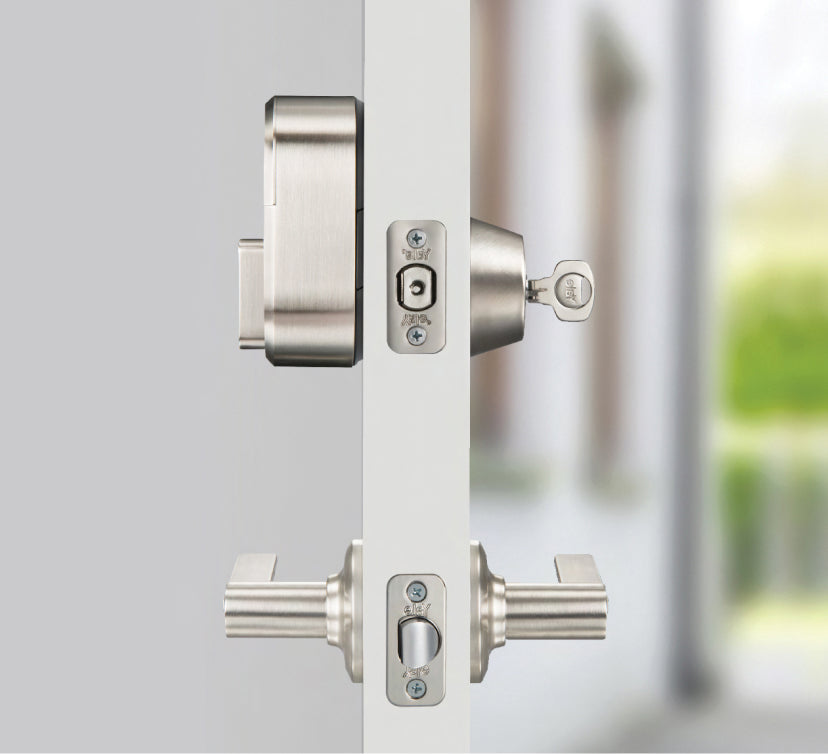
The interior side includes a physical thumb-turn for inside access:
How it works:
– Looks like traditional deadbolt thumb-turn
– Operates independently of electronics
– Allows quick exit during emergencies
– Works even with dead batteries or system failures
Emergency use: Practice locating the thumb-turn in darkness—muscle memory matters during power outages. When learning how to open August smart lock from inside, note that this method works regardless of battery status.
Troubleshooting Common Opening Issues
Fix Bluetooth Connection Problems
When the August app won’t connect, try these solutions in order:
Quick fixes:
1. Toggle Bluetooth: Turn phone Bluetooth off for 10 seconds, then on
2. Force close app: Swipe up and close August app completely, reopen
3. Check permissions: Settings → Apps → August → Permissions → enable Bluetooth/Location
4. Battery check: Low batteries reduce Bluetooth range—replace if under 20%
Advanced steps:
– Restart your phone (fixes 80% of connection issues)
– Remove and re-add the lock in August app
– Check for app updates in your app store
Critical note: If your August smart lock won’t open via Bluetooth, the lock’s battery is likely the culprit—replace immediately.
App Crashes or Freezes
When August app becomes unresponsive:
Immediate solutions:
– Force close and reopen (iPhone: swipe up, swipe app away)
– Clear app cache: Android → Settings → Apps → August → Storage → Clear Cache
– Update app: Check App Store/Google Play for updates
– Restart phone if issues persist
Nuclear option: Delete and reinstall August app (you’ll need to reconfigure settings). If you’re consistently having trouble opening your August smart lock due to app issues, contact August support before deleting your account.
Smart Watch and Automation Opening
Apple Watch Unlocking
Your watch becomes a mini key when connected:
Setup process:
– Download August app on Apple Watch
– Ensure watch connects to same Wi-Fi as lock
– Add August complication to watch face for one-tap access
– Works independently when phone isn’t nearby
Watch commands:
– Tap August app → unlock button
– Use Siri on watch: “Hey Siri, unlock front door”
– Haptic feedback confirms successful unlock
Time-saving hack: Create a watch face complication for instant access—no need to dig for your phone when you need to open your August smart lock.
Geofencing Auto-Unlock
Enhanced auto-unlock using precise GPS boundaries:
How geofencing works:
– Creates invisible 200-500 foot circle around your home
– Triggers unlock only when approaching from outside the circle
– Prevents false triggers from walking around inside your home
– Uses phone GPS + Bluetooth for accuracy
Calibration tips:
– Walk your typical route home 3-5 times for learning
– Adjust geofence radius in August app → Settings → Auto-Unlock → Distance
– Enable “Last Lock” to prevent accidental re-locking
Battery Impact on Opening Reliability

Low Battery Warning Signs
Your August lock gives multiple warnings before failing:
Early indicators:
– Bluetooth range decreases (need to be closer to unlock)
– Auto-unlock becomes slower or misses occasionally
– App takes longer to connect
– LED status light blinks red instead of solid green
Critical warnings:
– August app sends push notifications: “Lock battery low”
– Voice assistants respond: “Lock battery is low, please replace soon”
– Physical key becomes primary method
Pro tip: Keep spare AA batteries in your kitchen drawer—replacing them takes less than 3 minutes and prevents being locked out.
Replace Batteries Without Losing Settings
Maintain reliable opening with fresh power:
Battery replacement process:
1. Locate compartment: Interior side of lock, bottom edge
2. Use 4 AA batteries: Lithium recommended for 12+ month life
3. No reconfiguration needed: All settings preserved during replacement
4. Quick swap: Takes 2-3 minutes, door remains functional throughout
Battery life factors:
– Heavy usage: 6-8 months
– Light usage: 12+ months
– Extreme temperatures reduce battery life
– Lithium batteries last 40% longer than alkaline
Emergency Opening Procedures
Complete Digital Failure Backup Plan
When every electronic method fails:
Your hierarchy of access:
1. Physical key: Always works, regardless of battery or system status
2. Manual thumb-turn: From inside, works without power
3. Spare key location: Keep with trusted neighbor or secure lockbox
4. August support: 24/7 phone support for account recovery
Emergency preparation:
– Test physical key monthly (prevents seizing)
– Keep spare batteries on hand
– Share access with family member’s phone
– Write down August support number: 1-844-282-2888
Lost Phone Access Recovery
Regaining access without your primary device:
Immediate steps:
1. Use physical key: From pocket, purse, or hidden location
2. Family member’s phone: Log into August account from their device
3. Web access: If August Connect configured, use web interface
4. Temporary phone: Install August app, log into your account
Account security:
– Enable two-factor authentication on August account
– Use strong, unique password
– Keep emergency contact updated in August account
– Consider August keypad for keyless backup access
Key takeaway: August Smart Lock offers multiple reliable opening methods, but your physical key remains the ultimate backup. Test each method monthly, keep fresh batteries installed, and share access with trusted family members. The combination of smartphone convenience with traditional key security ensures you’ll never be locked out—regardless of technology failures or dead batteries. When you know exactly how to open August smart lock through all available methods, you’ll enjoy both modern convenience and peace of mind. Remember to check battery levels quarterly, update your app regularly, and practice emergency access methods so you’re prepared for any situation.



