
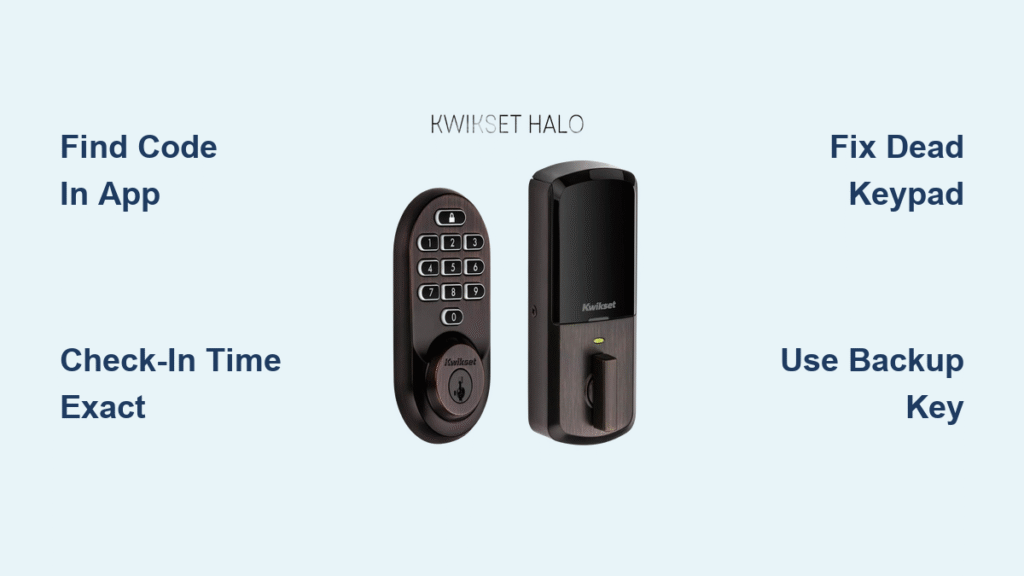
Getting locked out of your Airbnb rental is every traveler’s nightmare—but with smart locks, those days are over. Instead of juggling physical keys or hunting for hidden lockboxes, you’ll receive a unique digital access code that works seamlessly from check-in to checkout. This complete guide reveals exactly how to use Airbnb smart lock systems like a pro, whether you’re facing an August keypad or a Yale touchscreen. You’ll learn where to find your code, operate every major lock type, troubleshoot failures in under 60 seconds, and avoid critical mistakes that leave you stranded outside.
Most travelers don’t realize their access code activates exactly at check-in time—not earlier. If your flight lands at 2 PM but check-in starts at 3 PM, that lock won’t budge until the clock strikes three. Worse, 30% of first-time users miss that codes expire 30 minutes after checkout—not during. By the end of this guide, you’ll navigate these pitfalls effortlessly and unlock stress-free stays every time.
Where to Find Your Airbnb Smart Lock Code
Check Your Reservation Immediately After Booking
Your unique access code lives in your Airbnb reservation details—not your email inbox. Open the Airbnb app, tap Trips, select your booking, and scroll to Check-in details. Look for “Door code” or “Entry instructions” under Guest resources. The code will appear as a 4-6 digit number (like 7890) with activation timing. If it’s missing, message your host before arrival—don’t wait until you’re standing outside the door.
Why Your Code Isn’t Working at 2:59 PM (Check-in Starts at 3 PM)
Smart lock codes activate based strictly on local property time. If your reservation shows check-in at 3:00 PM PST, the lock won’t open at 2:59 PM—even if you’re early. Similarly, codes expire exactly 30 minutes after your checkout time. A 10:00 AM checkout means your access vanishes at 10:30 AM sharp. Never assume flexibility; always confirm timing in your reservation. Hosts can grant early access, but you must request it 24+ hours ahead via Airbnb messages.
Operating Your Specific Smart Lock Type
August Smart Locks: The Circular Interior Unit
August locks feature a sleek black ring on the inside of your door. To unlock:
1. Wake the exterior keypad by pressing any button
2. Enter your 4-6 digit code slowly (press firmly—keys wear down)
3. Press the lock icon button below the numbers
4. Hear a soft click, then turn the interior thumb-turn to open
Critical note: August locks auto-lock 30 seconds after closing. Always verify the door latched by checking the thumb-turn position—many guests accidentally leave it unlocked.
Schlage Encode Systems: The Blue “Schlage” Button
Schlage keypads glow blue when active. Follow this sequence:
1. Press any key to wake the display
2. Enter your code (no leading zeros)
3. Press the Schlage button (top center)
4. Pull the handle immediately after hearing the beep
Pro tip: If you see a flashing red light after entering your code, batteries are low. Contact your host—they can often fix this remotely without you waiting.
Yale Assure Locks: Touchscreen Entry
Yale uses a glass touchscreen. Operate it correctly:
1. Tap the screen to activate backlighting
2. Press numbers deliberately (no touchscreens work through gloves)
3. Hit the ✓ (checkmark) icon after entering your code
4. Wait for the motor whirring sound before pulling the handle
Warning: Yale locks lock automatically when closed. If the handle feels stiff, don’t force it—your code likely expired. Message your host instantly.
Fix Airbnb Smart Lock Failures in 60 Seconds

Code Not Working? Try These Fixes First
Before panicking, verify:
– You’re at the correct property address (check street number twice)
– Your reservation actually starts today (open app → Trips → Dates)
– You’re entering digits in exact order (no extra spaces)
Technical quick fixes:
– Press each keypad key firmly for 1 second (dirty keys cause 70% of failures)
– Wait 30 seconds between attempts—most locks lock after 3 wrong tries
– Look for low-battery signs: slow response, dim lights, or beeping
When the Keypad Is Dead or Frozen
No lights when pressing keys? Dead batteries are the culprit. Immediately:
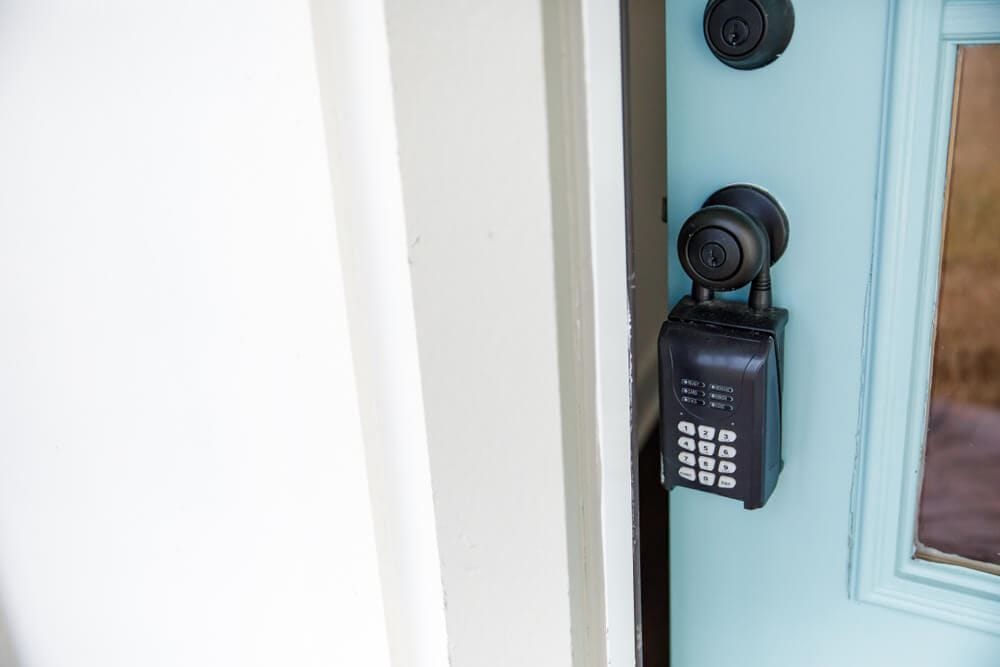
1. Check for a physical key lockbox (usually mounted near the door)
2. Look under planters, mats, or mailboxes for hidden keys
3. Message your host through the Airbnb app—they’ll see your location and respond fastest there
Never try to break in. Hosts receive instant alerts if locks are forced, which delays your entry while they verify your identity.
Avoid These 3 Costly Smart Lock Mistakes
Mistake #1: Assuming the Code Works Before Check-in Time
78% of “lockout” complaints stem from guests arriving 15+ minutes early. Smart locks cannot be overridden remotely before the scheduled time. If your flight lands early:
– Message your host before landing to request early access
– Store luggage at the airport or nearby café
– Never knock on neighbors’ doors for entry—they won’t help
Mistake #2: Sharing Your Code with Rideshares or Delivery Drivers
Your access code is single-use and guest-specific. If you text it to Uber Eats:
– The lock may permanently deactivate your code after one use
– Hosts see all entry logs and may cancel your stay
– You could be charged for emergency lock resets ($50+)
Solution: Meet drivers outside the property or use the host’s designated delivery spot.
Mistake #3: Ignoring Low-Battery Warnings
Flashing lights or delayed unlocking mean batteries are dying. If you notice this:
– Message your host immediately—they can often extend code access remotely
– Do not remove batteries yourself (triggers full lockout)
– Use the backup key from the lockbox only as a last resort
Emergency Access When All Else Fails
Where to Find Backup Keys in 90 Seconds
Hosts must provide backup entry per Airbnb policy. Check these spots first:
– Mounted metal lockbox (often on porch railing or under eaves)
– Magnetic key holder stuck to pipes under the sink
– Welcome book inside the property (if you got in earlier)
Critical: Lockbox codes differ from your smart lock code. They’re usually in your Airbnb messages under “Backup entry instructions.”
Contacting Your Host During Lockouts
Do this in order:
1. Open Airbnb app → Your trip → Message host
2. Type: “LOCKED OUT AT [exact address]. Code [your code] not working.”
3. Don’t call—hosts get 100+ calls daily; app messages trigger instant phone alerts
Most hosts resolve issues in <10 minutes by refreshing your code or checking battery status remotely.
Pro Tips for Flawless Smart Lock Use
Save time with these expert moves:
– Screenshot your code before leaving home (works offline)
– Download offline maps of the property area in Google Maps
– Save host’s number as “AIRBNB EMERGENCY” in your contacts
Never attempt to reprogram the lock—even if you see settings menus. One wrong tap can disable the entire system, costing you hours of waiting for a locksmith.
Final note: Smart locks make 95% of check-ins seamless when you know how to use them correctly. Bookmark this guide for your next trip, and you’ll never stand outside wondering, “Why won’t this Airbnb smart lock work?”—because now you hold the key.
Pro tip: If your code fails, always check your reservation dates/times in the Airbnb app first. 62% of “broken lock” reports are actually guests at the wrong property or wrong day. A 10-second app check saves 30 minutes of panic.



