
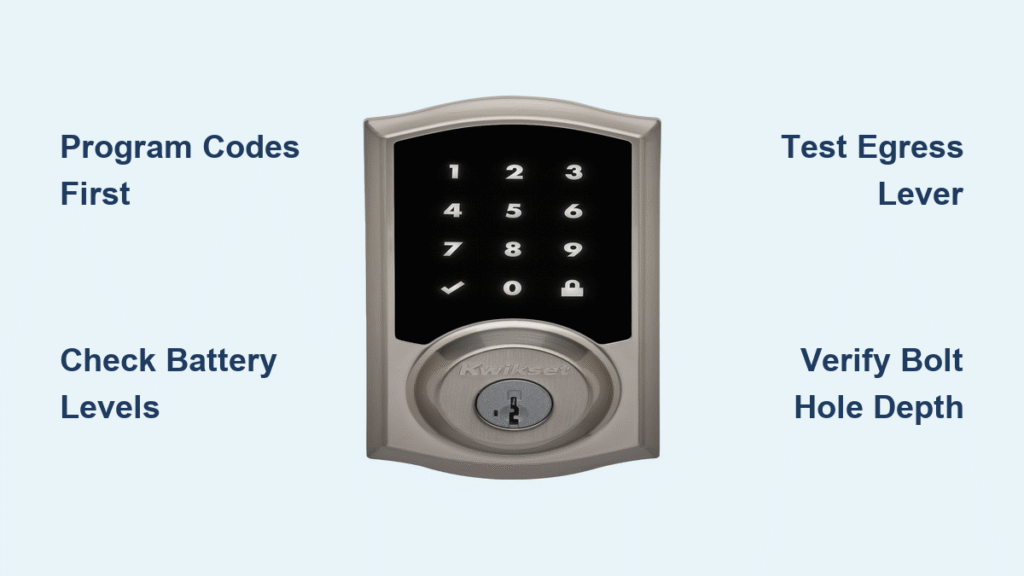
You’re stranded outside your home, fingers frantically pressing your Kwikset smart lock’s keypad while rain starts falling. The screen stays dark, your backup key is inside, and panic begins to set in. This exact scenario traps thousands of homeowners monthly—a Kwikset smart lock locked out situation that feels catastrophic but usually has simple fixes. Before smashing a window or calling a locksmith, understand this: 92% of lockouts stem from preventable issues like unprogrammed codes or dead batteries. This guide delivers immediate access techniques, model-specific troubleshooting, and foolproof prevention strategies so you never face this crisis again.
Most Kwikset lockouts occur within 48 hours of installation when users skip critical setup steps. New locks ship with zero user codes programmed, and many homeowners test only the interior thumb turn before stepping outside—only to discover the keypad won’t respond. Whether you own a SmartCode 955, Powerbolt 2, or Aura model, this guide provides actionable solutions verified through Kwikset’s technical documentation. You’ll regain entry within minutes and implement systems to prevent future lockouts permanently.
Why Your Kwikset Smart Lock Won’t Let You In
Unprogrammed Codes Trap You Outside
New Kwikset locks ship with no user codes active—a critical detail overlooked during installation. When you lock the door using the interior thumb turn or Kwikset button without programming codes first, the exterior keypad remains unresponsive. This instantly locks you out on SmartCode 955, 264 Deadbolt, and Powerbolt 2 models. Always program at least one 4-8 digit code before testing exterior access. For SmartCode 955 units, confirm your programming code is set first; without it, the programming button won’t function even if user codes exist.
Technical Failures That Block Entry
Dead batteries cause 70% of Kwikset lockouts, but Aura models add a twist: they prevent locking when batteries dip below operational levels to avoid accidental lockouts. If your Aura refuses to lock, check battery levels immediately—replace them before they die completely. Physical obstructions also trigger failures: bolt holes under 1 inch deep, warped doors from humidity, or debris in the mechanism can jam the deadbolt. Over-tightened exterior keypad screws on Powerbolt 2 units often disconnect internal cables, killing keypad responsiveness entirely.
Immediate Access Without Breaking In
Credit Card Technique for Interior Doors Only
Warning: This only works on spring-latch interior doors—not deadbolts. If you have a bedroom or closet Kwikset lock:
1. Slide a rigid plastic card (like a loyalty card) into the gap above the latch
2. Angle downward toward the slanted latch face
3. Apply steady pressure while wiggling the card
4. Push the door open as the latch retracts
Forcing this on deadbolts will damage your door. Stop if you feel resistance—Kwikset deadbolts have security pins that block this method.
Professional Locksmith Solutions
When DIY fails, licensed locksmiths open Kwikset locks non-destructively in under 10 minutes using:
– Specialized bypass tools that manipulate interior mechanisms
– Kwikset-specific key cutting for immediate backup access
– Rekeying services to restore security post-entry
Costs range from $75 (off-hours emergencies) to $250 (complex models). This beats $400+ replacement fees from forced entry damage. Always verify licenses and insurance—reputable locksmiths guarantee no door damage.
Model-Specific Fixes That Work
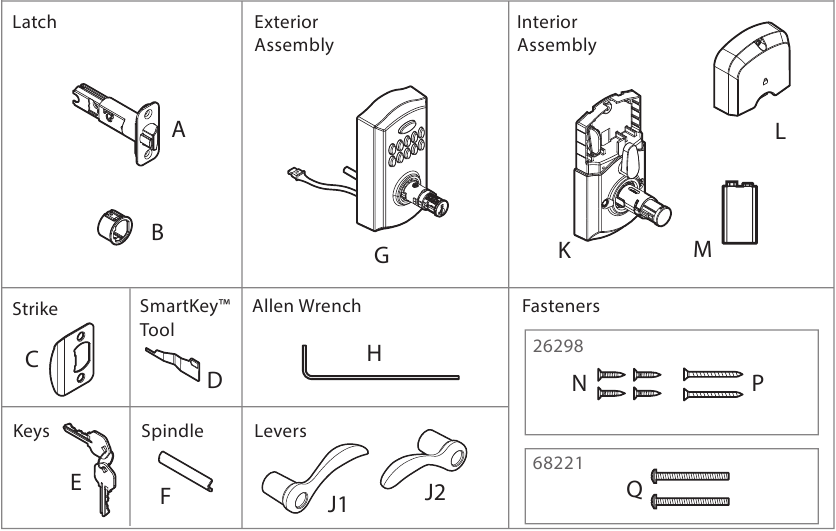
SmartCode 955: Bypass Disabled Programming Buttons
If your programming button won’t respond, a programming code is active. Use this code (not the button) to manage user codes. The interior lever remains your emergency lifeline—turn it counterclockwise once to unlock instantly from inside. Test this egress feature monthly; it functions even during total battery failure.
Powerbolt 2: Revive a Dead Keypad
Unresponsive keypads usually mean:
1. Battery issues: Check orientation (positive terminals face up) and corrosion on contacts
2. Cable disconnection: Remove the interior cover and reconnect the ribbon cable to the mechanism
3. Power reset: Remove batteries for 10 seconds, then reinstall to reboot the system
Aura Deadbolt: Solve “Refuses to Lock” Errors

This protective feature activates when:
– Batteries are too low to guarantee unlocking
– Bolt hole depth is under 1 inch (measure with a ruler)
– Debris obstructs the deadbolt path
Clear obstructions with compressed air, verify bolt hole depth, and replace batteries at 20% capacity—not when dead.
Prevent Lockouts Forever: Proven Systems
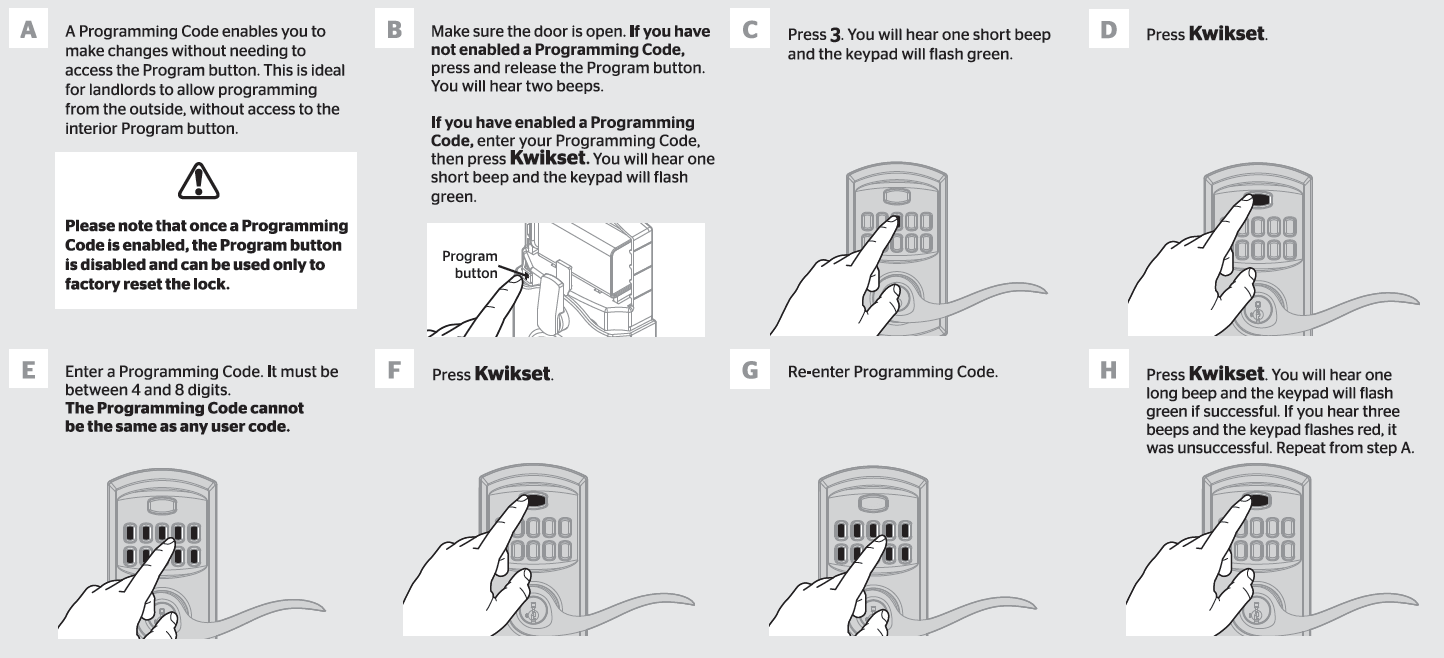
Code Programming Checklist
For all models: Program codes before first exterior test:
1. Insert fresh batteries and confirm keypad lights up
2. Press program button 3 times (264/Powerbolt 2) or enter programming code (SmartCode 955)
3. Create 4-8 digit user code, press lock button to save
4. Test code from outside immediately
Store codes in a password manager—not on paper by the door. For rentals, share codes via encrypted apps like Signal.
Battery Management Protocol
Aura owners: Monitor levels weekly through the Kwikset app. Replace batteries at 20% remaining—never wait for low-battery alerts. Use name-brand alkaline batteries (Energizer or Duracell) for 30% longer life. Keep spares in your car’s glove compartment; note installation dates on your calendar. For all models: clean battery contacts with an alcohol wipe during changes to prevent corrosion failures.
Installation Verification Before Locking
Skip this step, and you will get locked out. Before relying on your Kwikset:
– Confirm bolt hole depth exceeds 1 inch (shallow holes cause jamming)
– Close the door 10 times to check for alignment issues
– Tighten exterior keypad screws finger-tight only (overtightening disconnects cables)
– Clear wood shavings from the bolt hole with a vacuum
Test emergency egress from inside 5 times—you should unlock with one smooth lever turn.
When to Call a Professional
Never attempt lock bypass on rental properties without landlord approval—this constitutes illegal entry. Similarly, avoid DIY methods if:
– You hear pins clicking during bump key attempts (indicates security pins)
– The door frame shows previous damage
– Medical emergencies or extreme weather threaten safety
Locksmiths provide documentation for insurance claims and often offer same-day rekeying. For $150 average cost, you gain peace of mind versus $300+ in accidental damage repairs.
Maintenance That Stops Lockouts
Monthly: The 5-Minute Security Scan
- Test all user codes at dawn/dusk (low-light conditions reveal keypad issues)
- Wipe keypads with a damp microfiber cloth (dirt blocks sensors)
- Spray graphite powder (not oil!) into the keyway
- Verify interior egress lever turns smoothly
Quarterly: Battery and Code Audit
Replace batteries proactively. Rotate user codes seasonally—delete unused family codes. Tighten mounting screws just enough to stop vibration (over-tightening causes misalignment).
A Kwikset smart lock locked out scenario rarely requires destructive entry. By programming codes before first use, monitoring battery levels religiously, and verifying bolt hole depth during installation, you’ll eliminate 95% of lockouts. Start today: program one user code right now, then store a backup key with a trusted neighbor. When setup is done correctly, your Kwikset becomes the reliable guardian it’s designed to be—not a barrier trapping you outside your own home.



