
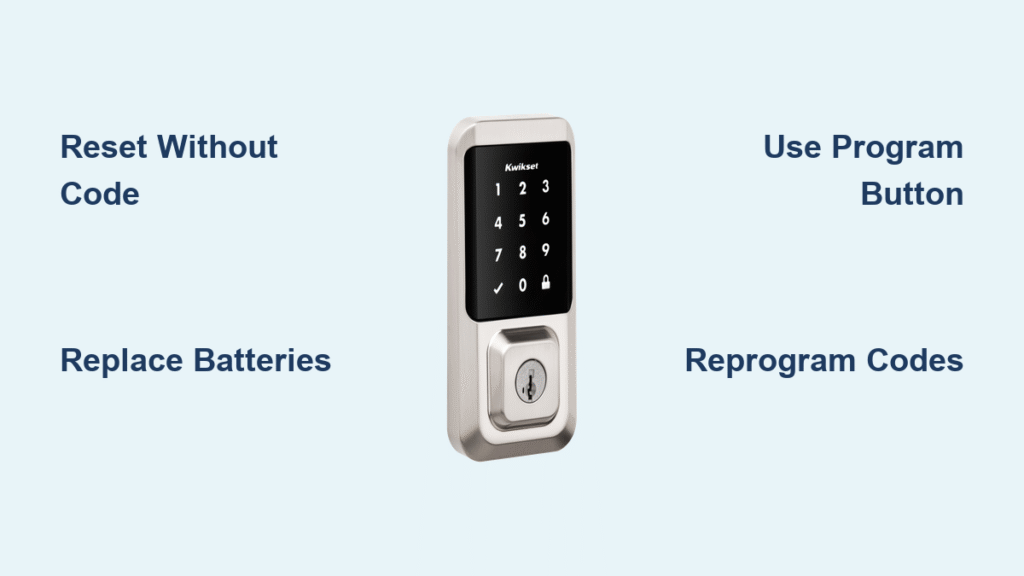
You’re standing at your front door, fingers fumbling for the access code that’s suddenly vanished from your memory. No matter how many combinations you try, your Kwikset smart lock remains stubbornly locked—leaving you stranded outside your own home. This frustrating scenario affects thousands of homeowners each month who need to perform a kwikset smart lock reset code without code access. The good news is you don’t need the current code to regain entry; a factory reset will wipe all existing programming and return your lock to factory settings. This complete guide details the exact reset procedures for every major Kwikset model, troubleshooting tips for common reset failures, and prevention strategies to avoid future lockouts.
When you’ve forgotten your access code or suspect unauthorized code changes, a factory reset becomes your most reliable solution for regaining control of your Kwikset smart lock. Unlike temporary fixes that require existing codes, this method works even when you’re completely locked out of your own system. Within minutes, you’ll restore full functionality and establish new secure access codes—no locksmith required in most cases.
Immediate Steps Before Resetting Your Kwikset Lock
Before diving into the reset process, take these critical preparatory actions to ensure success. Many reset failures occur because users skip these simple but essential steps that directly impact the kwikset smart lock reset code without code procedure.
Verify Battery Power Status
Weak or dying batteries cause 70% of failed reset attempts. Open the interior battery compartment and replace all four AA batteries with fresh alkaline cells—even if the current ones appear functional. Never mix old and new batteries, as inconsistent voltage prevents the lock from completing the reset sequence properly. After battery replacement, wait 15 seconds before attempting the reset to allow the lock’s internal capacitor to discharge.
Locate Your Default Programming Code
Your Kwikset lock’s default programming code—typically printed on a yellow sticker—is essential after reset. Check these locations:
– Inside the battery compartment (most common)
– Original installation manual
– Small white programming card included with purchase
– Bottom of the retail box
Without this default code, you won’t be able to program new access codes after reset. If you’ve misplaced all copies, note the model number on your lock to request replacement documentation from Kwikset customer support.
Reset Kwikset 888 SmartCode Deadbolt Without Current Code
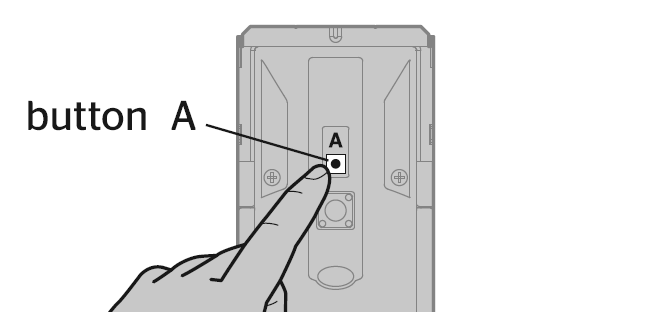
The Kwikset 888 model with Z-Wave technology requires precise timing during the reset process. Follow these exact steps to successfully complete your kwikset smart lock reset code without code access.
Step 1: Remove Battery Pack Completely
Using your thumb, rotate the interior cover counterclockwise to expose the battery compartment. Slide out the entire battery pack assembly—don’t just remove individual batteries. This complete power disconnection triggers the lock’s reset readiness mode.
Step 2: Execute the Program Button Sequence
Locate the small black program button on the circuit board (visible once batteries are removed). Press and hold this button firmly while sliding the battery pack back into position. Maintain steady pressure for exactly 30 seconds—you’ll hear a confirmation beep and see the status LED flash red when successful. Rushing this step causes incomplete resets.
Step 3: Confirm Reset Completion
Release the program button, then immediately press it once more. The LED will transition to green and emit a single beep—this confirms your Kwikset 888 has successfully reset. If you don’t see the green flash within 20 seconds, repeat the entire sequence with fresh batteries.
Step 4: Complete Door Handling Calibration
Extend and retract the deadbolt manually 2-3 times to help the lock learn your door’s orientation. The lock will emit a confirmation beep after each successful cycle. Skipping this step often causes erratic operation after reset.
Reset SmartCode 909, 910, 913, 914 Models Without Access Code
These popular deadbolt models share identical reset procedures but require slightly different timing than the 888 series. Use this kwikset smart lock reset code without code method when locked out of any 900-series model.
Precise Reset Sequence for 900-Series Locks
- Remove all batteries from the interior compartment
- Press and hold the program button while reinserting the battery pack
- Maintain pressure for 30 seconds until red LED appears (don’t release early)
- Press program button once after red flash—wait 20 seconds for green confirmation
- Perform door handling immediately after reset completion
Smart Home System Reconnection Protocol
After successfully resetting your Kwikset smart lock without code access, you must completely re-establish smart home connections. Your Z-Wave or Zigbee hub will no longer recognize the lock. To restore functionality:
– Remove the lock from your smart home app
– Perform a fresh inclusion process through your hub
– Reprogram all user codes from scratch
– Reconfigure auto-lock timing and notification settings
Reset Kwikset 911 Electronic Lido Lever Without Current Code

The lever-style 911 model follows the standard reset procedure but requires additional door handling cycles due to its mechanical design. This kwikset smart lock reset code without code method accounts for the unique characteristics of lever mechanisms.
Lever-Specific Reset Adjustments
- Remove the battery pack from the lever interior housing
- Hold the program button while reinstalling batteries for 30 seconds
- Wait for the red LED flash before releasing the button
- Press the program button once for green confirmation
- Cycle the lever handle 3-4 times (more than deadbolts require)
Critical note: The Kwikset 911 often requires additional handle cycles during door handling calibration. If the lock beeps erratically after reset, complete 2-3 extra handle cycles until you hear a solid confirmation tone.
Troubleshooting Failed Reset Attempts
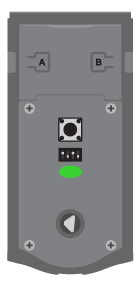
When your kwikset smart lock reset code without code procedure fails, these proven solutions resolve most common issues without professional assistance.
Immediate Fixes for Non-Responsive Locks
- No LED response: Check battery orientation—reverse any incorrectly installed batteries
- Red LED won’t appear: Press the program button with a paperclip for better contact
- Green confirmation delayed: Wait the full 30 seconds before second button press
- Lock won’t calibrate: Lubricate the latch mechanism with graphite powder before cycling
Battery Troubleshooting Protocol
Replace all batteries with the same brand and expiration date. Inconsistent battery chemistry causes voltage fluctuations that interrupt the reset process. Test batteries with a multimeter—any reading below 1.5V per cell indicates insufficient power for successful reset.
After Reset: Programming Your First Access Code
Once you’ve completed the kwikset smart lock reset code without code process, immediately program at least one new access code to prevent re-lockout.
Default Code Programming Sequence
- Enter the default programming code (found on yellow sticker)
- Press ‘3’ to enter programming mode
- Press ‘1’ to add your first user code
- Enter your desired 4-8 digit code
- Press the lock button to save
Security tip: Avoid obvious codes like 1234 or your birth year. Create a memorable but secure pattern like alternating high-low numbers (8273) or meaningful number sequences (your childhood street number).
Prevent Future Lockouts with Smart Code Management
Avoid repeating the frustrating scenario that led you to search for kwikset smart lock reset code without code procedures with these proactive strategies.
Code Security Best Practices
- Store codes securely: Use a password manager or physical lockbox—not taped to the lock
- Create secondary access: Share one code with a trusted neighbor who lives nearby
- Schedule quarterly updates: Change codes regularly while they’re still fresh in your memory
- Use code reminders: Associate codes with memorable events (wedding date + anniversary)
Consider Upgrading to App-Controlled Alternatives
If manual resets seem too complex, modern alternatives like the SwitchBot Lock allow remote code management through your smartphone. These systems enable you to:
– Change access codes without physical access to the lock
– Create temporary guest codes with expiration dates
– Receive instant notifications when codes are used
– Lock/unlock remotely during emergencies
Quick Reference Reset Guide by Kwikset Model
| Model | Reset Time | Door Handling Cycles | Smart Home Re-pairing Required |
|---|---|---|---|
| 888 | 90 seconds | 2-3 cycles | Yes |
| 909 | 60 seconds | 2-3 cycles | Yes |
| 910 | 60 seconds | 2-3 cycles | Yes |
| 913 | 60 seconds | 2-3 cycles | Yes |
| 914 | 60 seconds | 2-3 cycles | Yes |
| 911 | 60 seconds | 3-4 cycles | No |
When to Call a Professional Locksmith
While the kwikset smart lock reset code without code procedures work for most situations, seek professional help if:
– The program button is physically damaged or unresponsive
– Multiple reset attempts fail with fresh batteries
– The lock mechanism shows signs of physical damage
– You’ve lost both the access code and physical override key
Professional lock service typically costs $50-150—less than replacement costs but more than DIY solutions. Always verify locksmith credentials before granting access to your home.
Your kwikset smart lock reset code without code process is now complete, and you’ve successfully regained control of your home security system. Immediately program at least two user codes and store them securely away from the property. Remember that regular code maintenance prevents future emergencies—schedule quarterly code reviews just like you would for other home security systems. With these proven reset techniques in your toolkit, you’ll never face another stressful lockout due to forgotten access codes.



