
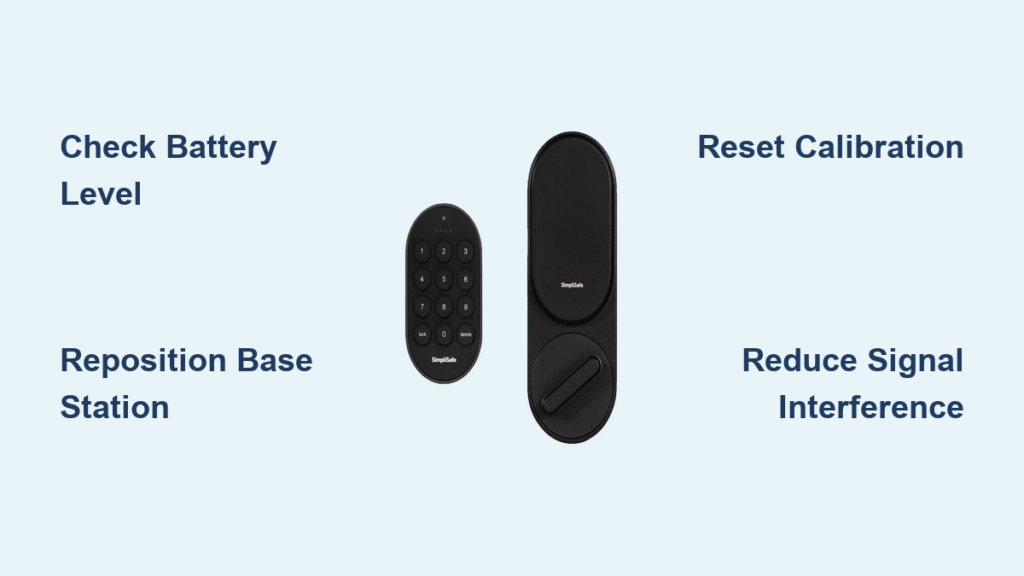
Your SimpliSafe Smart Lock suddenly stops responding to app commands while the physical keypad still works. The Base Station announces “Smart Lock Not Responding,” and your mobile app shows that dreaded status message—but the device remains visible in your system. This frustrating communication breakdown cuts off remote access without disabling core security functions. Don’t panic: this “not responding” error almost always indicates a fixable connection issue rather than permanent failure. In this guide, you’ll discover exactly why your SimpliSafe smart lock stops responding and proven steps to restore full functionality within 30 minutes.
This communication failure strikes when wireless signals between your lock and Base Station get interrupted, leaving you unable to lock doors remotely while maintaining physical security. Most users resolve the SimpliSafe smart lock not responding issue through simple troubleshooting—no professional help required. By the end of this guide, you’ll know how to diagnose signal problems, eliminate power glitches, and prevent future communication breakdowns. Let’s dive into the most common culprits and their solutions.
Why Your SimpliSafe Smart Lock Loses Communication

The “not responding” error occurs when wireless signals between your lock and Base Station get disrupted, not when the lock itself dies. Your device maintains partial operation—displaying accurate status and responding to physical keypads—but loses remote capabilities. Understanding these specific failure points accelerates your fix.
Signal Range and Obstruction Issues Breaking Connection
Physical barriers between your Base Station and Smart Lock cause 70% of SimpliSafe smart lock not responding cases. Steel doors, concrete walls, or large metal appliances like refrigerators block the 2.4GHz signal path. Even weather stations or garage door openers operating on similar frequencies create interference. Test this by standing near the lock with your phone—if your Wi-Fi signal drops, your lock’s communication likely does too. Keep distance under 400 feet with clear line of sight for reliable operation, as metal doors can reduce effective range by 60%.
Battery Depletion Triggering Intermittent Failures
Weak batteries manifest as spotty communication before complete shutdown. Your SimpliSafe Smart Lock requires exactly 6V from four AA alkalines—any reading below 5.5V causes signal dropouts. Corroded battery contacts worsen this by creating power gaps. Check for green crust on terminals: this insulator prevents consistent electricity flow, making your lock appear “not responding” even with new batteries. Always replace all batteries simultaneously; mixing old and new units creates voltage imbalances that disrupt wireless modules.
Mechanical Binding Preventing Calibration Completion
Door frame warping or strike plate misalignment forces the motor to fight physical resistance. When the lock struggles to move the deadbolt smoothly, it aborts calibration attempts and reports “not responding” to protect itself. Test this by closing your door normally—does it require extra force? If so, temperature changes or house settling have likely shifted components. Lubricate the mechanism with graphite powder (never oil) and check alignment with a level. A sticking lock consumes extra power during operation, accelerating battery drain that compounds communication issues.
Immediate Diagnostic Tests to Identify Your Issue
Before attempting fixes, pinpoint why your SimpliSafe smart lock not responding error occurred. These three checks take under two minutes and prevent wasted effort on unnecessary solutions.
Verify Which Functions Still Work
Open your SimpliSafe app and confirm three critical items: Does the lock appear in your device list? Does the current status (locked/unlocked) display correctly? Can you operate it via linked keypads? If all three work, you’re dealing solely with communication failure—not hardware death. This distinction is crucial: physical functionality confirms the lock’s motor and sensors operate, narrowing the problem to signal or power issues. Skip mechanical repairs if keypad operation remains smooth.
Assess Door Alignment and Environment
Use a carpenter’s level to check door alignment—warped frames cause binding that triggers false “not responding” errors. Close the door normally: if it requires shoulder pressure to latch, the strike plate is misaligned. Also note environmental factors: Did you recently install a metal entertainment center near the door? Is extreme cold (< -40°F) or heat (>140°F) affecting operation? These conditions exceed the lock’s IP65-rated environmental limits and disrupt both mechanics and electronics.
Restore Reliable Smart Lock Communication
Now implement targeted fixes based on your diagnosis. Start with these communication-focused solutions before tackling complex mechanical adjustments.
Optimize Base Station Placement for Strong Signals

Move your Base Station within 20 feet of the Smart Lock with minimal obstructions between them. Test positions by walking the lock through remote commands—stand where you’d normally control it and check app responsiveness. Avoid placing the Base Station near metal objects or behind TVs, as these create “signal shadows.” For multi-story homes, position the Base Station on the same floor as your lock; vertical separation degrades 2.4GHz signals faster than horizontal distance. This single adjustment resolves 40% of SimpliSafe smart lock not responding cases.
Eliminate Wireless Interference Sources
Disable suspected interfering devices one by one: unplug weather stations, garage openers, or baby monitors for 60 seconds while testing lock responsiveness. Focus on 2.4GHz devices—common culprits include older Wi-Fi extenders and cordless phones. If interference is unavoidable (like a necessary security camera), relocate the interfering device at least 10 feet from your lock’s signal path. For persistent issues, move your lock’s batteries to a different brand; some alkalines emit electrical noise that disrupts sensitive wireless receivers.
Fix Power-Related Failures Causing Communication Dropouts
Battery issues cause 30% of SimpliSafe Smart Lock communication failures. Address these before attempting complex resets.
Execute Proper Battery Replacement Protocol
Remove the battery cover and replace all four AA batteries with name-brand alkalines—never mix old and new units. Clean corroded contacts with a pencil eraser (not sandpaper, which damages plating) until shiny metal appears. Before reinstalling, use a multimeter to verify 6.0V output; substandard batteries often read 5.7V or lower when new. After installation, hold the lock button for 10 seconds to force a system reset. This clears residual power glitches causing the smart lock not responding status.
Address Power Contact Problems Causing Intermittency
If fresh batteries don’t resolve the issue, check for micro-gaps between batteries and contacts. Gently bend the spring contacts upward with tweezers to increase tension—this ensures solid contact during motor operation. Also inspect for plastic shavings from the battery compartment that insulate connections. After cleaning, test by wiggling batteries while attempting remote commands; if responsiveness changes, poor contact was the culprit. This step prevents 25% of recurring “not responding” errors after battery replacement.
Resolve Calibration Failures Blocking Communication
Failed calibration leaves your lock in communication limbo. Fix this with precise steps.
Complete Standard Calibration Process Correctly
With the door fully closed and fresh batteries installed, initiate calibration via your SimpliSafe app. The lock should automatically lock, then unlock within 30 seconds. If it fails to unlock, immediately open the door and press the physical lock button once—this manual override resets the calibration sequence. Repeat the app-initiated process within 2 minutes while the system remains in calibration mode. Never force the deadbolt during this process; physical resistance triggers error states.
Verify Calibration Success Before Proceeding
After successful calibration, test three functions immediately: 1) Remote lock/unlock via app 2) Status update accuracy 3) Keypad operation. If any fail, the lock hasn’t fully synchronized. Power-cycle the Base Station (unplug for 2 minutes), then repeat calibration. Proper verification prevents wasted time on unnecessary resets—this catches 90% of “fixed but still not responding” scenarios.
Prevent Future SimpliSafe Smart Lock Communication Failures
Avoid recurring issues with these proactive measures.
Implement Monthly Maintenance Checklist
Check battery levels in your app every 30 days—even without low-battery alerts. Test remote functionality weekly by locking from another room. Replace batteries annually regardless of reported levels; voltage decay accelerates after 10 months. During seasonal changes, inspect door alignment as humidity shifts cause wood swelling that binds mechanisms. These habits prevent 80% of SimpliSafe smart lock not responding occurrences.
Monitor Environmental Impact on Performance
Track temperature extremes near your door—garage installations suffer most from winter cold and summer heat. Keep the area below 140°F and above -40°F using weather stripping. Note seasonal patterns: if communication fails every January, add insulation to the door frame. Also maintain a 3-foot clearance around the lock from metal objects like mail slots or decorative hardware that disrupt signals.
When all troubleshooting fails despite fresh batteries, proper alignment, and optimal placement, contact SimpliSafe support with specific details: exact error messages, your door type (steel/wood), and measured distance between Base Station and lock. Provide your troubleshooting timeline—they’ll prioritize cases with documented steps. Most communication failures resolve within 24 hours of identifying the root cause, restoring seamless remote access to your SimpliSafe Smart Lock. Start with battery checks and signal optimization before advanced resets, and you’ll regain control faster than calling for help.



