
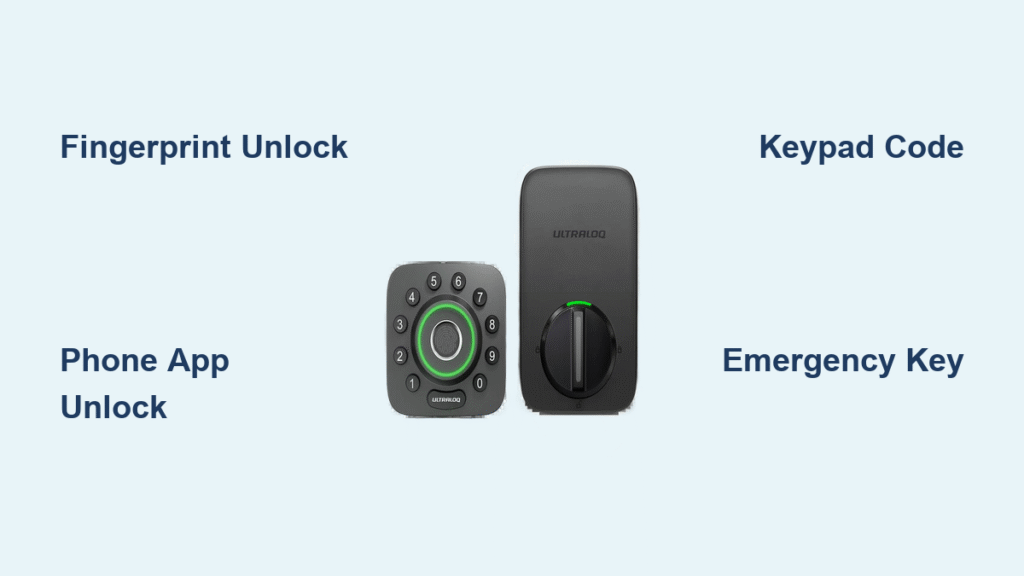
Your hands are full with grocery bags, your keys are buried at the bottom of your purse, and you’re stranded outside your front door. This frustrating scenario disappears with an Ultraloq smart lock’s seven distinct unlock methods designed for real-world convenience. Whether you’re racing home in the rain or granting access to a pet sitter while traveling, these solutions deliver seamless entry without compromising security. Discover exactly how to unlock your Ultraloq smart lock using your fingerprint, smartphone, voice commands, and emergency backups—plus critical troubleshooting when technology misbehaves.
Activate Lightning-Fast Fingerprint Unlock
Ultraloq’s biometric sensor cuts through entry delays with recognition in just 0.3 seconds—faster than fumbling for keys. Models like the U-Bolt Pro WiFi and UL3 Fingerprint feature a 360-degree sensor that works regardless of finger angle, making it ideal when you’re rushing or your hands are wet.
Execute Perfect Fingerprint Access:
1. Tap the keypad to wake the lock (no need to locate a specific sensor)
2. Press your registered finger firmly against the handle
3. Watch for the green light and confirmation beep
4. Turn the handle immediately—delay causes automatic relock
Pro Tip: Register the same finger 3-4 times at different angles. This trains the self-learning algorithm to recognize your print when wearing gloves or during seasonal dry skin. For optimal performance, clean the sensor weekly with a microfiber cloth to remove oil buildup that causes recognition failures.
Resolve Fingerprint Recognition Failures
- Sensor obstruction: Remove ice or dirt with a dry toothbrush during winter
- Moisture issues: Dry wet fingers completely before scanning
- Position problems: Hold your finger flatter against the sensor than during registration
- Emergency fix: Re-register problematic fingers through the U-tec app > User Management
Unlock Remotely Using Smartphone Commands

Your phone becomes a digital keychain with the U-tec app, offering multiple unlock options whether you’re across the street or across the country. Bluetooth models like the U-Bolt Pro work within 30-50 feet, while WiFi models (U-Bolt Pro WiFi) enable global remote access.
Instant Bluetooth Unlock Sequence:
1. Open U-tec app with Bluetooth active
2. Select your lock from the dashboard
3. Tap the large “Unlock” button
4. Physically turn the handle within 10 seconds
Hidden Convenience Features:
– Magic Shake: Vigorously shake your phone near the lock (U-Bolt Pro WiFi only)
– Knock-to-Open: Tap your unlocked phone screen four times rapidly
– Pocket Unlock: Enable “Auto-Unlock” for hands-free access when approaching home
Critical Note: WiFi remote unlock takes 3-6 seconds—always test this feature before relying on it for guests. If connectivity fails, fall back to fingerprint or keypad methods which work independently of your network.
Enter Secure Keypad Passcodes Correctly
When your phone dies or Bluetooth fails, the physical keypad delivers reliable access without batteries or signals. All Ultraloq models support 4-8 digit codes with anti-peep security to prevent shoulder surfing.
Flawless Code Entry Protocol:
1. Wake the keypad by touching any key
2. Input your 4-8 digit code (e.g., 5678)
3. Press the “U” logo button (lock symbol)
4. Turn the handle immediately after the green light
Strategic Code Management:
– Master Code: Your permanent admin access (never share)
– Temporary Codes: Set expiration for dog walkers (1-24 hours)
– One-Time Codes: Perfect for food deliveries
– Emergency Code: Factory reset code if master is forgotten
Deploy Anti-Peep Security Like a Pro
Enter random digits before and after your actual code to hide it from observers. If your code is 2468, type 9992468888. The system ignores extra digits as long as your real code appears sequentially within the 20-digit maximum entry. Always wipe the keypad surface after use to eliminate fingerprint smudges that reveal code positions.
Execute Emergency Key Override Properly

During complete battery failure—when even the 9V emergency power won’t work—your mechanical key provides absolute access. Every Ultraloq includes two bump-proof, pick-resistant keys stored under a rubber cover on U-Bolt models or behind the bottom panel on UL3 series.
Key Access Protocol:
– U-Bolt Series: Peel back the rubber flap beneath the handle
– UL3 Models: Slide off the bottom cover to reveal keyhole
– Insert key fully before turning clockwise
– Critical Reminder: Mechanical keys ONLY unlock doors—they cannot lock from outside
Emergency Preparedness: Store one key with a trusted neighbor and keep the other in your car’s emergency kit. Test key access quarterly to prevent rust or mechanism seizing. During power outages, use keys immediately after battery depletion warnings—delaying risks being locked out when the lock fully dies.
Voice-Unlock Front Door with Smart Speakers
Hands full with packages? Command Alexa or Google Assistant to unlock your door while you juggle groceries. U-Bolt Pro WiFi models integrate with voice assistants, but require strict security protocols.
Secure Voice Unlock Setup:
1. Link U-tec account to Alexa/Google Home app
2. Enable voice match for your profile
3. Set mandatory 4-digit PIN in U-tec app > Security
Verified Voice Commands:
– “Alexa, unlock front door” → [System requests PIN]
– “Hey Google, open the front door” → [Requires PIN confirmation]
– Never works: “Unlock door” without PIN—security prevents this
Apple HomeKit Alternative: U-Bolt Pro WiFi users can say “Hey Siri, unlock front door” without PIN if using Face ID authentication on iPhone. Add a Home app shortcut to Control Center for one-tap unlocking when Siri isn’t practical.
Fix Common Unlock Failures Immediately

Keypad Unresponsive? Try This
- Stuck buttons: Press all keys firmly 5 times to dislodge debris
- No wake-up: Remove batteries for 30 seconds to reset electronics
- Invalid code errors: Verify you’re pressing the lock button after digits
- Winter freeze: Warm keypad with gloved hands before entering code
App Won’t Connect? Emergency Fixes
- Force-close U-tec app and restart phone
- Toggle Bluetooth off/on (resets connection stack)
- Check battery level—low power causes “offline” status
- As last resort: Use mechanical key while troubleshooting
Auto-Unlock Not Triggering?
- Disable battery optimization for U-tec app (Android)
- Enable “Always” location permissions (iOS)
- Recalibrate geofence by standing outside door for 60 seconds
- Shorten range to 100 feet if unlocking prematurely
Maintain Peak Unlock Performance
Monthly Maintenance Checklist:
– Clean fingerprint sensor with alcohol-free wipe
– Test all 7 unlock methods (yes, all seven!)
– Check battery level via app—replace at first low-battery alert
– Verify temporary codes haven’t expired
Battery Life Reality Check: Alkaline batteries last 8,000-10,000 unlocks (≈1 year), but cold weather slashes performance by 40%. Keep spares in your glove compartment. When you see “5 operations remaining,” replace batteries immediately—this warning means failure is imminent.
Emergency Power Hack: Tape a 9V battery inside your mailbox for true emergencies. During complete power failure, touch its terminals to the U-Bolt’s emergency contacts (marked + and -) to power the lock for 10+ unlocks.
Choose Your Optimal Unlock Method by Situation
| Scenario | Best Method | Speed | Reliability |
|---|---|---|---|
| Hands full with groceries | Voice command | 8 seconds | ★★★☆☆ |
| Phone battery dead | Keypad code | 5 seconds | ★★★★★ |
| Letting in guests remotely | Temporary code | N/A | ★★★★☆ |
| Approaching home | Auto-Unlock | Hands-free | ★★★☆☆ |
| Power outage | Mechanical key | 10 seconds | ★★★★★ |
| Wet/dirty hands | Smartphone app | 4 seconds | ★★★★☆ |
Your Ultraloq adapts to life’s chaos—master all seven methods during setup to avoid being locked out when one system fails. Always verify mechanical key access works before relying solely on tech. For true peace of mind, test emergency procedures quarterly: simulate battery failure with the 9V method and confirm your backup key turns smoothly. When configured correctly, these locks deliver faster, more secure access than traditional keys—turning frustrating door struggles into seamless entry.



