
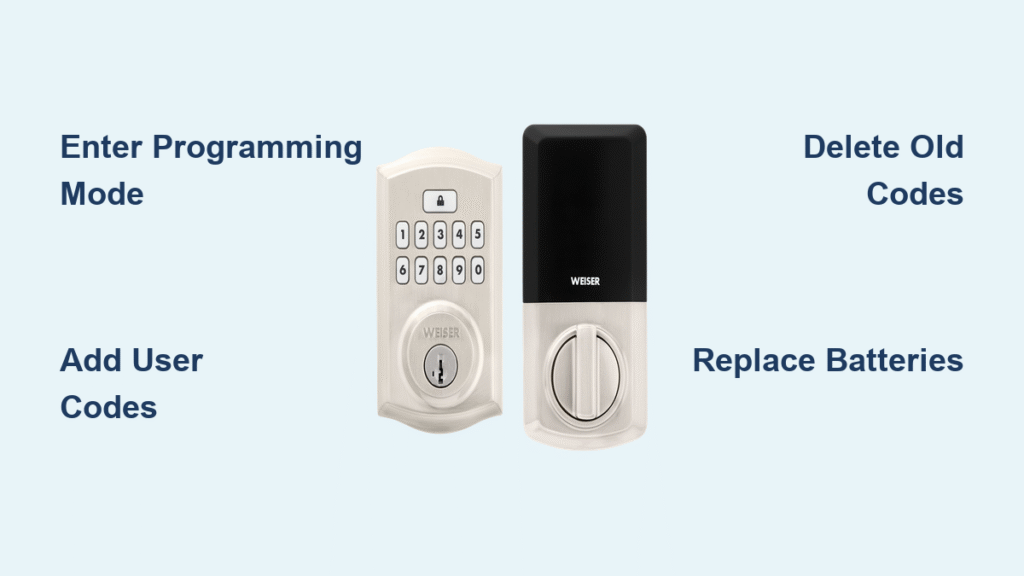
Your Weiser smart lock suddenly won’t accept your access code? Did a houseguest forget to return your spare key? Changing your Weiser smart lock code is one of the most essential home security skills you can master—and it takes far less time than most homeowners realize. Whether you’re using a Weiser Halo, Premis, or Powerbolt model, updating your access codes shouldn’t require calling a locksmith or replacing the entire lock. This step-by-step guide reveals the exact procedures to change your Weiser smart lock code using the built-in programming features, including how to add temporary guest codes, delete expired access, and troubleshoot common issues that prevent successful code changes. You’ll gain complete control over your home’s digital security without tools or technical expertise.
Access Your Weiser Lock’s Programming Mode Correctly
Many code change failures happen because users never properly enter programming mode—the critical first step that activates your lock’s administrative functions. Your Weiser smart lock requires specific button sequences to transition from regular operation to programming state, and timing matters more than most manuals emphasize.
Locate the Hidden Programming Button Without Damage
Remove the interior cover by unscrewing the two visible screws on Halo models or twisting the cover counterclockwise on Premis variants—never force it. The programming button sits directly above the battery pack and appears as a small black rubber dome, not a traditional mechanical button. Shine a flashlight at a 45-degree angle to spot it clearly, as poor lighting causes many users to press the wrong component. Use a plastic spudger or toothpick to press this button; metal tools could damage the sensitive contacts beneath.
Activate Master Code Mode with Precise Timing
Press and hold the programming button for exactly 3 seconds until you hear three distinct beeps—less time won’t trigger programming mode, while holding longer may initiate a factory reset. The keypad will flash amber three times, giving you a 10-second window to enter your master code before the system times out. If you hear only one beep or see red flashes, you’ve held the button too long and need to restart the sequence. This precise timing requirement prevents accidental programming changes while maintaining security.
Add Permanent and Temporary User Codes Efficiently

Your Weiser smart lock can store multiple user codes for different household members and visitors, but improper entry wastes valuable code slots and creates security gaps. Managing these codes properly ensures smooth operation without compromising your home’s protection.
Create Standard User Codes for Family Members
Press the programming button once (a quick tap, not a hold) to enter user code management. Enter 1-2-3-4 followed by the lock button to initiate new code creation. Input your desired 4-8 digit code—avoid repeating digits or sequential numbers—and press lock again to confirm. Two high-pitched beeps and green flashes verify successful programming. Test each new code immediately with the door in the closed position to confirm functionality before relying on it for daily access.
Program Self-Expiring Guest Codes on Halo Models
For visiting contractors or short-term guests, create codes that automatically deactivate after a set period. After entering your new user code and pressing lock, immediately input 3-3-1-lock to access the expiration menu. Enter the number of active days (01-99) using two digits—enter “07” for one week—followed by the lock button. The lock confirms with three beeps and a single green flash. These temporary codes appear identical to permanent ones on the surface but contain embedded expiration timers that activate precisely at midnight on the final day.
Delete Unwanted Access Codes Without System Reset
Removing old codes shouldn’t require wiping your entire system—targeted deletion keeps your active codes intact while eliminating unnecessary access points. Many homeowners perform full resets when simple code removal would suffice, creating extra work and security vulnerabilities during the reprogramming period.
Identify Which Code Slots Contain Active Entries
Test each potential slot number (01-30) by entering programming mode and pressing the programming button twice followed by 3-0-5-lock. Input a slot number and press lock—rapid beeping means the slot contains an active code, while three short beeps indicate an empty slot. Create a simple reference chart marking active slots before making changes; this prevents accidental deletion of frequently used codes. Most users discover they’ve been leaving old service provider codes active for months without realizing it.
Remove Specific Codes with Single-Slot Precision
Enter the code deletion menu by pressing the programming button twice followed by 3-0-5-lock. Input the exact two-digit slot number of the code you want to remove (01-30), then press lock. Three descending beeps and red flashes confirm successful deletion. Immediately test the removed code by attempting to unlock the door—you should hear three error beeps. This verification step is crucial, as incomplete deletions leave security loopholes that defeat the purpose of code management.
Fix Common Code Change Failures Immediately
When your Weiser smart lock rejects new codes, specific troubleshooting steps address the root causes rather than just repeating the programming sequence. These solutions resolve the vast majority of code change issues without professional assistance or hardware replacement.
Replace Batteries Before Reprogramming Attempts
Weak batteries cause intermittent programming failures even when the lock still operates normally—don’t assume “it works so batteries are fine.” Install four fresh alkaline AA batteries (not rechargeable) and wait for the initialization beeps before attempting code changes. Test your master code with the new batteries first; if it fails, you’ve likely experienced code corruption from previous low-power states that requires a full reset. Always keep spare batteries on hand specifically for programming emergencies.
Clean Keypad Contacts for Reliable Input Registration
Spills, humidity, and everyday grime create sticky residue that prevents proper button activation, causing missed digits during code entry. Power down the lock by removing one battery, then apply isopropyl alcohol to a cotton swab and gently clean around each keypad button. Press each button 10-15 times while cleaning to work the solution beneath the surface. Allow 15 minutes for complete drying before reprogramming—attempting changes on a damp keypad risks electrical damage.
Optimize Security with Smart Code Management Practices
Your Weiser smart lock’s security depends more on your programming habits than the technology itself. Implementing these professional-grade practices transforms your smart lock from a convenient gadget into a robust security system that actively protects your home.
Create Uncrackable Access Codes Using Security Best Practices
Avoid the five most common code vulnerabilities: sequential numbers (1234), repeated digits (1111), personal dates (birth years), address numbers, and simple patterns (2468). Instead, generate truly random 6-8 digit combinations using alternating high and low numbers (7-2-9-4-1-6) that don’t form recognizable sequences. Change your master code every 90 days using a systematic rotation—add one to each digit monthly (1234 becomes 2345) to maintain memorability without compromising security.
Organize Code Slots for Instant Management
Assign specific slot ranges to different user types: 01-10 for permanent household members, 11-20 for recurring service providers (cleaners, dog walkers), and 21-30 for temporary guests. When someone no longer needs access, you immediately know which slot to delete without testing multiple codes. Update your reference chart whenever changes occur—this simple system prevents the “I don’t know which code is which” panic that leads to unnecessary full resets.
Model-Specific Programming Shortcuts You Need
Each Weiser smart lock model has unique programming quirks that can frustrate users who apply generic instructions. Recognizing these differences saves time and prevents accidental resets that compromise your security.
Halo Touchscreen Programming Without Physical Buttons
Wake the capacitive display by touching any number, then press and hold the gear icon for exactly 3 seconds until the screen flashes amber. Use the checkmark icon instead of the physical lock button to confirm entries, and swipe left to cancel operations. The Halo’s touchscreen requires firmer presses than expected—press each number firmly for half a second to ensure registration during programming.
Powerbolt 2 Door Position Requirement
Always keep your door fully open before attempting code changes on Powerbolt 2 models—the lock mechanism physically blocks programming mode when the door is closed as a safety feature. If you hear rapid beeping during programming attempts, close and reopen the door completely before restarting the sequence. This requirement prevents accidental lockouts during code management sessions.
Your Weiser smart lock code management system puts complete control of your home’s security in your hands—but only if you use it correctly. By following these precise procedures for changing your Weiser smart lock code, you eliminate unnecessary locksmith calls and maintain optimal security without technical expertise. Remember to test every code change immediately, maintain organized slot assignments, and replace batteries proactively to avoid programming failures. Implement quarterly code rotations and always verify guest code expirations to ensure your digital access points remain as secure as your physical door. With these practices, your Weiser smart lock becomes both a convenience feature and a robust security asset that adapts to your changing household needs.



